

Finding a MacBook privacy screen that fits your exact model without adding bulk or requiring sticky adhesives is harder than it should be for people who work in public spaces. Many options either demand permanent installation, leave gaps around the edges, or offer cumbersome warranty claims that make swapping or returning a poor fit difficult. This comparison covers price, attachment method, warranty coverage, and real user complaints so you can pick a privacy screen that meets your work routine without compromise.
Table of Contents
Clarmuse
At a Glance
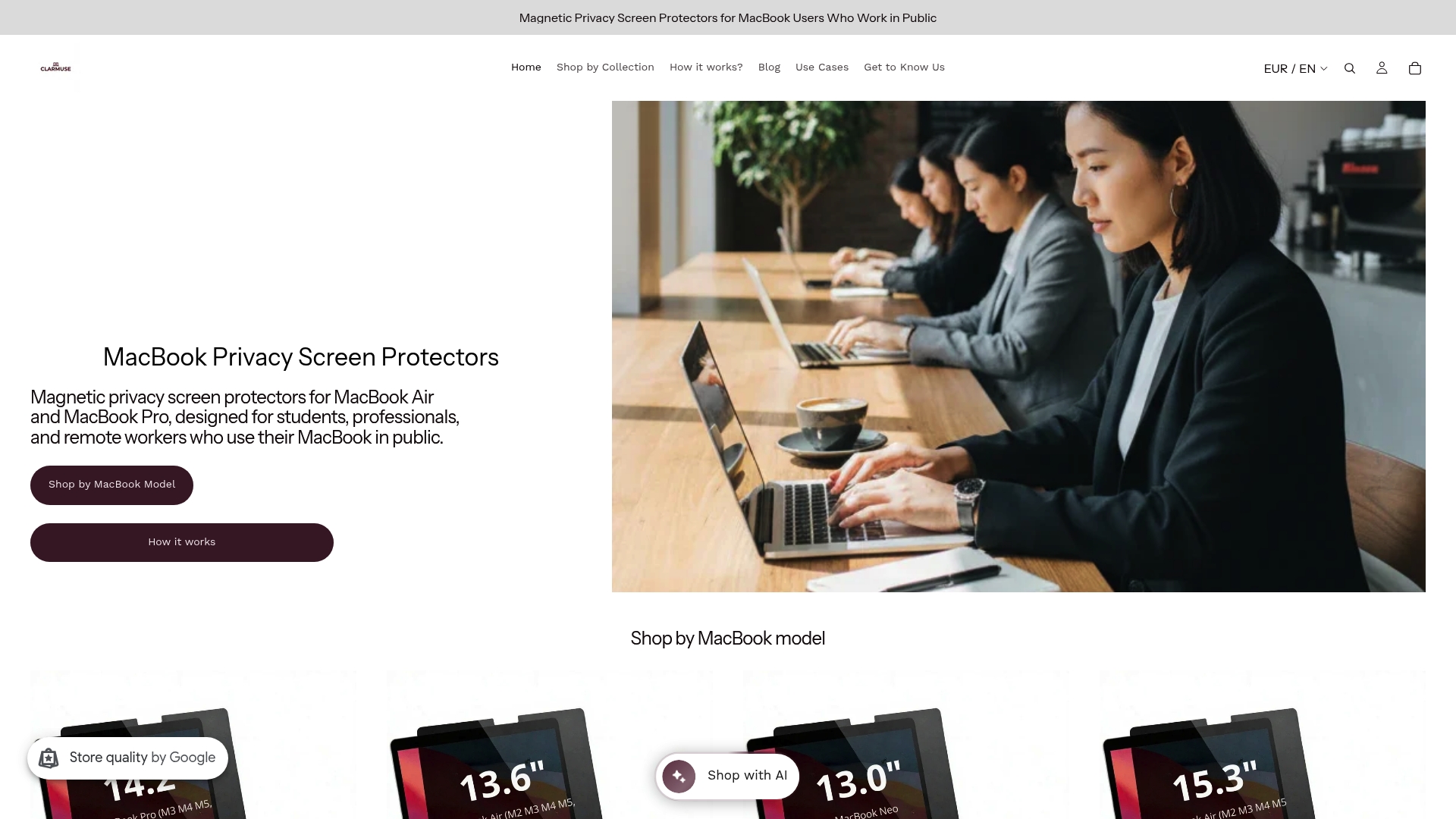
Magnetic privacy screens tailored to each MacBook model sell for €39.99–€45.00, depending on the size. The filter snaps on and off with magnets so you can add privacy for a single café session and remove it in seconds.
Core Features
- Model-specific fit designed for MacBook Air and MacBook Pro models to avoid looseness or added bulk.
- Magnetic attachment that requires no adhesive and enables quick on and off use.
- Reduces side-angle visibility to protect on-screen data in cafés, coworking spaces, libraries, and airports.
- Compatibility confirmation with a free exchange policy if you order the wrong model.
- Built for daily public use including working, studying, commuting, and travel.
Key Differentiator
A magnetic design tailored to each MacBook model is the central distinction. Unlike generic clamps or stick-on films, Clarmuse matches model dimensions and uses magnets so the screen aligns cleanly and detaches without residue. That mechanical fit preserves the laptop profile while making privacy a frictionless habit.
Pros
- Precisely fitted for specific MacBook models, so the screen sits flush and keeps viewing angles narrow without adding noticeable bulk.
- Magnetic attachment makes switching the filter in seconds realistic. You can move from public to private spaces without tools.
- Protects sensitive information from side glances when you work in crowded cafés, open offices, trains, or airports.
- Designed to complement MacBook aesthetics so the accessory does not make your setup look cluttered.
- Free exchange for incorrect models reduces the risk and hassle of buying the wrong size.
Cons
- Limited to specific MacBook models rather than serving as a universal screen solution; users with uncommon or older laptop sizes may not be covered.
Who It’s For
MacBook owners who regularly work or study outside private spaces and who prioritize fast, repeated use. If you move between cafés, coworking spaces, classrooms, and trains and you want privacy without bulk, this product fits that routine.
Unique Value Proposition
Free exchanges and included shipping for incorrect models lower the cost of getting the right fit. That policy makes ordering from a model range less risky for buyers who are not certain of their exact model number or who prefer trying the accessory in person.
Real World Use Case
A remote worker orders a screen for a MacBook Air 13.6 inch, attaches it magnetically in a coffee shop to handle sensitive emails, then removes it when they return to a private office. The quick attachment keeps privacy from becoming an extra chore.
Pricing
Prices run €39.99–€45.00 depending on the MacBook model. The vendor includes free exchange and shipping for incorrect models, so the effective cost risk on ordering the wrong size is reduced.
Website: https://clarmuse.com
Kensington

At a Glance
TAA-compliant and MIL-STD-810H tested accessories position Kensington squarely for government and enterprise procurement, not casual consumer gear. The catalog spans high-security locks, biometric keys, docking stations, and an environmentally focused Kensington EQ line aimed at long-term deployments.
Core Features
- TAA-compliant products that meet common government sourcing rules.
- High-security locks and biometric authentication devices for physical access control.
- Docking stations and hubs that support multi-device connectivity across laptops and peripherals.
- Ergonomic input devices reviewed by certified ergonomists to reduce strain during extended use.
- Durability proven by MIL-STD testing for demanding workplace environments.
Key Differentiator
Kensington combines procurement-ready compliance with a broad hardware portfolio built for heavy use. Where many accessory makers target consumers, Kensington targets enterprise and public sector buyers with products that the company describes as meeting procurement rules and military-grade durability while also offering eco-minded options.
Pros
- Long industry track record gives procurement teams a recognizable vendor to include in RFPs; the brand name reduces approval friction.
- Broad range of secure accessories lets IT standardize on one supplier for locks, docking, and input devices, simplifying warranty paperwork.
- Collaboration with major platform vendors increases compatibility with corporate Windows and Chrome deployments.
- Ergonomic designs are evaluated by professionals, which helps HR or occupational health teams justify deployments for high-hour users.
- The Kensington EQ series provides an environmentally conscious choice for fleets where sustainability is part of procurement criteria.
Cons
- Several user reports cite inconsistent docking station connectivity and occasional build quality issues, which raises the need for pilot testing before wide rollout.
- Customer support and warranty processes can be slow or cumbersome for some buyers, increasing procurement friction when replacements are required.
- Certain peripherals, notably some trackballs, receive mixed feedback on long-term durability compared with premium boutique brands.
When It May Not Fit
If you buy single units or prioritize lowest upfront cost, Kensington is not the budget option; many items sit at mid to high price points. Avoid full-scale deployments without a pilot for docking solutions because of the reliability reports above. Consumer buyers will find better value elsewhere.
Who It’s For
Public sector organizations, federal agencies, educational institutions, and enterprises that require secure, standards-compliant accessories and value procurement-ready credentials. IT teams who need predictable compatibility with Microsoft and Google ecosystems will find Kensington easier to approve than lesser-known brands.
Real World Use Case
A federal procurement officer selects TAA-compliant locks and biometric keys for secure workspaces while IT standardizes docking stations and ergonomic mice across several offices. Pilot testing revealed one docking SKU with flaky connections, so IT swapped to an alternative model before campus-wide deployment.
Pricing
Most individual items range from $20 to $400, with the higher end covering professional security hardware and docking solutions. Discounts apply for bulk government orders; the company advertises free shipping on orders over $49 and volume pricing for procurement channels.
Website: https://kensington.com
3M
At a Glance
3M reports 49 technology platforms supporting research and product development across healthcare, electronics, construction, and consumer goods. That scale underpins a huge product range from protective films to medical disposables and explains why industrial buyers often call for custom quotes.
Core Features
A broad catalog spans abrasives, adhesives, protective films, medical supplies, and consumer cleaning accessories. The company pairs products with technical data sheets and application guidance for installers and procurement teams. Expect both off-the-shelf items and engineered solutions for regulated environments.
Key Differentiator
That platform count above translates into cross-disciplinary engineering: materials science developed for one industry often gets repurposed into another. This lets 3M propose integrated fixes, for example combining adhesive chemistry with a protective film to solve a specific manufacturing problem.
Pros
-
Reputable brand that delivers a wide selection of products across industries, which reduces vendor juggling for procurement teams.
-
R&D investment yields frequent material and process updates, so you can tap newer formulations without switching suppliers.
-
Strong emphasis on safety and regulatory documentation, helpful for healthcare and construction buyers who need compliance paperwork.
-
Availability of both consumer items like privacy screens and industrial lines means small shops and large factories can source from the same catalog.
-
Global distribution network simplifies multi-site rollouts when operations span North America and Europe.
Cons
-
Customer service inconsistency: user reports describe responses that range from helpful to dismissive, which complicates escalations for technical problems.
-
Some customers report product quality issues, including batches with faulty materials, creating the need for incoming inspection in sensitive uses.
-
Order processing and account management can be slow or unclear for corporate buyers, especially when custom quotes are required.
-
Limited transparency on certain product protections and warranties; you may need to request detailed certifications for assurance.
When It May Not Fit
If your operations run primarily in Asia, Africa, or other regions outside North America and Europe, you may face limited local support or longer lead times. Small teams that want hands-on, consistent customer care for every order should prepare for variable service experiences.
Who It’s For
Industrial and manufacturing companies seeking engineered materials and safety gear will get the most value. Facilities that need regulatory documentation, research-backed materials, or product lines spanning from shop-floor abrasives to PPE will find 3M especially useful.
Real World Use Case
A medium manufacturing firm chose abrasives and adhesives from 3M for a new assembly line and requested tailored technical guidance. The result was fewer downtime incidents and documented safety compliance during the production ramp.
Pricing
Pricing varies by product family. Consumer items like privacy screens and cleaning cloths sit at moderate price points. Corporate, specialty, or engineered solutions typically require custom quotes based on volume, specifications, and regulatory needs.
Website: https://3m.com
ZAGG
At a Glance
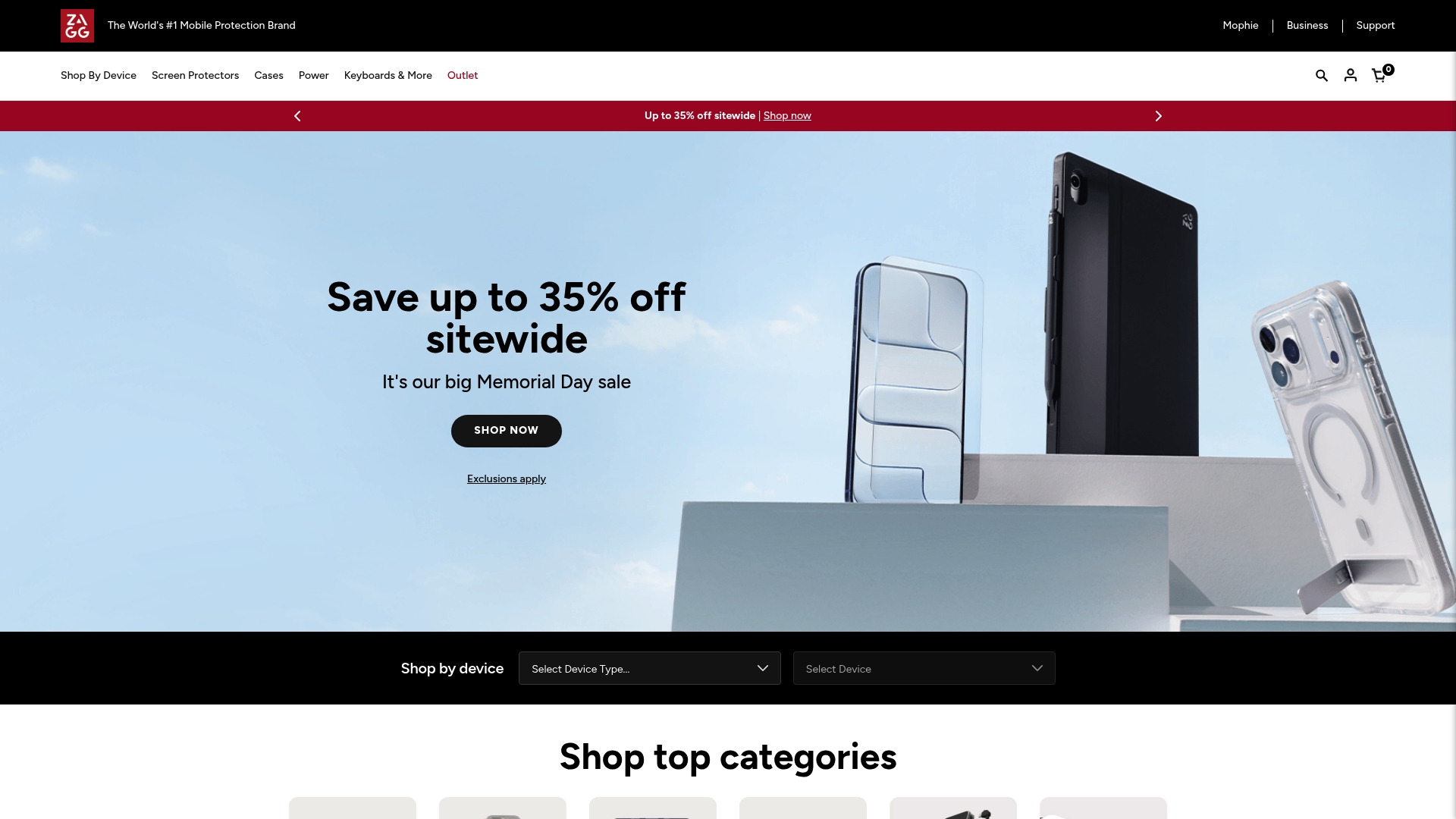
Many ZAGG screen protectors and cases carry a lifetime warranty, a clear confidence signal for buyers who plan to use a device for years. The brand also emphasizes recycled materials and eco-friendly packaging while covering phones, tablets, wearables, and gaming devices.
Core Features
ZAGG sells device-specific screen protectors, protective cases, and power accessories tailored to popular models. Several product lines include free replacements or lifetime coverage on breakage for registered items. Specialized options cover privacy filters, blue light filtering, sports-ready protection, and camera lens guards. The brand runs frequent promotions and sitewide sales that lower street prices during major shopping periods.
Key Differentiator
The vendor advertises a leading market position and the broadest catalog of device-specific protection in the category. That market claim pairs with the company’s commitment to a lifetime warranty on many items, making replacement policy a central part of the product promise rather than an afterthought.
Pros
-
Broad device coverage. You can usually find a screen protector or case cut precisely for current phone and tablet models, which reduces fit issues at install.
-
Strong initial design and fit. Products tend to look polished and match device lines, which matters if you care about aesthetics.
-
Environmental focus. Several product lines and packaging options use recycled materials, appealing to buyers who prefer lower-waste accessories.
-
Warranty-backed reassurance. The lifetime warranty and free replacement promotions give buyers a concrete fallback if a protector fails early.
-
Frequent discounts. Regular sales make higher-end items accessible without waiting for third-party deals.
Cons
-
Users report durability that sometimes falls short of expectations, producing frustration when a protector peels or scratches sooner than anticipated.
-
The warranty claim experience is often described as cumbersome and costly by customers, which undercuts the theoretical peace of mind from the warranty.
-
Pricing skews high relative to perceived longevity for some product lines; several reviewers call out value concerns.
-
Customer support responsiveness is inconsistent, complicating returns or replacement coordination when problems arise.
When It May Not Fit
If you live outside the United States, warranty replacements can incur significant shipping fees and import duties. If you prioritize absolute longevity above initial fit and appearance, some product lines have received enough negative durability reports that a competitor with a simpler return flow might be less risky.
Who It’s For
Buyers who want polished, device-specific protection and are willing to pay a premium for design and an advertised lifetime warranty. It fits environmentally conscious shoppers who value recycled materials, and people who buy replacements occasionally rather than expecting a single accessory to last a decade.
Real World Use Case
A smartphone owner buys a ZAGG screen protector and case, registers both for warranty, and initially praises the fit and look. After a few months one protector shows edge lifting; the owner attempts a warranty claim but finds the process slow and involving shipping costs, leaving a mixed overall impression.
Pricing
Screen protectors and cases typically range from $20 to $60, with premium models and specialty options higher. Power accessories and wireless chargers run from about $30 to $80. ZAGG advertises free standard shipping in the US for orders over $79 and frequent promotional discounts.
Website: https://zagg.com
Comparing Top MacBook Privacy Screen Options
Selecting the right privacy screen for your MacBook requires careful consideration of fit, functionality, and user priorities. Here, we compare the featured product Clarmuse with offerings from Kensington, 3M, and ZAGG to highlight strengths, weaknesses, and suitable contexts for each option.
Custom Fit and User Adaptability
Clarmuse sets itself apart with model-specific magnetic privacy screens tailored to MacBook Air and Pro models. This ensures a precise fit, avoiding bulk and aligning naturally with the laptop’s profile. While competitors like ZAGG offer a similarly extensive model range for devices, the attachment mechanisms differ; ZAGG relies on adhesive-based installations, which can be more permanent but less adaptable for frequent transitions between public and private use.
Durability and Extended Usability
When comparing durability guarantees, ZAGG incorporates lifetime warranties for many of its screen protectors. This inspires confidence for long-term use, contrasting with Clarmuse’s focus on everyday practicality rather than extended guarantees. On the other hand, issues around ZAGG’s warranty claim process may prompt users to explore streamlined alternatives, such as Clarmuse’s exchange policy for sizing concerns.
Ecosystem Integration and Professional Use Cases
Kensington offers a broader portfolio targeted at corporate and institutional buying routines. Their products align with enterprise-level requirements, such as compliance and compatibility standards, overshadowing Clarmuse in settings requiring broad device management. Meanwhile, 3M excels in professional-grade materials and versatility across industries but may provide less tailored options for personal MacBook users focused on frequent, temporary privacy needs.
Best Fit Scenarios
- Clarmuse: Recommended for MacBook users who value a minimally disruptive, precise installation method for transitioning environments such as cafes and shared workspaces.
- ZAGG: Suited to individuals prioritizing sustainability and long-term product use supported by extended warranty plans.
- Kensington: Ideal for enterprises aiming to standardize device protection and connectivity across teams or departments.
Our Pick: Clarmuse
Clarmuse’s precise fit and magnetic mechanism offer unique benefits, especially when simplicity and frequent usage transitions are priorities. However, users requiring accessories tailored for devices beyond MacBooks or seeking lifetime guarantees may find stronger value in alternatives. Clarmuse’s focus on practicality ensures swift and reliable usage for individuals embracing versatile workflows.
MacBook Privacy Screens Comparison
When selecting a privacy screen for your MacBook, consider crucial features like permissible fit, ease of use, and additional benefits that cater to your specific digital security requirements.
| Product | Core Feature | Key Differentiator | Best for | Notable Limitation | Pricing |
|---|---|---|---|---|---|
| Clarmuse | Magnetic attachment, model-specific fit | Tailored dimensions ensure no bulk | MacBook users who need seamless privacy | Limited to MacBook models only | €39.99–€45.00 |
| Kensington | High-security locks, biometric devices | TAA compliance and MIL-STD durability | Enterprises needing standardized solutions | Mixed reviews on docking device reliability | $20–$400 |
| 3M | Wide industrial and personal product range | Cross-disciplinary R&D creations | Industrial buyers wanting engineered materials | Inconsistent customer service experiences | Custom quotes |
| ZAGG | Lifetime warranty on specific items | Broad device protection coverage | Environmentally conscious buyers | Durability concerns, warranty claims cumbersome | $20–$60 |
Discover a Practical Clarmuse Alternative to Hypershop.com for MacBook Privacy
If you are searching for hypershop.com alternatives that focus on privacy and comfort while working or studying in shared spaces, consider Clarmuse. This specialist brand designs magnetic privacy screens tailored for MacBook Air and MacBook Pro models to reduce side-angle visibility without adding bulk. Working in cafes, airports, or coworking environments no longer means worrying about on-screen privacy or cluttered setups.
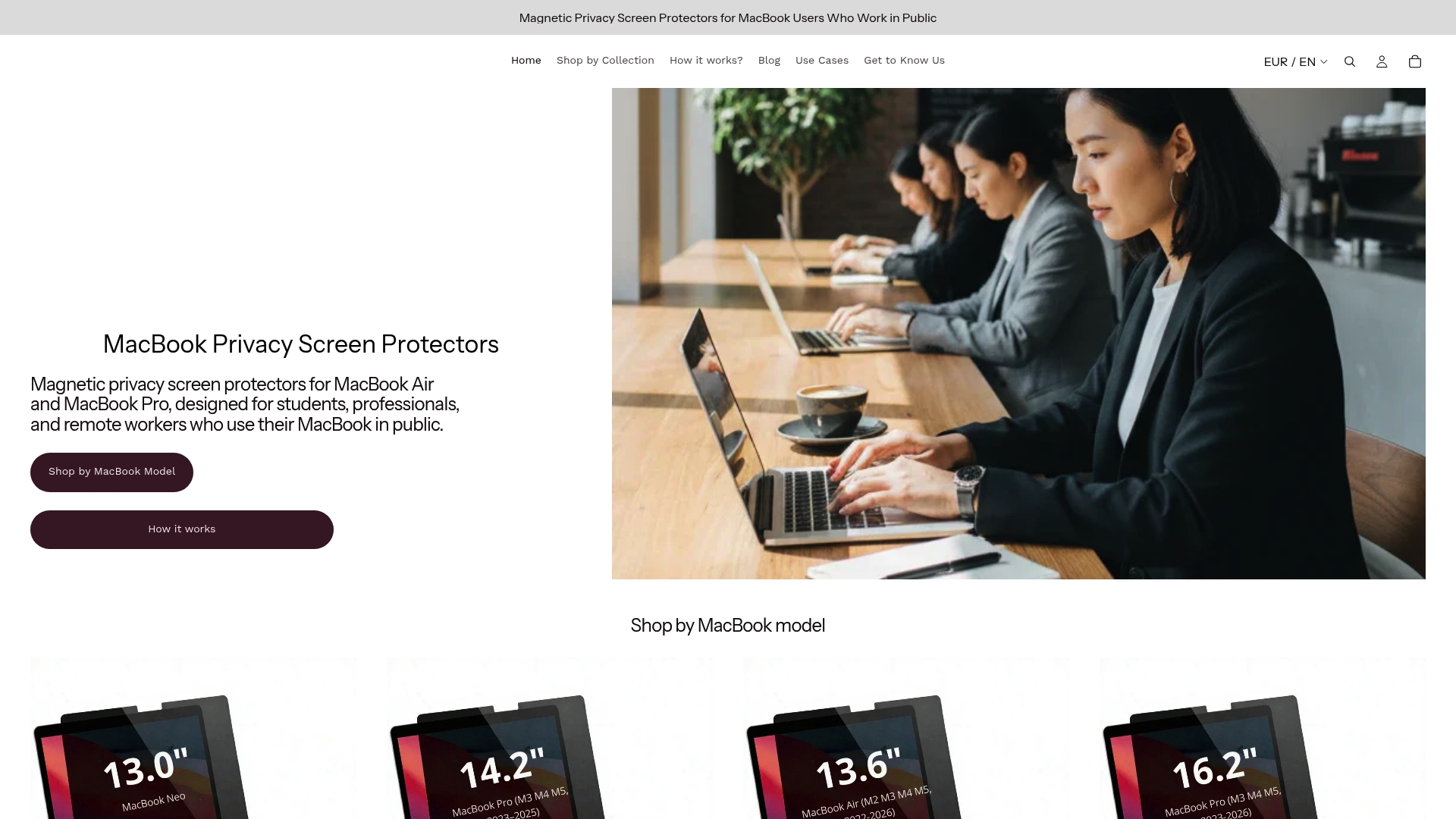
Experience the convenience of easy magnetic attachment and a clean, model-specific fit by exploring Clarmuse’s privacy solutions. Take control of your public workspace with a privacy screen that fits your MacBook perfectly and removes in seconds. Visit Clarmuse today and upgrade your shared-space productivity with a sleek, comfortable privacy accessory.
Frequently Asked Questions
What features make Clarmuse a suitable alternative for MacBook privacy screens?
Clarmuse offers a magnetic attachment system specifically designed for various MacBook models, allowing for quick installation and removal without adhesive. This feature enables users to easily adjust their privacy in public spaces like cafes or libraries, making it an ideal choice for those who frequently work outside of private environments.
How does Clarmuse compare to Kensington in terms of MacBook privacy screen offerings?
Kensington is known for its high-security accessories, making it a strong option for organizational procurement needs. Clarmuse stands out by providing device-specific magnetic screens that fit flush with the laptop, appealing to individual MacBook users who prefer quick and versatile privacy solutions.
Can I trust Clarmuse for long-term use in diverse environments?
Clarmuse screens are designed for daily public use, ensuring they remain functional in busy cafes, coworking spaces, and while commuting. This focus on accessibility and ease of use makes it a practical choice for users wanting reliable privacy without bulky accessories.
What is the return policy like for Clarmuse products if I order the wrong model?
Clarmuse has a free exchange policy for incorrect model orders, which minimizes the hassle and risk of purchasing the wrong privacy screen. This approach allows customers to confidently select the right screen for their MacBook model without worrying about additional costs.
How does Clarmuse maintain the aesthetics of my MacBook?
Clarmuse screens are tailored to fit specific MacBook models, ensuring they maintain the laptop’s sleek design without adding unnecessary bulk. This feature allows users to keep their setups looking professional while benefiting from added privacy.


