

Effective train laptop productivity strategies combine task alignment, execution design, and ergonomic preparation to produce real output in transit. Working on a train is not the same as working at a desk. Train environments produce higher mental workload and longer processing times compared to office settings. That gap closes significantly when you prepare the right tasks, gear, and habits before you board. This article covers the specific techniques that professionals and students use to get consistent work done on trains, in cafés, and in other shared spaces.
1. How task selection and execution design improve train laptop productivity
Execution design is the practice of structuring your workflow to protect mental energy and reduce task fragmentation. It outperforms raw effort every time. On a train, your cognitive resources are already taxed by noise, movement, and unpredictable interruptions. Execution design tells you to match the task to the environment, not force the environment to match the task.
The most practical application is task batching. Task batching improves throughput by 20–30% by reducing attention residue, the mental drag that lingers after switching between unrelated work. That improvement matters even more in transit, where recovery from distraction takes longer than at a desk.
WIP (Work In Progress) limits are equally useful. Capping yourself at one or two active tasks per session prevents the scattered, half-finished work that transit environments tend to produce. Before you board, decide on exactly two tasks you will complete. Nothing else opens.
- Reserve deep work (writing, analysis, coding) for your most alert travel windows, typically morning trains
- Batch communication tasks (email replies, Slack responses) into a single 20-minute block
- Schedule offline tasks (document editing, reading, note review) for routes with poor connectivity
- Use the two-minute rule to clear small tasks before they pile up
Pro Tip: Write your two-task session goal on a sticky note and place it at the top of your screen before the train moves. Physical anchors reduce the urge to drift.
2. Gear and ergonomic habits that sustain focus on trains and in cafés
The right gear removes friction. The wrong gear creates it. Professionals who work regularly in transit treat their bag as a mobile office, not a collection of backup options.
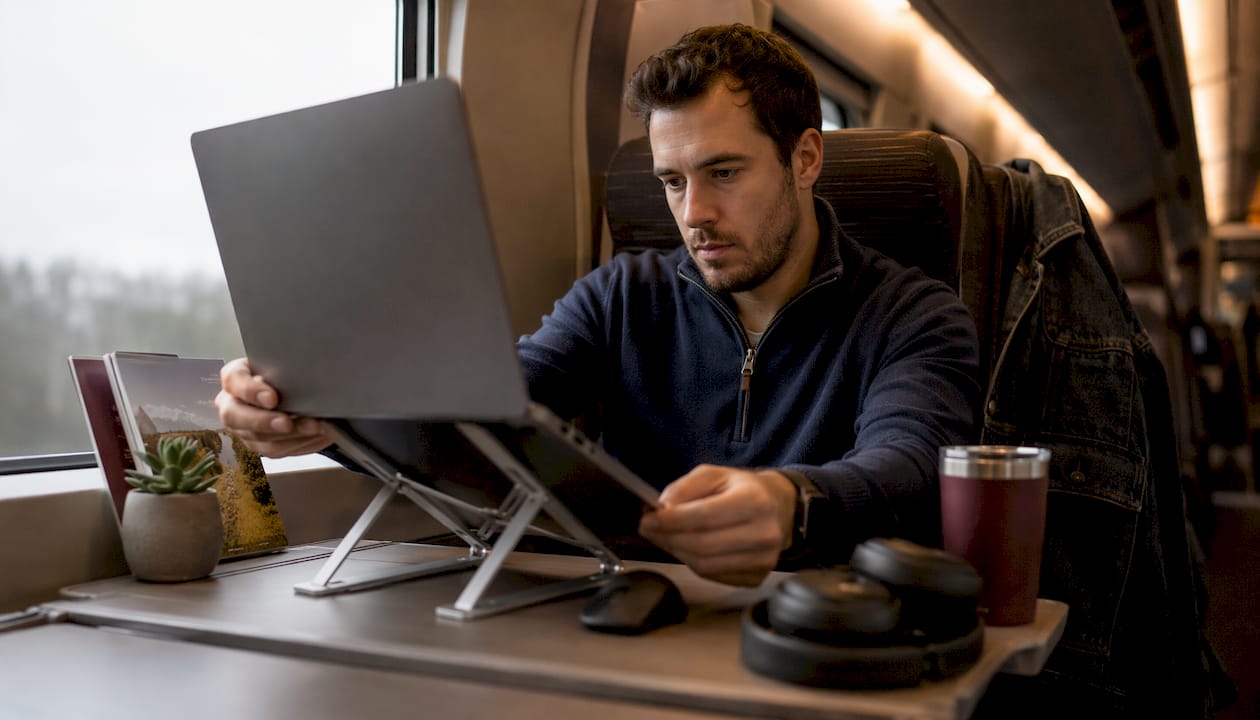
High-capacity USB-C power banks of 20,000mAh or more provide at least one to two full laptop charges. That capacity removes the anxiety of hunting for outlets and lets you focus entirely on the work. Noise-cancelling headphones serve a similar function: they reduce the cognitive cost of filtering ambient noise, which is a real and measurable drain on concentration.
Packing work essentials in a dedicated top compartment of your bag reduces setup time and stress in cramped transit seats. When your charger, headphones, and notebook are immediately accessible, you spend the first five minutes working instead of unpacking.
- USB-C power bank (20,000mAh minimum) for full laptop charges
- Noise-cancelling headphones to reduce ambient cognitive load
- Compact laptop stand to raise screen height and reduce neck strain
- Portable compact keyboard if you use a stand regularly
- A small notebook for quick captures that do not require opening new apps
Ergonomic hygiene is the habit most professionals skip. Standing and decompressing your spine every 45–50 minutes prevents the static posture fatigue that degrades output quality on longer journeys. On a train, this means standing in the aisle or at a door section between stations.
Pro Tip: Set a silent vibration timer on your phone for 45-minute intervals. When it fires, stand up, roll your shoulders, and walk to the end of the car. Two minutes of movement preserves the next 45 minutes of focus.
For a complete list of MacBook accessories for shared spaces, the Clarmuse blog covers specific setups for trains, cafés, and coworking environments.
3. Managing connectivity, privacy, and distractions in shared transit spaces
Connectivity on trains is unreliable by design. Tunnels, rural stretches, and network congestion all interrupt work at the worst moments. The fix is to treat connectivity as a bonus, not a baseline. Portable hotspots paired with local SIM cards provide stable, independent connectivity that does not depend on train Wi-Fi. That single change removes the most common source of transit work frustration.
Privacy is the second major challenge. Open seating means anyone beside or behind you can read your screen. Privacy screen protectors reduce mental load by eliminating shoulder surfing anxiety, which improves both concentration and data security. Professionals who handle sensitive documents, client data, or proprietary work need this protection as a baseline, not an upgrade.
Seating choice also matters. Window seats with your back to the wall give you one fewer angle of exposure. Aisle seats near quiet cars reduce foot traffic past your screen. These are small decisions with real effects on focus and privacy.
- Download all necessary files, documents, and reference materials before departure
- Use a portable hotspot with a local SIM card as your primary connection
- Silence all non-essential notifications before boarding
- Use focus-enhancing ambient sound apps (brown noise, café sounds) to mask unpredictable noise
- Choose window or wall-adjacent seats to reduce screen exposure
Pro Tip: Before every train session, run a five-minute “offline prep” check: confirm all files are downloaded, browser tabs are saved offline, and your task list is written. You will never lose work to a dead connection again.
Reviewing a public laptop security checklist before regular transit work sessions covers the data protection basics that most professionals overlook until something goes wrong.
4. Realistic expectations and scheduling adjustments for train work
Train work functions best as a lower-output half-day with light or offline tasks. Accepting that framing is not defeatist. It is accurate scheduling. Professionals who plan a full eight-hour workday on a train consistently underperform and arrive exhausted. Professionals who plan three to four hours of specific, matched tasks consistently hit their goals.
Organizing work around 90-minute ultradian cycles preserves cognitive performance during mobile sessions. One focused 90-minute block per train journey is a realistic and achievable target for most professionals. Two blocks on a long-distance route is excellent output.
Scheduling adjustments that work in transit:
- Assign asynchronous tasks (writing, reviewing, planning) to travel windows
- Reserve synchronous tasks (calls, live collaboration) for before or after travel
- Build a 30-minute buffer after arrival for mental reset before high-stakes work
- Hydrate consistently and pack a light snack to maintain energy on longer routes
- Accept that some days the train session produces one completed task. That is still a win.
Recovery time after travel is not optional. Arriving at a destination and immediately entering a demanding meeting produces poor results. A short walk, a drink of water, and five minutes of stillness restore enough focus to perform well. Build that buffer into your calendar before you travel, not after.
For a detailed guide on working comfortably on a MacBook during train travel, the Clarmuse blog covers seat selection, screen positioning, and session structure specific to MacBook users.
Key takeaways
The most effective laptop productivity strategies for trains combine task batching, ergonomic preparation, and realistic output expectations to consistently deliver focused work in transit.
| Point | Details |
|---|---|
| Match tasks to the environment | Schedule offline, asynchronous tasks for transit and save deep work for stable settings. |
| Use execution design, not effort | Task batching improves throughput by 20–30% by reducing attention residue from task switching. |
| Pack gear that removes friction | A 20,000mAh power bank, noise-cancelling headphones, and a top-compartment packing system prevent common disruptions. |
| Protect privacy and connectivity | A portable hotspot and a privacy screen protector address the two biggest shared-space productivity drains. |
| Set realistic output targets | Plan train sessions as focused half-days with one to two specific tasks, not full workdays. |
What I have learned from years of working on trains
The biggest mistake I see professionals make is treating a train like a quiet office with a view. It is not. The moment I stopped fighting that reality and started designing around it, my transit output improved more than any app or accessory ever delivered.
The shift that changed everything for me was execution design. I stopped opening my laptop and “seeing what needed doing.” I started boarding with a written list of exactly two tasks, both of which I could complete offline. That constraint forced better pre-trip planning and produced better results on the train.
Ergonomic breaks felt like wasted time until I skipped them on a four-hour journey and arrived unable to think clearly for the rest of the day. Now the 45-minute stand is non-negotiable. The smart technology investments that actually pay off in transit are the ones that reduce friction, not the ones that add features.
The privacy piece surprised me most. Once I started using a privacy screen, I noticed how much mental energy I had been spending on self-censoring my screen in public. Removing that background anxiety freed up real focus. Clarmuse magnetic privacy screens are the specific solution I use for MacBook sessions in shared spaces, and the difference is immediate and noticeable.
— Gabriel
Clarmuse privacy screens for focused MacBook work in transit
Working on a MacBook in a train car, café, or airport lounge exposes your screen to anyone nearby. That exposure creates a low-level distraction that compounds over a long session.
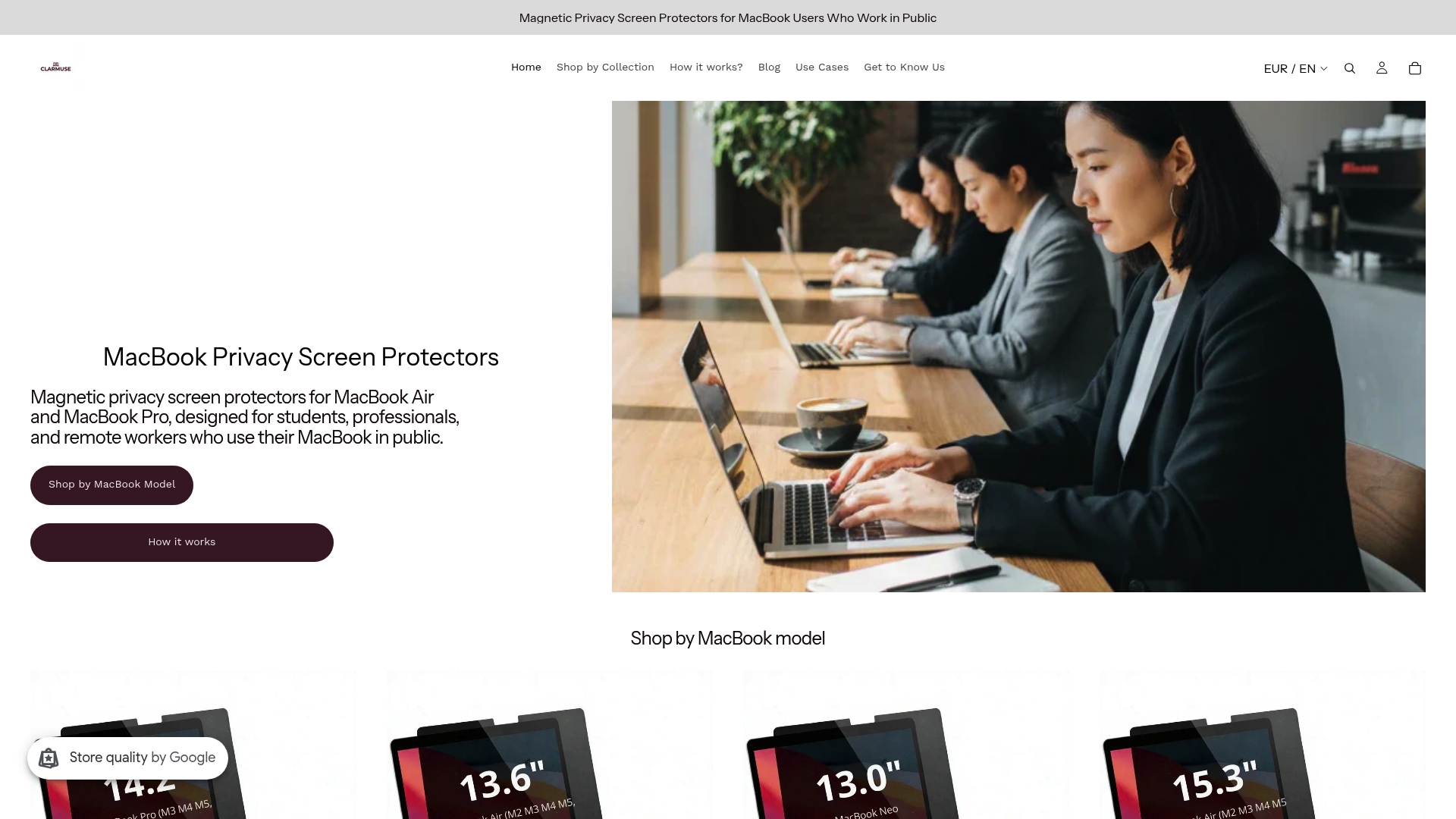
Clarmuse magnetic privacy screen protectors attach directly to MacBook Air and MacBook Pro models without adhesives or clips. They reduce side-angle visibility so you can work on sensitive documents, client files, or personal projects without adjusting your position every time someone sits nearby. The magnetic design means you attach and remove the screen in seconds, with no residue and no bulk. For MacBook Pro users, the privacy screen for MacBook Pro 16.2" and the privacy screen for MacBook Pro 14.2" are purpose-built for the exact dimensions of each model.
FAQ
What are the best tasks to do on a laptop during a train ride?
Offline and asynchronous tasks work best on trains: writing, editing, reviewing documents, and planning. Avoid tasks that require stable internet or real-time collaboration, since train connectivity is unreliable.
How do I stay focused on a laptop in a noisy train or café?
Noise-cancelling headphones combined with focus-enhancing ambient sounds (brown noise or café audio) reduce the cognitive cost of filtering background noise. Silencing all non-essential notifications before boarding removes the second major source of distraction.
How often should I take breaks when working on a laptop during travel?
Taking a movement break every 45–50 minutes prevents static posture fatigue and preserves output quality on longer journeys. Stand, walk briefly, and return to your seat before resuming work.
Does a privacy screen actually improve productivity on a train?
Yes. Privacy screen protectors reduce the mental load of shoulder surfing anxiety, which frees up concentration for the actual work. Clarmuse magnetic privacy screens are designed specifically for MacBook models and attach without tools or adhesives.
How much can I realistically get done on a train?
One focused 90-minute work block per journey is a realistic and achievable target. Train environments produce higher mental workload than office settings, so planning for one to two specific tasks per session consistently outperforms open-ended work plans.


