

For MacBook Air and Pro users who want a magnetic, MacBook-tailored privacy screen, Clarmuse is the top practical alternative to ViaScreens. The key reasons:
- Model-specific fit: Clarmuse covers every current MacBook size — 13.6" Air, Neo 13.0", 14.2" Pro, 15.3" Air, and 16.2" Pro — with precision-cut filters for each.
- Magnetic attachment: No adhesive, no residue. The filter attaches and detaches cleanly every time.
- Privacy performance: Side-angle visibility is blocked without requiring a permanent screen modification.
- US availability: Products ship to the United States with a clear return policy.
If you’re comparing viascreens.com alternatives specifically for MacBook, the category that matters most is magnetic, MacBook-specific privacy filters — not universal clip-ons or generic adhesive films.
Table of Contents
- How do the top ViaScreens alternatives compare for MacBook?
- How do you choose the right privacy screen for your MacBook?
- Which privacy screen categories should MacBook users consider?
- How do you install and check fit for a MacBook privacy screen?
- Key Takeaways
- The case for specificity over universality
- Clarmuse magnetic privacy screens for MacBook Air and Pro
- Useful sources and product pages
- FAQ
How do the top ViaScreens alternatives compare for MacBook?
The table below covers the dimensions MacBook users actually need to evaluate before buying.
| Dimension | Clarmuse (magnetic, MacBook-specific) | Universal magnetic clip-ons | Adhesive film protectors | Paper-feel matte protectors |
|---|---|---|---|---|
| Best for | Daily privacy in cafés, offices, travel | Occasional privacy, multi-device users | Budget buyers, light use | Stylus/notetaking workflows |
| Compatibility | 13.6", Neo 13.0", 14.2", 15.3", 16.2" | Varies; often sized by diagonal only | Cut to size; fit varies by brand | Cut to size; fit varies by brand |
| Attachment style | Magnetic (no adhesive) | Magnetic clip | Adhesive film | Adhesive film |
| Privacy strength | Strong side-angle blocking | Moderate; depends on clip alignment | Moderate to strong | Moderate |
| Brightness/clarity | Slight reduction; maintains color accuracy | Varies; alignment affects clarity | Noticeable reduction common | Noticeable reduction; matte diffusion |
| Thickness/portability | Slim; stores flat | Bulkier clip mechanism | Thin; difficult to remove cleanly | Thin; single-use in practice |
| Typical US price range | Check product pages | Varies | typically retail in an affordable range | |
| typically retail in an affordable range | ||||
| Warranty/returns | Stated return policy on product pages | Varies by seller | Varies by seller | Varies by seller |
| US availability | Direct from Clarmuse | Amazon, third-party sellers | Amazon, third-party sellers | Amazon, third-party sellers |
Price note: Paper-feel and adhesive film protectors typically retail between $12 and $38. E-ink replacement display modules sit at the opposite end of the spectrum at at a much higher price range — a different product category entirely, not a direct privacy-screen substitute.
How do you choose the right privacy screen for your MacBook?
Three criteria decide most purchases: exact model fit, attachment style, and the privacy-versus-brightness tradeoff. Get those three right and the rest follows.
- Confirm your exact MacBook model and screen size. “13-inch MacBook” is not precise enough. Check System Settings > About This Mac for the exact model identifier, then match it to the product’s listed compatibility (13.6", Neo 13.0", 14.2", 15.3", or 16.2").
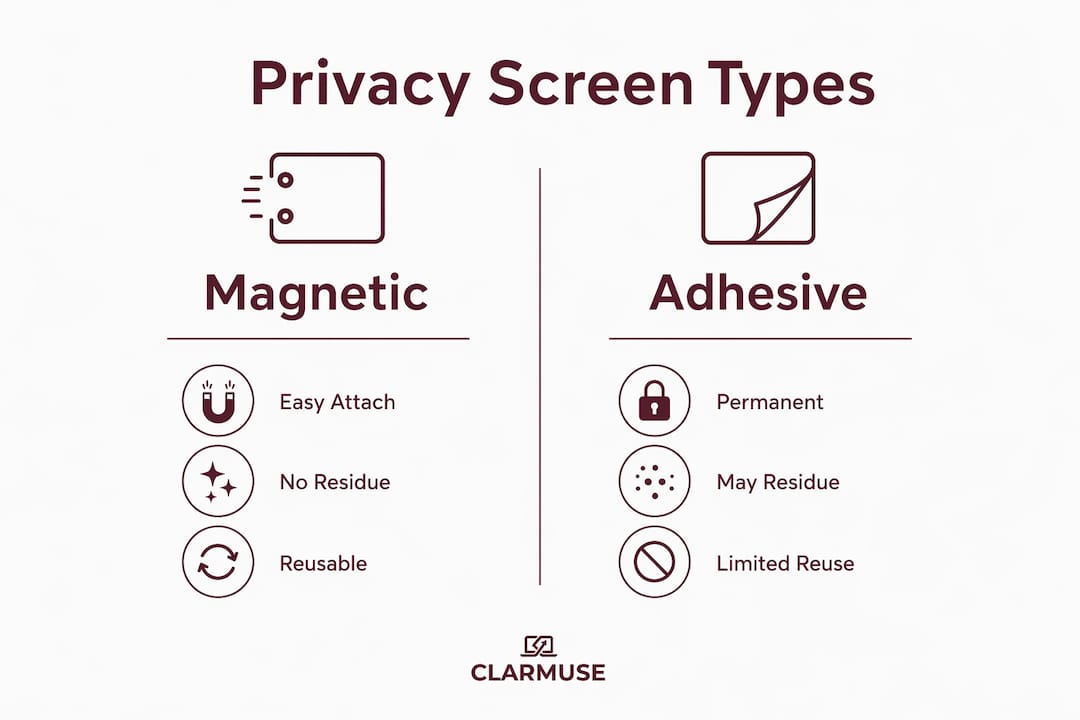
- Decide on magnetic versus adhesive. Magnetic filters attach and remove without leaving marks — the right choice if you move between locations daily. Adhesive films are cheaper but harder to reposition and can leave residue.
- Check the stated viewing-angle spec. A privacy screen that only lists “60-degree” protection offers noticeably less coverage than one rated at 30 degrees from center. Narrower stated angles mean stronger privacy.
- Verify trackpad and keyboard clearance. Some thicker filters interfere with lid closure on MacBook Air models. Check that the product page lists your exact model as compatible.
- Confirm the return policy and US shipping terms before purchasing. A seller without a stated return policy is a red flag, especially for fit-sensitive products.
Scenario guidance: Frequent travelers and café workers benefit most from magnetic attachment — fast on, fast off, no residue. Hybrid office workers who leave their MacBook docked most of the day may find adhesive film acceptable. Creatives using a stylus or Apple Pencil with an iPad alongside their MacBook sometimes prefer paper-feel matte protectors for pen friction, accepting the brightness tradeoff.
Red flags to avoid: vague sizing (“fits most 13-inch laptops”), no model compatibility list, no return policy, reviews mentioning screen marks or misalignment, and attachment methods described only as “universal.”
Which privacy screen categories should MacBook users consider?
Clarmuse
Clarmuse builds magnetic privacy screens cut for specific MacBook models, not approximate diagonal sizes. Supported models: MacBook Air 13.6" (M2, M3, M4, M5, 2022–2026), MacBook Neo 13.0", MacBook Pro 14.2", MacBook Air 15.3", and MacBook Pro 16.2".
- Magnetic attachment; no adhesive residue
- MacBook-specific cut for each model
- Stated return policy; ships to the US
- Best for: daily use in shared spaces, travel, and coworking
Universal magnetic clip-on films
These attach via a clip mechanism to the top bezel and work across multiple laptop brands. The tradeoff: clip alignment varies, which can affect both privacy coverage and screen clarity. They suit users who switch between a MacBook and another laptop, but the fit is never as precise as a model-specific cut.
- Flexible across devices
- Clip bulk adds thickness
- Alignment-dependent privacy coverage
Adhesive film privacy protectors
Cut to approximate screen diagonals, these films bond directly to the display. Removal is possible but risks residue, and repositioning is rarely clean. Price is the main advantage, typically retailing between $12 and $38.
- Low cost
- Permanent in practice
- Risk of residue on removal
Paper-feel matte protectors
Designed primarily for pen friction rather than privacy, these matte films reduce glare and give a paper-like writing surface. Privacy blocking is secondary. Screen brightness drops noticeably, and color fidelity shifts with the matte diffusion layer. Useful for stylus workflows; less suited to pure privacy needs. These protectors typically retail between $12 and $38.
- Good pen friction for notetaking
- Noticeable brightness reduction
- Not optimized for side-angle privacy
How do you install and check fit for a MacBook privacy screen?
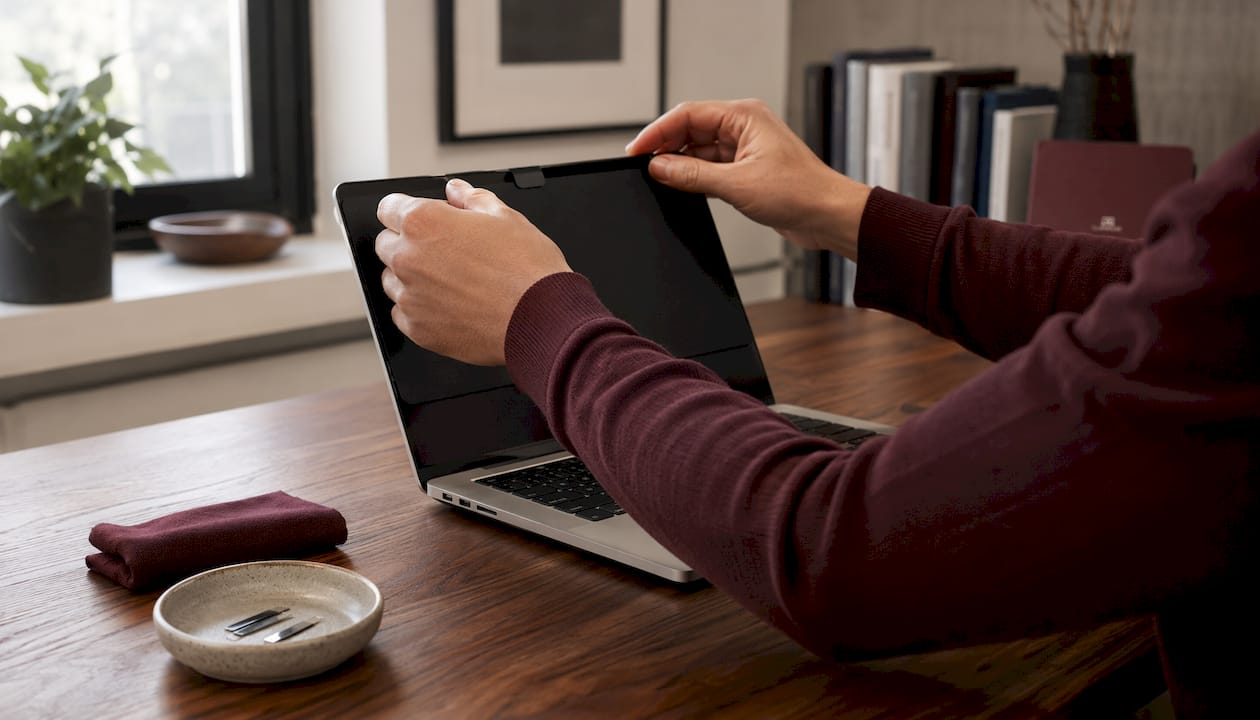
Magnetic attachment is the recommended method for MacBook users who need daily convenience. It leaves no residue, and the alignment repeats consistently once you’ve set it the first time.
- Verify your exact model size before opening the package. Cross-check the product’s listed model compatibility against your MacBook’s model identifier in System Settings.
- Align the filter to the bezel with the MacBook open at a natural working angle. Magnetic filters self-seat when positioned correctly — you’ll feel the pull.
- Close the lid slowly and check for resistance. If the filter presses against the keyboard or trackpad area, the size is wrong for your model.
- Open a solid-color test image (white or gray) and check brightness at your normal display setting. A slight reduction is normal; a severe dimming suggests the filter’s transmission rating is lower than expected.
- Check side-angle visibility by standing to the left and right at roughly arm’s length. The screen should appear dark or unreadable from those angles.
Compatibility reference: Clarmuse magnetic filters are sized for 13.6", Neo 13.0", 14.2", 15.3", and 16.2" MacBook models. Using a filter sized for a different model will result in misalignment and reduced privacy coverage.
Pro Tip: Store your magnetic privacy filter flat in a slim sleeve or the original packaging when not in use. Stacking it under heavy objects or folding it can weaken the embedded magnets over time and cause the filter to sit unevenly on the bezel. Clean the surface with a dry microfiber cloth only — liquids can degrade the privacy coating.
Key Takeaways
Magnetic, MacBook-specific privacy screens offer the most reliable fit, cleanest attachment, and strongest daily privacy for MacBook Air and Pro users comparing ViaScreens alternatives.
| Point | Details |
|---|---|
| Model fit is the first filter | Confirm your exact MacBook size (13.6", Neo 13.0", 14.2", 15.3", or 16.2") before buying any privacy screen. |
| Magnetic beats adhesive for daily use | Magnetic attachment leaves no residue and repositions cleanly, making it the practical choice for frequent users. |
| Privacy vs. brightness tradeoff | All privacy screens reduce brightness to some degree; paper-feel matte options reduce it most noticeably. |
| Price range for film options | Adhesive and paper-feel protectors typically retail between $12 and $38; e-ink display modules run between $299 and $549 and are a different category. |
| Clarmuse for MacBook users | Clarmuse offers model-specific magnetic privacy screens for all five current MacBook sizes, with US availability and a stated return policy. |
The case for specificity over universality
Most privacy screen buying mistakes come from treating “13-inch” as a precise measurement. It isn’t. MacBook Air 13.6" and MacBook Neo 13.0" have different bezel geometries, and a filter cut for one will sit off-center on the other. The market for laptop privacy screen alternatives is wide, and many products use diagonal measurements that round generously.
The more useful question isn’t “which brand is best overall” but “which product is cut for my exact model.” That single criterion eliminates most of the options on any aggregated alternatives list. Universal clip-ons and adhesive films have their place, but for MacBook users who work in public spaces regularly, the precision of a model-specific magnetic filter is worth prioritizing over a lower sticker price. The practical case for screen protection in shared environments is straightforward: once someone reads something they shouldn’t from an angle, the cost of the filter looks different.
Clarmuse magnetic privacy screens for MacBook Air and Pro
Clarmuse makes magnetic privacy screens sized for each MacBook model, not approximate diagonals. If you’re looking for a ViaScreens alternative that fits your MacBook precisely, the product line covers the full current range: MacBook Air 13.6", MacBook Neo 13.0", MacBook Pro 14.2", MacBook Air 15.3", and MacBook Pro 16.2".
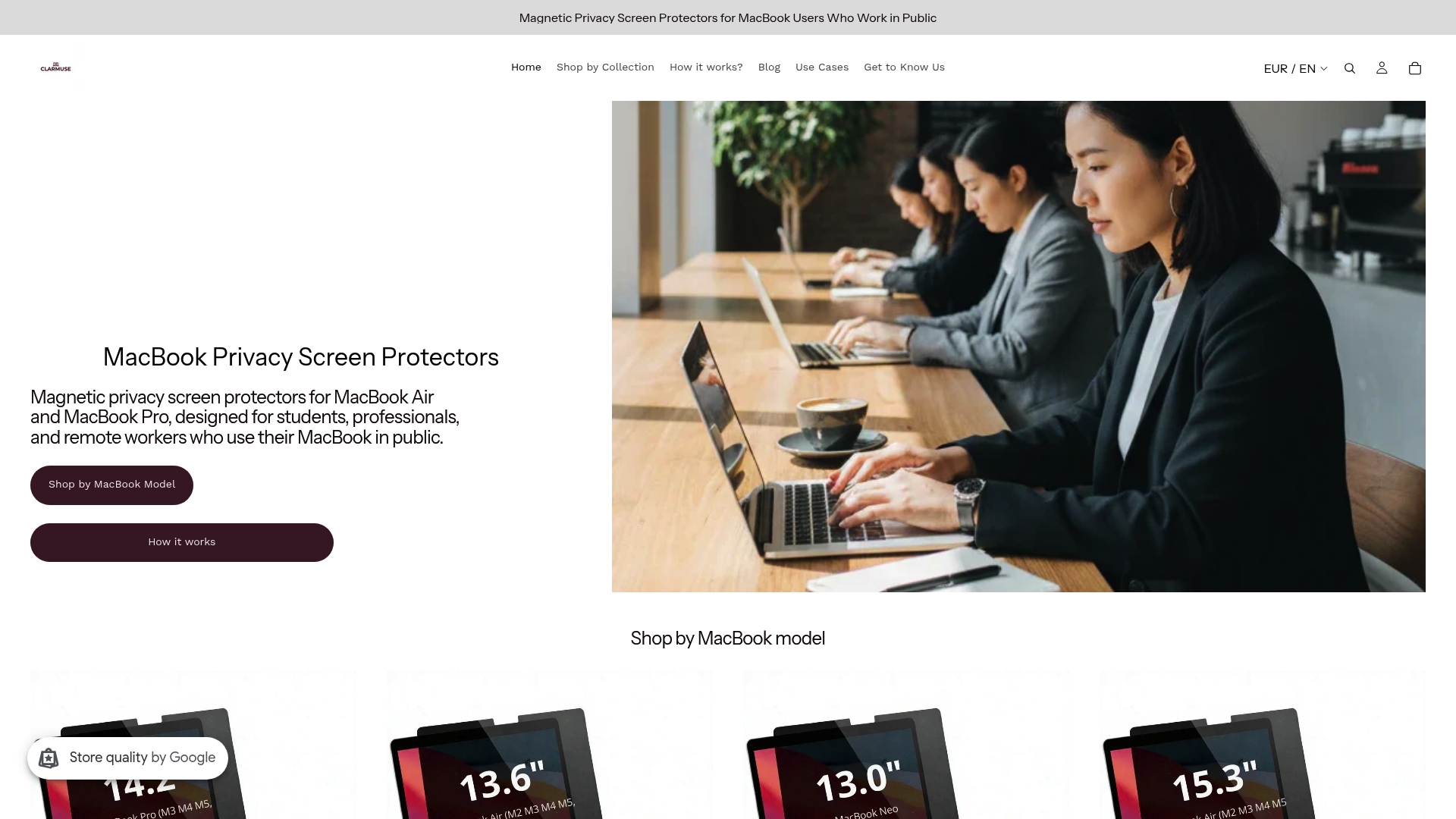
Magnetic attachment, no adhesive residue, and a return policy you can verify before buying. Check your model’s product page for exact fit details, current pricing, and US shipping terms.
Useful sources and product pages
- Clarmuse MacBook privacy screen collection — full product range by model
- Top 5 Privacy Screen Laptop Alternatives 2026 – Clarmuse — editorial comparison of privacy screen categories
- Why Thesis Work Needs Screen Protection – Clarmuse — practical use-case guidance for shared spaces
- Laptop Paper Screen Guide: How to Choose Wisely — price and tradeoff data for paper-feel vs. e-ink options
- ViaScreens competitor and alternatives index — market landscape overview
- ViaScreens product pricing tracker — daily price tracking for ViaScreens products and competitor pricing
Always verify model compatibility on the product page before purchasing. MacBook model identifiers are in System Settings > About This Mac.
FAQ
What are the best ViaScreens alternatives for MacBook?
Magnetic, MacBook-specific privacy screens are the strongest category. Clarmuse covers MacBook Air 13.6", Neo 13.0", Pro 14.2", Air 15.3", and Pro 16.2" with model-cut magnetic filters and US availability.
Is a magnetic privacy screen better than an adhesive film for MacBook?
Magnetic attachment leaves no residue and repositions cleanly, making it the practical choice for daily use. Adhesive films cost less but are difficult to remove without leaving marks.
How do I know which privacy screen fits my MacBook model?
Check System Settings > About This Mac for your exact model identifier, then match it to the product’s listed compatibility. “13-inch” alone is not precise enough — 13.6" Air and Neo 13.0" have different bezel dimensions.
Do privacy screens reduce MacBook screen brightness?
All privacy screens reduce brightness to some degree. Paper-feel matte protectors reduce it most noticeably and also affect color fidelity. Magnetic film options typically cause a smaller reduction.
Where can I buy Clarmuse privacy screens in the US?
Clarmuse ships directly to the United States. Product pages for each MacBook size are available at clarmuse.com, with model-specific fit details and return policy information listed before purchase.


