

Café seating arrangement directly controls screen privacy by determining who can see your laptop display and from what angle. The physical distance between tables, seat orientation, and your position within the café all shape how exposed your screen is to other people nearby. Official 2026 guidance for professionals handling sensitive data recommends back-to-wall seating as a primary tactic to reduce visual hacking risk in public spaces. Understanding why café seating affects screen privacy gives you a concrete framework for choosing safer spots and protecting your work.
Why café seating affects screen privacy: the spatial mechanics
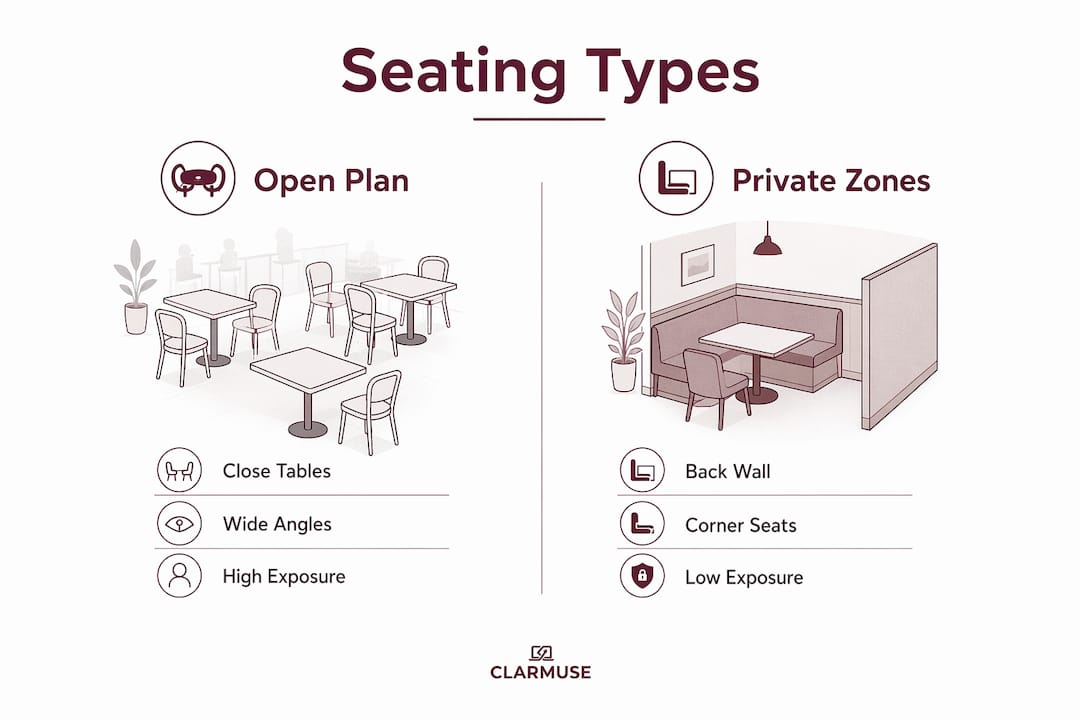
Café seating layout controls screen visibility through two physical factors: table proximity and viewing angle. When tables sit closer than the recommended 3 feet between edges, anyone at the next table can read your screen without effort. Crowded cafés routinely violate this spacing standard, which means shoulder surfing becomes a passive risk rather than a deliberate act.
Viewing angle determines how much of your screen a bystander can see from the side. Standard laptop displays are visible across a wide horizontal arc, often 160 degrees or more. That means a person seated at a 45-degree angle from you, even two tables away, may have a clear view of your content.
How open-plan layouts increase exposure
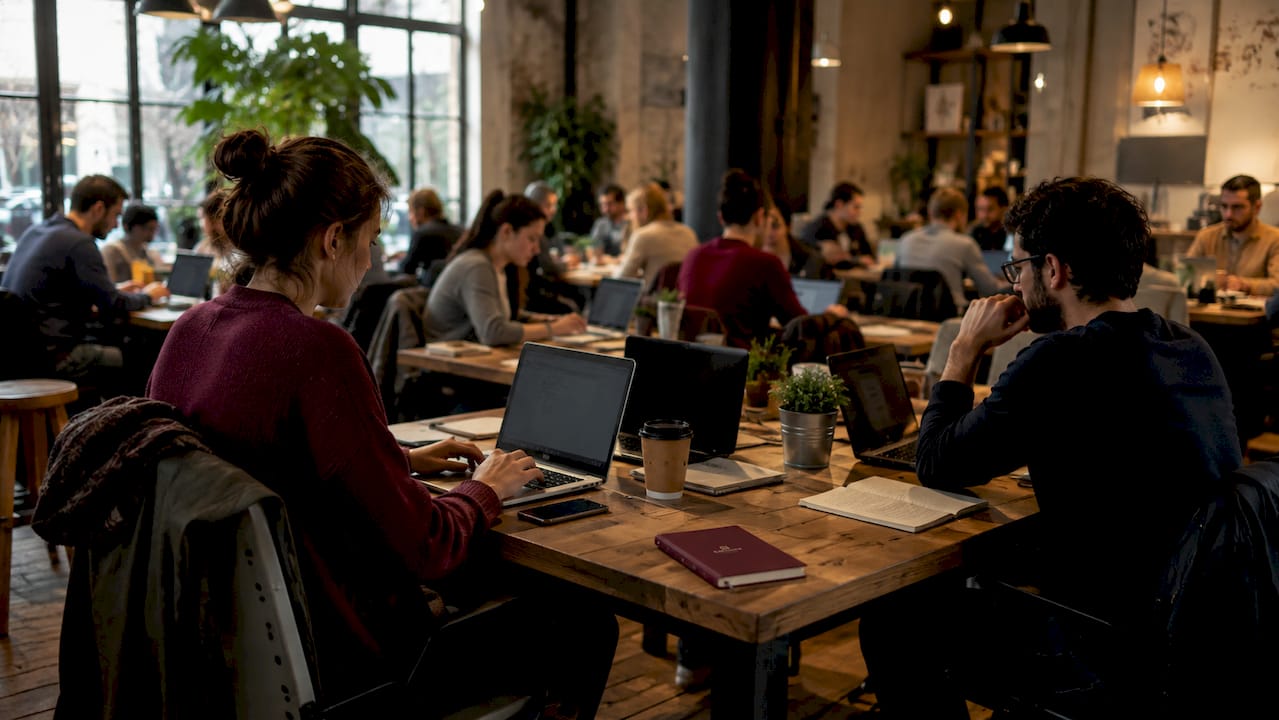
Open-plan cafés place tables in continuous rows with no partitions between them. This layout maximizes seating capacity but eliminates any spatial buffer between users. Spatial enclosures and subdivisions in cafés directly increase the feeling of privacy and encourage quieter, more focused work. Without them, every seat in the room becomes a potential vantage point for your screen.
Partitioned seating, high-backed booths, and alcove arrangements reduce the number of sightlines to your display. A high-backed booth, for example, blocks views from behind and limits lateral angles. These design features do more for screen privacy than any single seat choice in an open room.
The shoulder surfing risk in numbers
- Tables spaced under 3 feet apart create direct sightlines to adjacent screens
- Central seats in open rooms expose your display to people in front, behind, and to both sides
- Window seats facing outward expose your screen to foot traffic outside
- Back-to-wall seats reduce exposure to a single forward arc
Crowded table layouts also create noise bleed and a perceived lack of privacy, which lowers work confidence even when no one is actively looking. The physical density of the room shapes how secure you feel, not just how secure you actually are.
Why some café seats feel more private than others
Cafés design seating to encourage interaction and occupancy, sometimes at the direct expense of individual digital privacy. High-visibility central seats serve the café’s goal of appearing lively and full. For a laptop user, those same seats are the highest-risk positions in the room.
Seat location within the café creates distinct privacy tiers. Corner seats and back-wall positions limit the number of people who can see your screen to those directly in front of you. Window seats facing the street expose your display to both indoor and outdoor viewers. Center-floor seats are the most exposed, with sightlines from every direction.
Quiet zones versus social zones
Many cafés now segment their floor plan into zones. Quiet laptop areas typically sit toward the back or along side walls, away from the counter and entrance. Social zones cluster near the front, the bar, and communal tables. Choosing a seat in a quiet zone does more than reduce noise. It places you in a section where spatial layout fosters privacy and where other users are less likely to lean over or move around frequently.
The distinction between perceived and actual privacy matters here. A seat that feels private because it is tucked away may still have a clear sightline from a nearby table. Actual privacy requires both a sense of enclosure and a physical reduction in viewing angles.
Pro Tip: Before you sit down, stand at the seat and look back at the room. If you can see most other tables clearly, they can see your screen just as clearly. Choose the seat with the fewest direct sightlines back to it.
- Corner seats: low exposure, limited sightlines
- Back-wall seats: moderate exposure, one forward arc
- Side-wall seats: moderate exposure, one lateral arc
- Center-floor seats: high exposure, 360-degree sightlines
- Window seats facing out: high exposure, indoor and outdoor viewers
How to choose café seats that protect your screen
Choosing the right seat is the first and most controllable privacy decision you make in a café. Official guidance for professionals handling sensitive data consistently recommends secluded seating with your back to a wall. This single habit eliminates the largest category of screen exposure: views from behind.
Follow these steps when you arrive at a café:
- Scan the room before sitting. Identify back-wall and corner seats first. If both are taken, look for side-wall positions with the fewest adjacent tables.
- Avoid high-traffic paths. Seats near the counter, restrooms, or entrance see constant foot traffic. Each person who walks past is a potential viewer.
- Check table spacing. If the next table is within arm’s reach, your screen is readable from it. Move to a table with more clearance, or angle your screen away from the nearest neighbor.
- Time your arrival. Dynamic crowd density changes which seats are private throughout the day. A back-wall seat that is isolated at 8:00 AM may be surrounded by people by 10:00 AM. Arriving before peak hours gives you first choice of the best positions.
- Pair seat choice with a privacy screen. Physical positioning reduces exposure but does not eliminate it. A privacy filter cuts the visible angle of your display to roughly 60 degrees, making side-angle views unreadable regardless of where you sit.
Pro Tip: If you work in the same café regularly, note which seats stay quieter and less crowded throughout the day. Cafés have predictable rhythms. A seat that is reliably private at 2:00 PM is worth claiming as your default spot.
Adjusting your MacBook screen position also reduces exposure. Tilting the display slightly back narrows the upward viewing angle for anyone standing nearby.
How privacy screens complement your seating strategy
Seating choice alone cannot fully protect your screen in a café. Even the best back-wall seat leaves your display visible to anyone seated directly in front of you. Privacy filters reduce casual visual disclosure but do not prevent physical theft, so they work best as one layer in a broader approach.
A privacy screen filter narrows the display’s visible angle to approximately 60 degrees. Anyone outside that cone sees a dark or blurred screen. This directly addresses the forward sightline that back-wall seating cannot block.
| Protection method | What it blocks | What it does not block |
|---|---|---|
| Back-to-wall seating | Views from behind and sides | Views from directly in front |
| Corner seat | Views from two sides | Views from the open sides |
| Privacy screen filter | Side-angle and forward views beyond 60 degrees | Physical device access |
| Quiet zone seating | Foot traffic and social zone noise | Close-range forward views |
The most effective approach combines a well-chosen seat with a privacy filter. Seating reduces the number of potential viewers. The filter handles the remaining forward arc. Together, they cover the full range of visual exposure in a typical café environment.
Privacy filters became standard nomad gear for remote workers precisely because seating alone proved insufficient in busy public spaces. For MacBook users, a magnetic privacy screen attaches and detaches cleanly without adhesive, making it practical to use only when needed. You can learn more about whether a privacy screen is worth it for your specific café habits before committing to one.
Travelers and frequent café workers who manage sensitive data across multiple locations benefit from combining good seat selection with mobile data security practices as well, since network exposure compounds screen exposure in public environments.
Key Takeaways
Café seating affects screen privacy because seat position, table spacing, and room layout together determine how many people can see your display and from what angle.
| Point | Details |
|---|---|
| Table spacing matters | Tables closer than 3 feet apart create direct sightlines to adjacent screens. |
| Back-to-wall seats are safest | Positioning your back against a wall eliminates views from behind and limits lateral exposure. |
| Open-plan layouts increase risk | Cafés without partitions expose your screen to sightlines from every direction. |
| Timing affects seat quality | Arriving before peak hours gives you access to the most private positions in the room. |
| Seating and filters work together | A privacy screen filter covers the forward arc that even the best seat cannot block. |
What I have learned from working in cafés for years
Café seating for screen privacy is a topic I have thought about more than most people realize. The conventional advice, which is to sit with your back to the wall, is correct but incomplete. What most guides skip is that the same seat changes its privacy level completely depending on the time of day and how full the café is.
I have sat in what looked like a perfect corner seat at 9:00 AM, only to find it surrounded on three sides by 11:00 AM when the café filled in. A static seating strategy fails in a dynamic environment. The more useful habit is to read the room when you arrive and adjust your expectations based on current density, not the room’s layout in the abstract.
The other thing I have noticed is that perceived privacy matters for your actual productivity. When you feel watched, you work differently. You minimize windows, you hesitate before opening documents, and your focus breaks more easily. Choosing a seat that feels enclosed, even if it is not perfectly private by every metric, reduces that friction. The goal is not perfect invisibility. It is enough comfort to work without distraction.
My practical rule: arrive early, claim a back-wall or corner seat, and use a privacy filter for anything sensitive. That combination handles the vast majority of real-world café privacy situations without requiring you to overthink every visit.
— Gabriel
Clarmuse privacy screens for café MacBook users
Clarmuse makes magnetic privacy screen protectors built specifically for MacBook Air and MacBook Pro models. Each filter attaches with magnets, so you can put it on before you open your laptop and remove it in seconds when you leave.
For MacBook Air users, the MacBook Air 15.3" privacy screen fits precisely without adhesive or clips. MacBook Pro users can choose between the MacBook Pro 16.2" model and the MacBook Pro 14.2" version, both designed for the same clean, low-profile fit. Pair your best café seat with a Clarmuse filter and cover every angle your position alone cannot protect.
FAQ
Why does café seating affect screen privacy?
Café seating controls the viewing angles and physical distances between you and other people. Seats in open, central positions expose your screen to sightlines from multiple directions, while back-wall and corner seats limit exposure to a single forward arc.
What is the safest seat for screen privacy in a café?
A corner seat with your back to the wall is the safest position. It eliminates views from behind and two sides, leaving only the forward arc as a potential exposure point.
Do privacy screen filters replace good seating choices?
Privacy filters and seating choices address different risks. Filters reduce side-angle visibility but do not prevent physical access to your device. Seating reduces the number of people with a sightline to your screen. Both work best when combined.
How does table spacing affect screen privacy in cafés?
Tables spaced closer than 3 feet apart place adjacent users within easy reading distance of your display. Crowded cafés frequently violate this spacing, which makes shoulder surfing a passive risk rather than an intentional act.
Does the time of day affect which café seats are private?
Crowd density changes throughout the day, and a seat that is isolated in the morning may be surrounded by noon. Arriving before peak hours gives you access to the best positions and lets you secure sensitive data before the room fills in.


