

A privacy screen is a physical filter that narrows your laptop’s viewing angle so only the person sitting directly in front of it can read the display. For anyone working in a café, coworking space, airport lounge, or open office, that single function explains why privacy screens improve work confidence in a measurable, documented way. When strangers cannot read your screen, the low-level anxiety of being watched disappears, and your attention returns to the work itself. Clarmuse builds magnetic privacy screens specifically for MacBook Air and MacBook Pro models, designed to fit cleanly and attach without tools, so the protection is always on without adding friction to your day.
Why privacy screens improve work confidence
The connection between visual privacy and confidence is not intuitive until you experience the alternative. Sitting in a shared space with a visible screen creates a persistent background awareness that someone nearby might be reading your work, your messages, or your client data. That awareness consumes cognitive resources. A privacy screen removes the source of the distraction rather than asking you to manage it mentally.
Shoulder surfing is the practice of reading someone’s screen without their knowledge, and it happens in every shared environment from trains to open-plan offices. Privacy screens obstruct side views physically, which eliminates the uncertainty about who can see your display. When that uncertainty is gone, you stop scanning the room and start focusing on the task. The result is not just comfort. It is a measurable shift in cognitive availability.
The University of Miami School of Law published guidance in 2026 confirming that clear privacy boundaries build trust and signal responsible information handling. A privacy screen is a visible cue that you take your data seriously. That signal matters both to you and to anyone watching you work, including clients or colleagues seated nearby.
What does the science say about privacy and stress?
A 2026 randomized crossover experiment published in Building and Environment tested how privacy design elements affect workers in simulated office conditions. The findings are specific enough to be worth quoting directly.
“Psychological stress decreased by 18.1% only when partitions and unexposed views were combined. Spatial perception increased by 73.4%, and work performance improved by 13.8% to 25.4%.” — Privacy design in office environments, 2026
Those numbers represent a controlled experiment, not a survey. The 73.4% improvement in spatial perception means workers felt more in command of their physical environment. The 13.8% to 25.4% range in work performance reflects the difference between partial and full privacy setups. Partial privacy helps. Full privacy helps significantly more.
The same research found that partitions improve sustained attention and reaction time, while reducing external views improves cognitive control. These are two distinct mechanisms. Sustained attention is your ability to stay on a task. Cognitive control is your ability to filter irrelevant information. Privacy screens contribute to both by removing the visual noise of a shared environment.
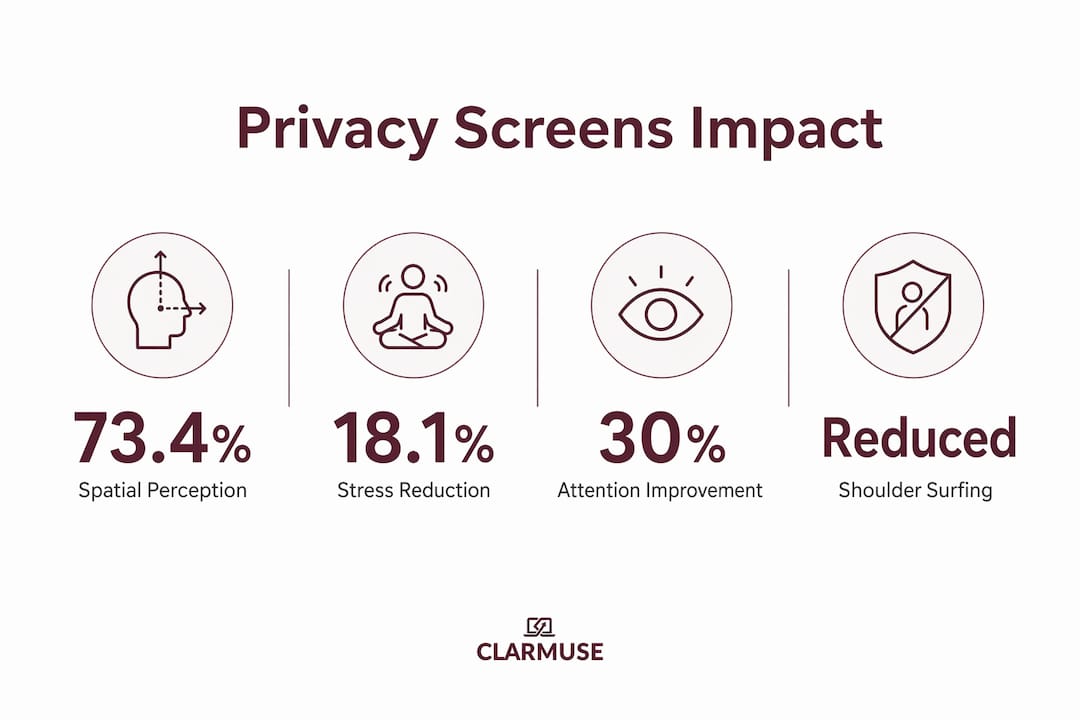
The physiological stress reduction is equally relevant. Lower cortisol levels and reduced muscle tension follow from feeling less exposed. For someone working a full day in a café or open office, that physiological difference accumulates. By the end of the day, the person with a privacy screen has spent less energy on environmental vigilance and more on actual output.
How do privacy screens boost confidence psychologically?
The psychological mechanisms behind the confidence gain are distinct from the stress reduction data, though they reinforce each other.
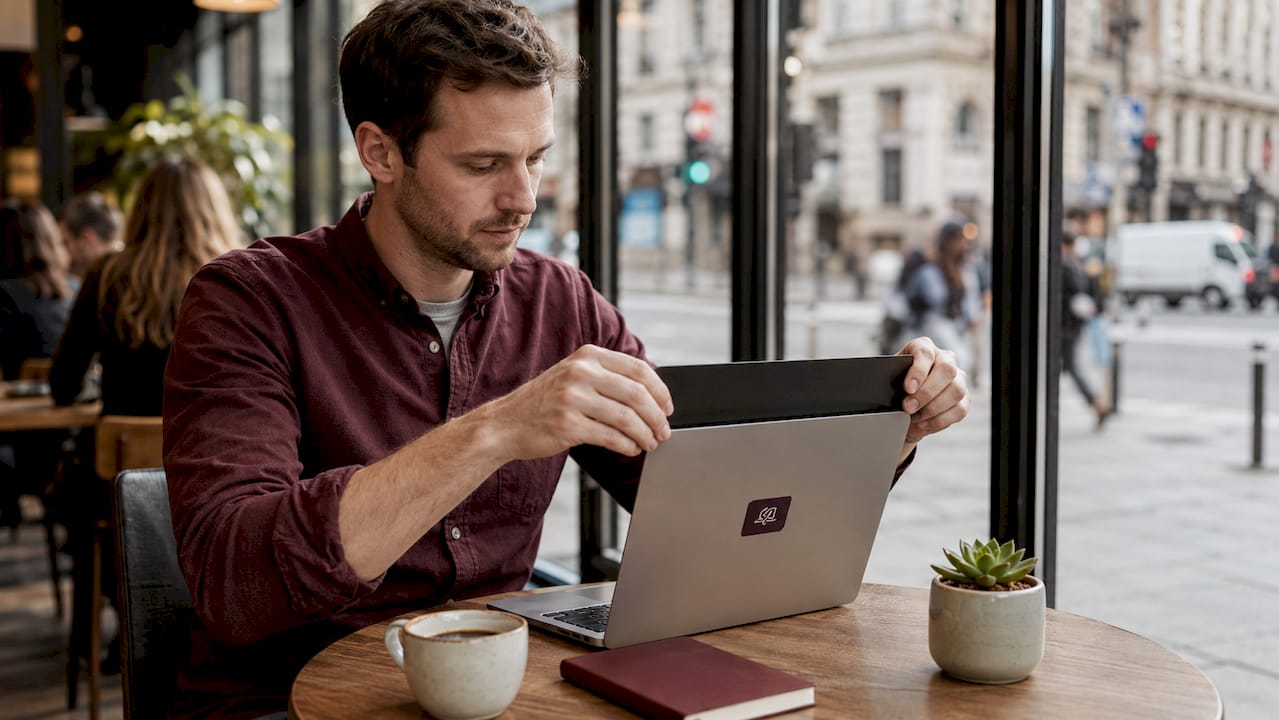
Shoulder surfing anxiety is the specific discomfort of knowing your screen is readable. Research on cybersecurity and shoulder surfing confirms it is a situational, human threat rather than a technical one. A privacy screen resolves it at the source by making side-angle viewing physically impossible within the filter’s specified angle, typically 60 degrees. Once you know the screen is protected, the mental habit of checking who is nearby weakens and eventually stops.
Contextual integrity is a concept from privacy theory that explains why information shared in one context feels wrong when it appears in another. Your client proposal belongs in a meeting with your client, not visible to a stranger at the next table. A privacy screen preserves that contextual boundary without requiring you to change your behavior or location. Research on privacy-preserving design confirms that when people perceive their information flow as appropriate to the context, anxiety drops and comfort rises.
Trust signaling is the third mechanism. When you use a visible privacy tool, you communicate to colleagues, clients, and bystanders that you handle information responsibly. The University of Miami research frames this as a confidence loop: clear privacy boundaries build trust, and trust reinforces the confidence to work openly in shared spaces without self-censoring.
Here is what that looks like in practice:
- You stop minimizing windows when someone walks past.
- You stop angling your screen away from the aisle.
- You stop hesitating before opening sensitive documents in public.
- You work the same way you would in a private office, regardless of where you are sitting.
Pro Tip: Position your privacy screen so the filter edge aligns exactly with your MacBook’s display border. Any gap between the filter and the screen edge creates an unprotected angle that partially undermines the confidence benefit.
How do privacy screens compare to other workspace privacy strategies?
Privacy screens are one tool in a broader set of options. Understanding where they fit helps you build a setup that actually works rather than one that only partially solves the problem.
| Strategy | Effectiveness | Limitations | Best for |
|---|---|---|---|
| Privacy screen filter | High for side-angle viewing | Does not block direct rear views | Cafés, trains, open offices |
| Physical partitions | High for full spatial separation | Not portable, requires fixed setup | Permanent office desks |
| Seat selection (wall-facing) | Moderate, no cost | Depends on venue layout | Any shared space |
| Screen brightness reduction | Low | Reduces your own visibility too | Supplementary only |
| Combined approach | Highest | Requires planning | Full-day shared-space work |
The 2026 research is clear that combining privacy features produces the largest gains. A privacy screen alone is effective. A privacy screen paired with a wall-facing seat and a portable divider is measurably more effective. The biggest payoff comes from treating privacy as a layered system rather than a single product decision.
For laptop users in shared spaces, a practical priority order looks like this:
- Choose a seat with your back to a wall or solid partition whenever possible.
- Apply a privacy screen filter to block side-angle views.
- Use a low-profile portable stand to raise your screen slightly, which reduces the effective viewing angle from below.
- If you work in the same coworking space regularly, request a desk position away from high-traffic aisles.
Seat selection is free and takes ten seconds. It should always be your first move. The privacy screen handles the angles that seat selection cannot control.
How to choose and position a privacy screen for maximum benefit
Selecting the right privacy screen starts with your specific laptop model. A filter cut for a 13-inch MacBook Air will not align correctly on a 14-inch MacBook Pro, and improper placement directly reduces the confidence benefit because gaps in coverage create exposed angles.
MacBook-specific filters, like those from Clarmuse, are sized to the exact display dimensions of each model. That precision matters because the filter needs to cover the full screen edge to edge. A generic filter that overhangs or undercovers the display leaves visible strips that defeat the purpose.
Positioning follows from fit. The filter should sit flush against the display surface with no air gap. Magnetic attachment, which Clarmuse uses, holds the filter in the correct position without adhesive residue or repeated repositioning. Once it is on, it stays aligned through normal use including opening and closing the laptop.
Beyond the screen itself, consider these setup details:
- Screen brightness: Set brightness to a level comfortable for you. A privacy filter slightly reduces perceived brightness, so you may need to increase it by one or two steps compared to your usual setting.
- Glare reduction: Privacy filters also reduce glare and eye strain, which lowers fatigue during extended sessions. This is a secondary benefit that compounds over a full workday.
- Ergonomic height: Raise your screen to eye level with a stand. This improves posture and also reduces the effective viewing angle from anyone seated lower than you.
- Avoid aisle-facing seats: Even with a privacy screen, sitting with your display facing a busy walkway invites direct-angle viewing from people passing at screen height.
Pro Tip: When working in a hotel lounge or airport, choose a corner seat with two walls behind you. Combined with a Clarmuse privacy screen, this setup covers every realistic viewing angle without any additional equipment.
For MacBook users who split time between a fixed desk and public spaces, check out MacBook setup tips for shared spaces to build a consistent privacy routine that travels with you.
Key takeaways
Privacy screens reduce work anxiety and improve performance by physically limiting who can see your screen, removing the cognitive load of environmental vigilance.
| Point | Details |
|---|---|
| Stress reduction is measurable | Privacy design cuts psychological stress by 18.1% and improves work performance by up to 25.4%. |
| Shoulder surfing drives anxiety | Blocking side-angle views removes the uncertainty that pulls attention away from work. |
| Confidence comes from visible boundaries | Clear privacy cues signal responsible information handling and build trust in shared spaces. |
| Layered strategies work best | Combining a privacy screen with seat selection and physical dividers produces the highest gains. |
| Fit and placement determine effectiveness | A model-specific filter aligned edge to edge is the only way to fully close exposed viewing angles. |
What I’ve learned from working with a privacy screen every day
I spent two years working in open offices and coworking spaces before I started using a privacy screen consistently. The change I noticed first was not the privacy itself. It was the absence of a habit I had not realized I had: glancing left and right before opening anything sensitive.
That habit was costing me more than I understood. Every interruption to check who was nearby broke a train of thought. Over a full day, those micro-interruptions added up to a meaningful loss of deep work time. Adding a privacy screen did not make me more disciplined. It removed the trigger for the behavior entirely.
What I did not expect was how the screen changed my posture. Without the need to angle my display away from foot traffic, I started sitting squarely in front of my laptop rather than slightly turned. That adjustment alone reduced neck tension by the end of the day.
The lesson I would pass on is this: placement matters more than most people expect. I initially used a filter that was slightly too wide for my model, and it bowed at the edges, creating small gaps. Those gaps were enough to make me feel partially exposed, which preserved some of the anxiety I was trying to eliminate. Switching to a model-specific fit resolved it completely. If you are going to use a privacy screen, use one that fits your exact display. Anything less is a partial solution.
— Gabriel
Work with more confidence using Clarmuse privacy screens
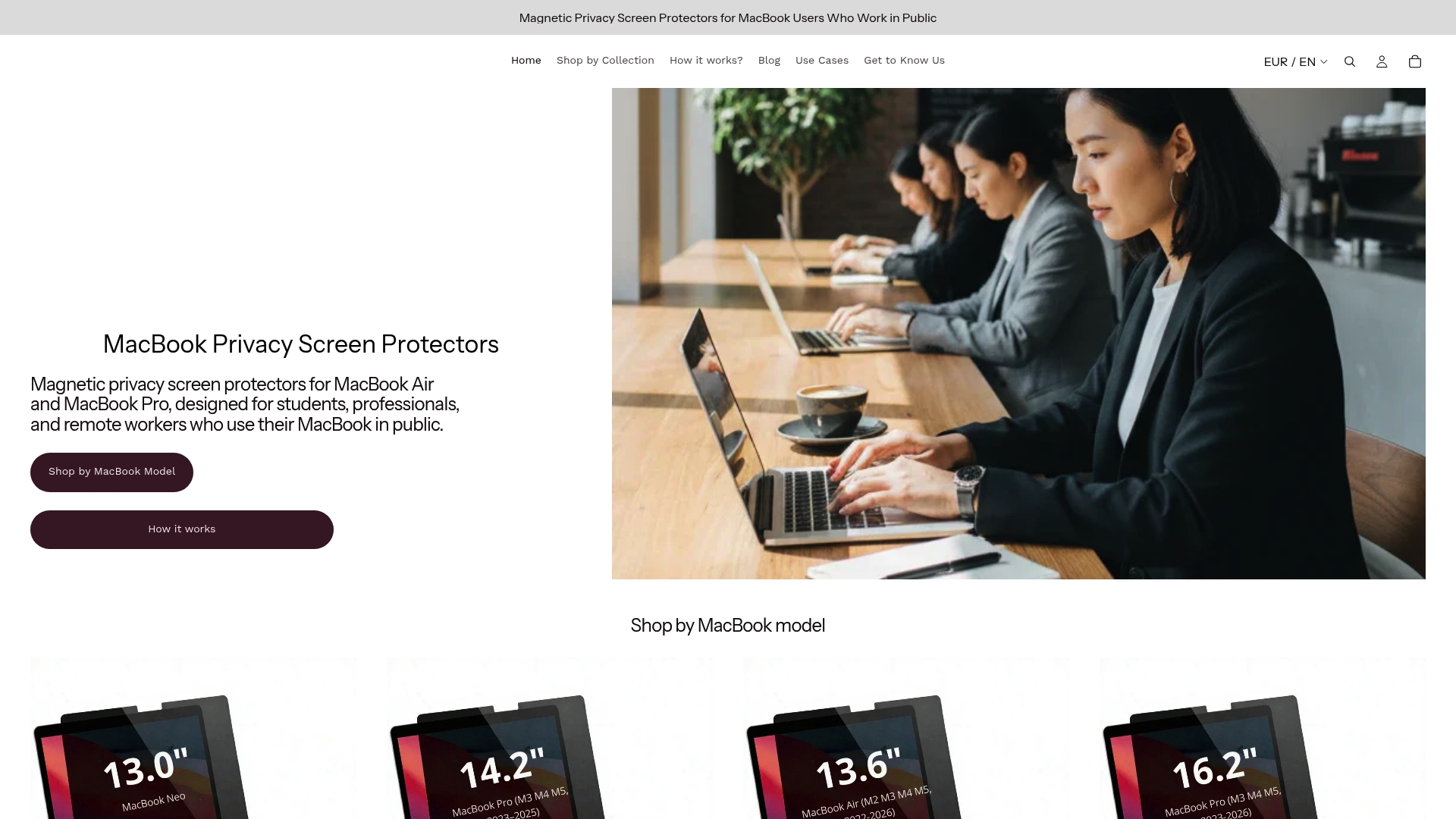
Clarmuse designs magnetic privacy screens built specifically for MacBook Air and MacBook Pro models, so the fit is exact and the coverage is complete. The magnetic attachment means you can put it on and take it off in seconds, with no adhesive and no residue. Whether you work in a café, a coworking space, or an airport lounge, a Clarmuse screen limits side-angle visibility so you can open any document without hesitation.
Browse the full range of MacBook Pro privacy filters to find the right fit for your model, or go straight to the 14.2-inch MacBook Pro screen if that is your setup. Clean design, precise fit, and everyday convenience are built in.
FAQ
What does a privacy screen actually do for your laptop?
A privacy screen is a filter that narrows the display’s viewing angle to roughly 60 degrees, so only the person directly in front of the screen can read it. Side viewers see a darkened or blurred display instead of your content.
How much does a privacy screen reduce stress at work?
A 2026 study found that combining privacy partitions with reduced external views cut psychological stress by 18.1% and improved work performance by 13.8% to 25.4%. Privacy screens contribute to this effect by limiting visual exposure in shared spaces.
Do privacy screens work in cafés and airports?
Yes. Privacy screens are most effective in exactly these environments. Pair the filter with a wall-facing seat for the best coverage, as described in Clarmuse’s guide to working in public spaces.
Can a privacy screen reduce eye strain?
Privacy filters also reduce glare and eye fatigue during extended use. This is a secondary benefit on top of the privacy protection, and it compounds over a full workday in a bright shared environment.
Does the fit of a privacy screen matter for confidence?
Fit is the single most important factor after the filter itself. A screen that does not align edge to edge with your display leaves exposed angles that partially preserve the anxiety the filter is meant to eliminate. Model-specific filters, like those from Clarmuse, close those gaps completely.


