

¿Cuáles son las mejores alternativas a Kensington.com para la privacidad del MacBook?
Las principales alternativas a Kensington.com para accesorios de privacidad y seguridad para MacBook son las pantallas de privacidad magnéticas diseñadas para modelos específicos de MacBook, los dispositivos de seguridad basados en alarmas y las marcas de accesorios que combinan con el ecosistema. Para pantallas de privacidad, Clarmuse ofrece el ajuste más específico para MacBook disponible en EE. UU. Para seguridad física, los dispositivos con alarma integrada cubren MacBooks que carecen completamente de una ranura Kensington.
| Característica | Pantallas de privacidad específicas para MacBook | Filtros de privacidad genéricos | Seguridad con alarma integrada |
|---|---|---|---|
| Compatibilidad con modelos de MacBook | Ajuste exacto por modelo | Universal, a menudo holgado | Todas las marcas, no necesita ranura |
| Cohesión del diseño | Combina con la estética de Apple | Varía | Impacto visual mínimo |
| Tipo de seguridad | Privacidad de la pantalla | Privacidad de la pantalla | Disuasión de robo físico |
| Instalación | Magnética, sin herramientas | Adhesivo o clip | Adhesivo, eliminación especializada |
| Rango de precios | Gama media | Económico | Económico a gama media |
| Disponibilidad en EE. UU. | Sí | Sí | Sí |
Las pantallas magnéticas específicas para MacBook de Clarmuse cubren los modelos Pro de 16,2", Air de 15,3", Pro de 14,2", Neo de 13,0" y Air de 13,6" (M2, M3, M4, M5, 2022–2026). Satechi produce accesorios a juego con los colores para MacBook Neo y otros modelos actuales de Apple, centrándose en la cohesión del ecosistema en lugar del filtrado de privacidad. Targus ofrece soluciones de seguridad para portátiles de nivel empresarial con amplia compatibilidad con MacBook. Para los compradores que desean privacidad de pantalla sin volumen, una pantalla magnética específica para el modelo es la opción más práctica.
Tabla de Contenidos
- ¿Cómo elegir el accesorio de privacidad o seguridad adecuado para tu MacBook?
- ¿Cómo funcionan realmente las pantallas de privacidad y los dispositivos de seguridad para MacBook?
- ¿Qué dicen las reseñas de los clientes sobre las alternativas a Kensington.com?
- ¿Qué políticas de devolución y garantías se aplican a las principales alternativas?
- Pantallas de privacidad magnéticas Clarmuse para tu MacBook
- Puntos clave
- Preguntas frecuentes
¿Cómo elegir el accesorio de privacidad o seguridad adecuado para tu MacBook?
La compatibilidad con MacBook es el primer filtro. Los modelos más nuevos de MacBook, incluidos el Air M2 y posteriores, no incluyen una ranura de bloqueo Kensington, por lo que los cierres de cable tradicionales no son una opción. Verificar la ranura de bloqueo exacta en su modelo de MacBook específico antes de comprar cualquier dispositivo de seguridad física evita un costoso desajuste.
El diseño importa más de lo que la mayoría de los compradores esperan. Los usuarios de MacBook prefieren constantemente accesorios que combinen con el acabado y el estilo minimalista del portátil, y un filtro de pantalla mal ajustado o visualmente desparejado llama más la atención de lo que la desvía. La cohesión del ecosistema es un factor de compra real para este público, no solo una frase de marketing.
Consideraciones clave al elegir:
- Compatibilidad del modelo: Confirme que el accesorio enumera el número de modelo exacto de su MacBook, no solo el tamaño de la pantalla.
- Tipo de seguridad: Decida entre la privacidad de la pantalla (filtro magnético) y la disuasión de robo físico (alarma en el producto o cierre de cable donde exista una ranura).
- Instalación: La fijación magnética no requiere herramientas y no deja residuos. Los dispositivos de seguridad basados en adhesivo utilizan una herramienta de extracción especializada.
- Uso diario: Un filtro que retira y vuelve a colocar varias veces al día necesita un método de fijación fiable. El magnético es más rápido que el de clip o adhesivo.
- Precio: Las pantallas magnéticas específicas para MacBook se sitúan en la gama media. Los filtros genéricos cuestan menos, pero a menudo se ajustan mal al chasis cónico del MacBook.
Consejo profesional: Verifique si la página del producto enumera el identificador de modelo de su MacBook (por ejemplo, A2780 para el MacBook Pro de 16 pulgadas M2) en lugar de solo el tamaño de la pantalla. Los tamaños de pantalla por sí solos no tienen en cuenta las diferencias de bisel entre generaciones.
¿Cómo funcionan realmente las pantallas de privacidad y los dispositivos de seguridad para MacBook?
Un filtro de pantalla de privacidad utiliza tecnología de micro-láminas, una capa de diminutas persianas verticales incrustadas en la película, para estrechar el ángulo de visión. Cualquier persona sentada a su lado o detrás de usted ve una pantalla oscurecida o en blanco. Solo la persona directamente en frente ve la pantalla claramente. Las versiones magnéticas para MacBook se adhieren a lo largo del borde superior de la tapa utilizando imanes incrustados, por lo que no hay clips, adhesivos o modificaciones de marco involucrados.
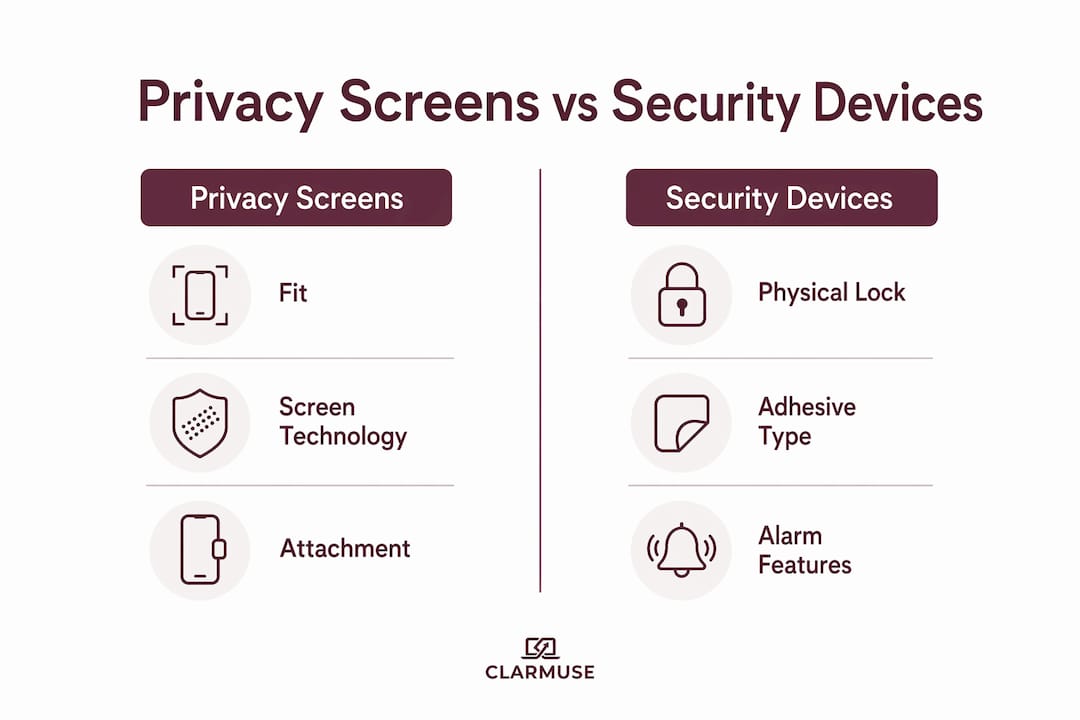
| Característica | Pantalla de privacidad magnética | Filtro genérico con clip | Alarma en el producto (AOP) |
|---|---|---|---|
| Restricción del ángulo de visión | Sí | Sí | No |
| Ajuste específico para MacBook | Sí (por modelo) | No | No |
| Disuasor de robo físico | No | No | Sí |
| Residuos en el dispositivo | Ninguno | Posible | Adhesivo (se quita con herramienta) |
| Reutilizable | Sí | Sí | No |
La seguridad física funciona de manera diferente. Los dispositivos con alarma integrada se adhieren directamente al cuerpo del portátil utilizando un adhesivo fuerte que requiere una herramienta especializada para su extracción. Si alguien intenta llevarse el dispositivo, suena una alarma. Este enfoque cubre MacBooks sin ranura K, lo que incluye la mayoría de los modelos lanzados en los últimos años. Un sistema de riel modular va más allá, asegurando múltiples dispositivos en fila sin bloquear la pantalla o el teclado, lo cual es útil en entornos minoristas o bibliotecas.
Casi la mitad de todos los robos de portátiles ocurren en oficinas y aulas, no en la calle. Una pantalla de privacidad aborda el riesgo más común en espacios compartidos: alguien que lee su pantalla. Un bloqueo físico aborda el riesgo menos frecuente pero más dañino de que el dispositivo sea robado por completo.
¿Qué dicen las reseñas de los clientes sobre las alternativas a Kensington.com?
Los compradores de pantallas de privacidad específicas para MacBook destacan constantemente el ajuste como el factor decisivo en las reseñas. Una pantalla que no se alinea con precisión con la pantalla del MacBook deja huecos visibles o cubre parte del bisel, lo que afecta tanto la apariencia como la efectividad de la restricción del ángulo de visión. Los productos listados por identificador de modelo exacto de MacBook reciben calificaciones de satisfacción más altas que los vendidos solo por tamaño de pantalla.
Para los accesorios de seguridad física, los revisores señalan que existen múltiples tamaños de ranura de bloqueo Kensington en las generaciones de MacBook, y la compatibilidad no se puede asumir. Los compradores que verificaron el tipo de ranura antes de comprar informan de menos devoluciones. Las alternativas de alarma en el producto reciben calificaciones positivas por cubrir MacBooks sin ranura, aunque algunos revisores señalan que el adhesivo es permanente por diseño.
Las marcas enfocadas en el ecosistema como Satechi reciben elogios constantes por la combinación de acabados y la calidad de construcción. Las reseñas de compradores estadounidenses destacan que los accesorios a juego con los colores reducen el desorden visual de una configuración de múltiples dispositivos, lo que se alinea con la preferencia por la cohesión del espacio de trabajo que priorizan los usuarios de MacBook.
¿Qué políticas de devolución y garantías se aplican a las principales alternativas?
Las condiciones de devolución y garantía varían según la marca y el minorista. La mayoría de los minoristas en línea con sede en EE. UU., incluidos Amazon y Best Buy, ofrecen un período de devolución estándar de 30 días para accesorios sin abrir o defectuosos. Las garantías del fabricante en pantallas de privacidad y dispositivos de seguridad suelen ser de 12 meses y cubren defectos de materiales o mano de obra, no daños físicos por mal uso.
Para productos de seguridad basados en adhesivos, generalmente no se aceptan devoluciones una vez que se ha aplicado el adhesivo, ya que el dispositivo no se puede restaurar a su estado original. Los compradores deben confirmar la política de devoluciones antes de aplicar cualquier accesorio de seguridad adhesivo. Las pantallas de privacidad magnéticas no tienen tal restricción porque se adhieren y se quitan sin dejar residuos.
Clarmuse realiza envíos a EE. UU. y publica sus términos de devolución y garantía directamente en las páginas de los productos. Revisar la política específica antes de la compra es el enfoque más confiable, ya que los términos pueden diferir entre el sitio propio de la marca y los mercados de terceros.
Pantallas de privacidad magnéticas Clarmuse para tu MacBook
Clarmuse fabrica pantallas de privacidad magnéticas para usuarios de MacBook que desean una protección eficaz contra ángulos laterales sin añadir volumen ni comprometer el aspecto de su configuración. Cada pantalla está diseñada para un modelo específico de MacBook, no para un rango de tamaños genérico, por lo que el ajuste es exacto y la fijación es limpia.
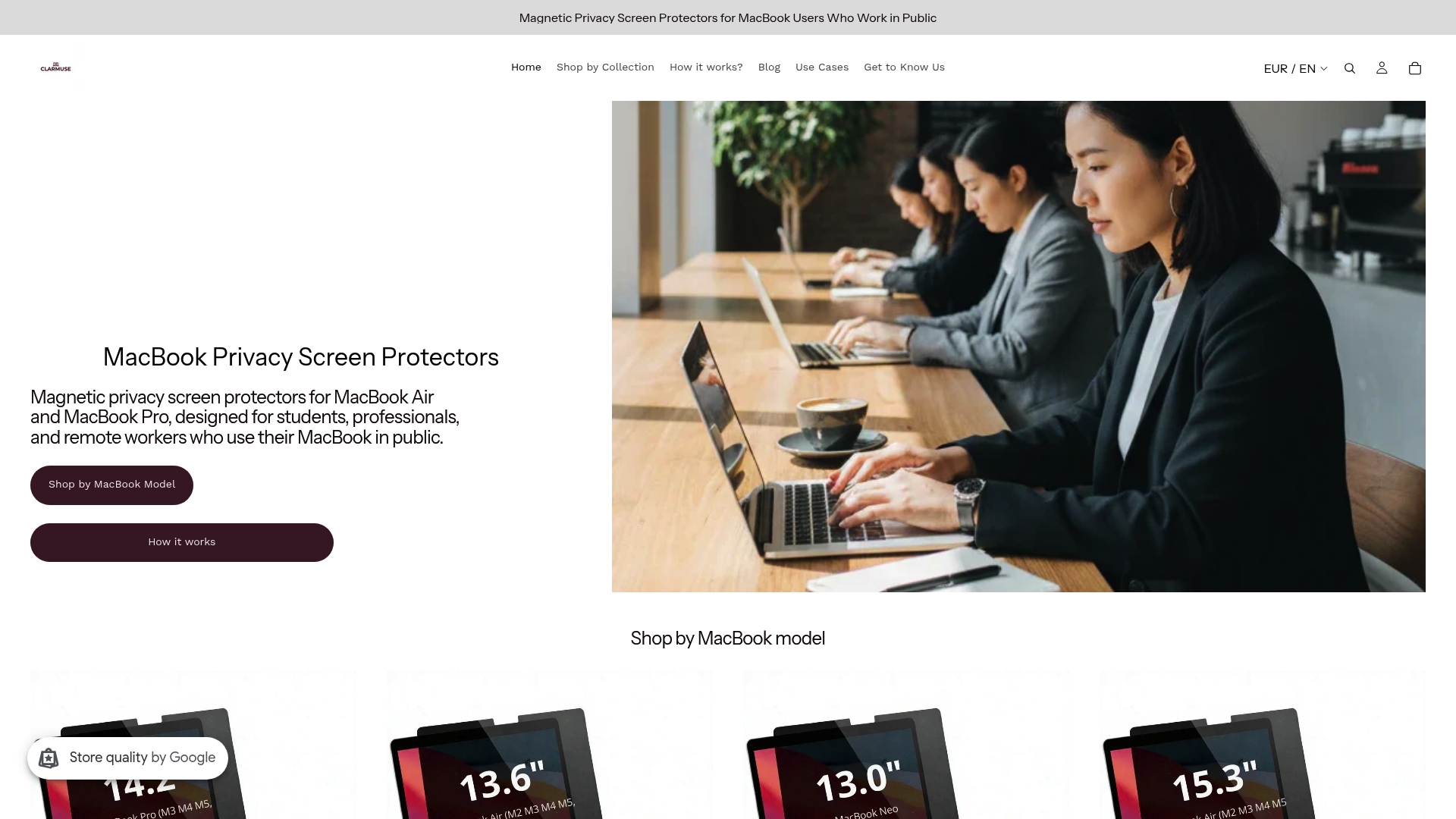
La línea de productos cubre cinco configuraciones actuales de MacBook:
- Pantalla de privacidad para MacBook Pro 16.2"
- Pantalla de privacidad para MacBook Air 15.3"
- Pantalla de privacidad para MacBook Pro 14.2"
- Pantalla de privacidad para MacBook Neo 13.0"
- Pantalla de privacidad para MacBook Air 13.6" (M2, M3, M4, M5, 2022–2026)
La fijación magnética significa que no se necesitan herramientas, adhesivos ni residuos. La pantalla se coloca antes de una sesión en una cafetería y se quita en segundos cuando se guarda. Para cualquiera que trabaje regularmente en espacios compartidos, esa fricción diaria importa. Explora la colección completa de pantallas de privacidad para MacBook para encontrar el ajuste adecuado para tu modelo.
Puntos clave
Las pantallas de privacidad magnéticas específicas para MacBook ofrecen el ajuste más preciso y la menor fricción diaria para la privacidad en espacios compartidos, lo que convierte la compatibilidad verificada con el modelo en el criterio de compra más importante.
| Punto | Detalles |
|---|---|
| Verificar compatibilidad del modelo | Confirme que el producto enumera el identificador de modelo exacto de su MacBook, no solo el tamaño de la pantalla. |
| Coincidir el tipo de seguridad con la amenaza | Use una pantalla de privacidad para el espionaje visual; use un dispositivo basado en alarma para el robo físico. |
| El magnético supera al adhesivo para el uso diario | Las pantallas magnéticas se colocan y quitan sin dejar residuos, lo que las hace prácticas para un uso diario repetido. |
| La compatibilidad de la ranura no está garantizada | Muchos modelos actuales de MacBook carecen de una ranura Kensington; confirme antes de comprar cualquier cable de seguridad. |
| Clarmuse cubre cinco modelos de MacBook | Clarmuse ofrece pantallas de privacidad magnéticas específicas para modelos de MacBook Pro, Air y Neo en tamaños actuales. |
Preguntas frecuentes
¿Qué modelos de MacBook carecen de ranura de bloqueo Kensington?
La mayoría de los modelos de MacBook lanzados en los últimos años, incluyendo los diseños actuales de MacBook Air y MacBook Pro, no incluyen una ranura Kensington. Los dispositivos con alarma integrada son la alternativa práctica de seguridad física para estos modelos.
¿Son reutilizables las pantallas de privacidad magnéticas?
Sí. Las pantallas de privacidad magnéticas se adhieren y se quitan sin adhesivo, por lo que se pueden retirar y volver a aplicar diariamente sin dejar residuos ni dañar la pantalla.
¿Dónde se pueden comprar alternativas a Kensington.com en EE. UU.?
Las pantallas de privacidad y accesorios de seguridad para MacBook están disponibles a través del sitio web de la propia marca, Amazon y los principales minoristas de EE. UU. como Best Buy. Clarmuse realiza envíos directos a clientes de EE. UU. a través de su propio sitio.
¿Cómo saber si una pantalla de privacidad se ajusta a tu MacBook?
Compruebe que la página del producto enumera el identificador de modelo o la generación específica de su MacBook (por ejemplo, MacBook Air 13.6" M2/M3/M4/M5). El tamaño de pantalla por sí solo no tiene en cuenta las diferencias de bisel entre las generaciones de MacBook.
¿Qué es la seguridad con alarma integrada para portátiles?
Alarma en el producto (AOP) es un método de seguridad física que adhiere una alarma directamente al cuerpo del portátil mediante un adhesivo fuerte. Si alguien intenta retirar el dispositivo, la alarma se activa. Funciona en MacBooks sin ranura Kensington.
Recomendado
- Las 4 mejores alternativas a hypershop.com en 2026 – Clarmuse
- Las 3 mejores alternativas a Sightpro.com para pantallas de privacidad en 2026 – Clarmuse
- Cómo colocar la pantalla de tu MacBook para mayor privacidad en público – Clarmuse
- Consejos de privacidad para el portátil en el campus para estudiantes en 2026 – Clarmuse


