

Digital nomad laptop security basics are defined as the layered combination of encryption, VPN use, password management, multi-factor authentication, and physical safeguards that protect your device and data in shared public spaces. Working from cafés in Lisbon, coworking spaces in Chiang Mai, or airport lounges in Dubai puts your laptop in environments where threats are both digital and physical. Laptops are stolen every 20 seconds globally, and only 2 to 5% are ever recovered. That single fact makes encryption and physical locks non-negotiable starting points, not optional upgrades.
What are the essential software tools for laptop security?
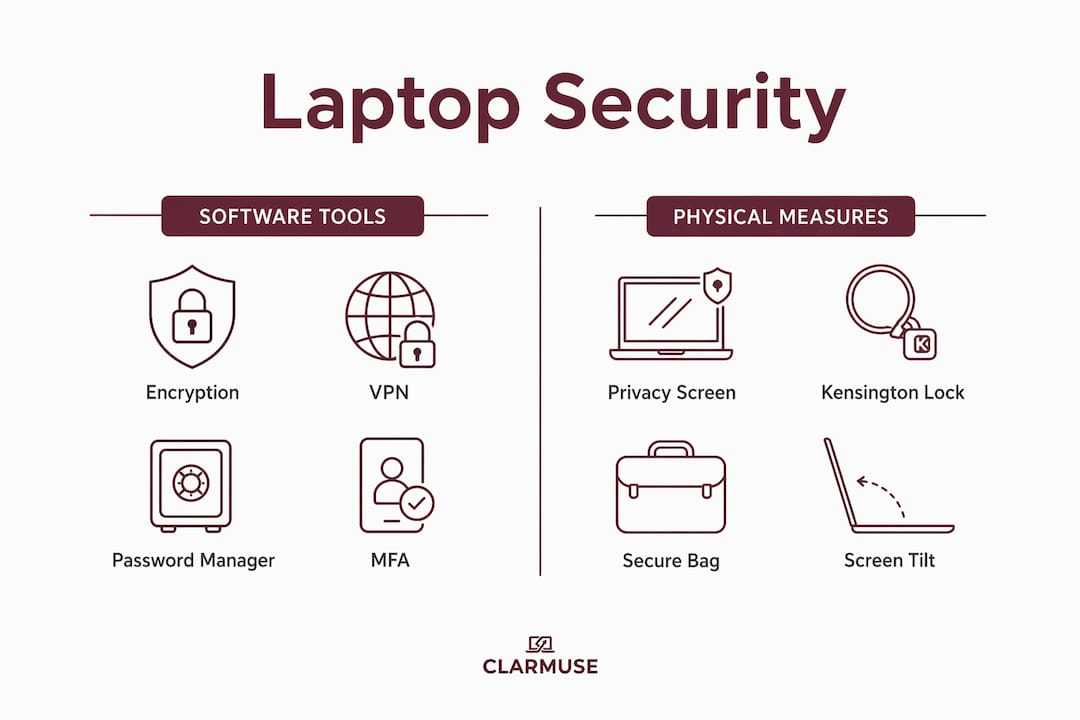
Full-disk encryption is the single most important software protection you can activate today. On macOS, FileVault encrypts your entire drive so that anyone who steals your laptop sees only unreadable data without your login credentials. On Windows, BitLocker performs the same function. Neither tool requires technical expertise to enable, and both are built into the operating system at no extra cost.
A VPN protects your data while it travels across public Wi-Fi networks. Look for providers with a verified no-logs policy, a kill-switch that cuts your internet if the VPN drops, and support for the WireGuard protocol, which delivers faster speeds with strong encryption. VPNs protect data in transit but do not replace device hardening or behavioral discipline. Treat a VPN as one layer of a stack, not a complete solution.
Password managers like 1Password or Bitwarden generate and store unique, complex passwords for every account. Cross-device syncing means you access your credentials from any device, and offline access modes protect you when connectivity is unreliable. Reusing passwords across accounts is the single fastest way to turn one compromised login into a full account takeover.
Multi-factor authentication adds a second verification step that a stolen password alone cannot bypass. Hardware security tokens like YubiKey are significantly more secure than SMS codes because SIM-swap attacks can intercept text messages. FIDO2 hardware keys work offline, survive international travel, and are now accepted by Google, GitHub, and most major financial platforms.
Pro Tip: A complete baseline security stack covering encryption, a reputable VPN, a password manager, and MFA takes 30 to 45 minutes to configure and costs roughly $6 to $12 per month. Set it up once and it runs in the background.
How can physical security protect your laptop in shared spaces?
Physical threats are just as real as digital ones, and they are often faster. A thief who grabs your unlocked laptop from a café table in seconds has bypassed every software protection you installed. Physical security for nomads covers three categories: preventing theft, preventing visual exposure, and organizing your workspace to reduce risk.
Privacy screens are recommended in 2026 as a direct countermeasure to shoulder-surfing, which is one of the most common methods of information compromise in cafés and transit hubs. A privacy screen narrows the viewing angle of your display so that only the person sitting directly in front of the screen can read it. Clarmuse produces magnetic privacy screens designed specifically for MacBook Air and MacBook Pro models, with a clean fit and easy attachment that does not add bulk to your setup. For anyone working in shared spaces regularly, visual security for your MacBook is a practical and immediate upgrade.
Kensington locks anchor your laptop to a fixed surface using a cable and lock mechanism. They are not theft-proof, but they eliminate opportunistic grabs when you step away briefly. Dedicated travel backpacks from brands like Pacsafe include lockable zippers and slash-resistant materials that slow down bag snatching.
| Threat | Physical countermeasure | Effectiveness |
|---|---|---|
| Shoulder-surfing | Privacy screen (e.g., Clarmuse for MacBook) | Blocks side-angle viewing immediately |
| Opportunistic theft | Kensington lock, cable tether | Deters casual grab-and-run |
| Bag theft in transit | Pacsafe or lockable travel backpack | Reduces access during movement |
| Loss during border crossing | Travel user account with minimal data | Limits exposure under inspection |
Proper bag organization that separates your passport, phone, and laptop into dedicated compartments reduces the chance of losing critical items and speeds up security checks. Portable safes that tether to fixed objects are useful for hotel rooms and hostels where you cannot always lock a door.
Pro Tip: Position your screen at a slight backward tilt when sitting in a café. Combined with a privacy screen, this makes reading your display from any angle behind you nearly impossible. Clarmuse has a practical guide on screen positioning for privacy that covers optimal angles for different seating layouts.
What behavioral habits reduce laptop security risks for nomads?
Software and hardware protections fail when habits are weak. Leaving devices unattended and falling for phishing are two of the most common causes of data compromise, and neither is stopped by a VPN or encryption alone. Behavioral discipline is the layer that ties everything else together.
Follow these habits consistently when working in public:
- Verify Wi-Fi network names with staff before connecting. Attackers set up rogue hotspots with names like “Café_Free_WiFi” that mirror the legitimate network. Asking a staff member for the exact network name takes ten seconds and eliminates this risk.
- Activate your VPN before opening any sensitive account. Do not log into banking, email, or work platforms on public Wi-Fi without the VPN running first. For banking specifically, a mobile hotspot from your carrier is safer than any café network.
- Set your screen to auto-lock within 30 seconds of inactivity. On macOS, this is under System Settings > Lock Screen. Disable lock screen notification previews so that incoming messages are not visible without authentication.
- Use USB data blockers when charging from public ports. Juice jacking, where malicious firmware is delivered through a public USB port, is a documented attack vector in shared environments. A USB data blocker, also called a USB condom, passes power but blocks data transfer. Carrying a power bank removes the need for public ports entirely.
- Avoid posting real-time travel plans on social media. Announcing your location and schedule publicly tells potential thieves exactly where your laptop will be and when you will be distracted.
Pro Tip: Create a dedicated travel user account on your laptop with minimal sensitive data installed. This is especially useful at border crossings where devices can be inspected. A secondary travel account limits what an inspector or thief can access without your primary credentials.
How do you recover accounts and data after a security incident?
Recovery planning is the part of digital nomad security best practices that most people skip until they need it. Losing access to your primary email account while abroad creates a cascade of locked accounts, missed client communications, and potential financial exposure. Preparing before an incident is the only way to recover quickly.
Encrypted backups with periodic restoration testing are the foundation of data recovery. Keep two copies: one on an encrypted external drive and one in a cloud service like Backblaze or iCloud with end-to-end encryption enabled. Test the restoration process every 90 days. A backup you have never tested is a backup you cannot trust.
Key steps for incident response:
- Remote wipe immediately. macOS Find My and Windows Find My Device allow you to lock or erase a stolen laptop remotely. Activate these features before you need them, not after.
- Change passwords and revoke active sessions. Log into your password manager from another device and update credentials for email, banking, and work accounts. Most platforms show active sessions under security settings; revoke all sessions you do not recognize.
- Contact your carrier about SIM-swap protection. SIM-swapping remains a critical attack vector in 2026. Request a port freeze and set a unique PIN on your carrier account to prevent unauthorized SIM porting.
- Store recovery codes in multiple secure locations. Print them and store one copy in a travel safe, and keep a second encrypted copy in a password manager note. Losing access to recovery codes abroad is one of the most common and avoidable recovery failures.
- Prepare an incident contact sheet. Include your bank’s international fraud line, your carrier’s support number, your embassy’s emergency contact, and your primary client contacts. Store this separately from your laptop.
Hardware tokens and passkeys are replacing SMS and app-based two-factor authentication as the standard for frequent travelers. They provide stronger phishing resistance and work without a cellular signal, which matters when you are in a country where your SIM does not have data coverage.
Key takeaways
Layered security combining encryption, VPN use, hardware MFA, physical locks, privacy screens, and tested recovery plans is the most reliable defense for digital nomads working in shared public spaces.
| Point | Details |
|---|---|
| Activate full-disk encryption | Enable FileVault on macOS or BitLocker on Windows before your next trip. |
| Use hardware MFA over SMS | YubiKey and FIDO2 tokens block SIM-swap attacks that SMS codes cannot stop. |
| Add a privacy screen | Clarmuse magnetic screens for MacBook block shoulder-surfing without adding bulk. |
| Build behavioral habits | Verify Wi-Fi names, use USB data blockers, and set a 30-second auto-lock timer. |
| Test your backups | Encrypted local and cloud backups only protect you if restoration has been verified. |
What most nomads get wrong about laptop security
The most common mistake I see is treating a VPN subscription as a complete security solution. A VPN is one layer of a stack, and it does nothing to protect you if your screen is readable from three seats away, your password is reused across accounts, or your laptop is grabbed while you are ordering coffee.
The second mistake is skipping recovery planning entirely. Most nomads spend time configuring tools and almost no time preparing for the moment those tools fail. Losing your primary email account abroad is not a minor inconvenience. It locks you out of banking, client platforms, and identity verification services simultaneously. An incident contact sheet and tested backup restore take two hours to prepare and can save days of recovery time.
The insight I find most useful comes from the 2026 nomad security community: resilient nomads maintain clean records, encrypted backups, and minimum exposure through disciplined habits, not through chasing invisibility. A Zero Trust mindset, where you verify every network, every connection, and every unexpected access attempt, is more practical than any single tool. Start with the baseline stack, add physical protections, and build the habits that make both work consistently.
— Gabriel
Protect your screen from the person sitting next to you
The fastest physical security upgrade for MacBook users working in public is a properly fitted privacy screen. Clarmuse designs magnetic privacy screens specifically for MacBook Air and MacBook Pro models, so the fit is precise and the attachment takes seconds.
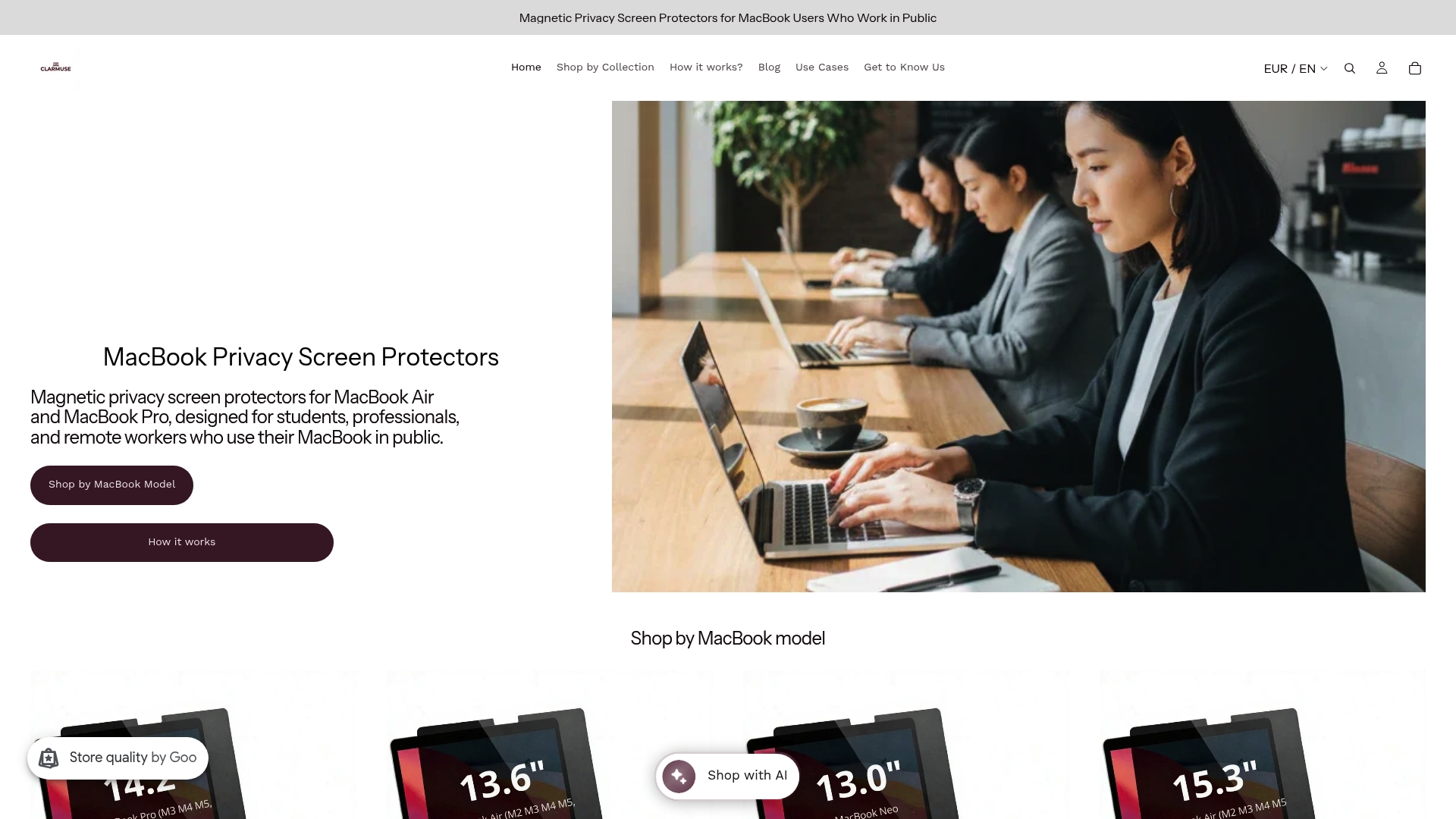
Unlike generic filters that require adhesive or clip-on frames, Clarmuse screens attach magnetically and come off just as easily when you are back at a private desk. They narrow your display’s viewing angle so that the person beside you at a café or coworking space sees only a darkened screen. If you work regularly in shared spaces, MacBook Pro privacy screen protectors from Clarmuse are a direct answer to shoulder-surfing without complicating your setup. Browse the full range at Clarmuse’s privacy screen collection to find the right fit for your model.
FAQ
What is digital nomad work security?
Digital nomad work security is the practice of protecting your devices, accounts, and data while working remotely in shared or public environments. It combines software tools like encryption and VPNs with physical measures like privacy screens and device locks.
How do I secure my laptop on public Wi-Fi?
Activate a VPN with a kill-switch before connecting to any public network, verify the network name with staff, and avoid logging into banking or sensitive accounts without a mobile hotspot as an alternative. USB data blockers prevent juice jacking from public charging ports.
Are privacy screens worth it for digital nomads?
Privacy screens directly reduce shoulder-surfing risk in cafés, airports, and coworking spaces, which is a documented method of information compromise in public venues. Magnetic options from Clarmuse attach and detach in seconds, making them practical for daily use.
What should I do if my laptop is stolen abroad?
Use macOS Find My or Windows Find My Device to remotely lock or wipe the device immediately. Then change passwords for all accounts via another device, revoke active sessions, and contact your bank’s international fraud line using your pre-prepared incident contact sheet.
Is SMS two-factor authentication safe enough for nomads?
SMS-based two-factor authentication is vulnerable to SIM-swap attacks, where an attacker ports your number to a new SIM. Hardware tokens like YubiKey using the FIDO2 standard provide stronger protection and work without cellular signal, making them the better choice for frequent travelers.


