

Privacy screen light transmission is the measure of visible light that passes through a screen protector to the primary user while blocking side-angle views for privacy. The technology behind this balance is called micro-louver optics, an industry-standard method used in physical privacy filters. Understanding how light transmission in privacy screens works helps you choose the right filter, set realistic expectations, and get the most out of your device in cafés, airports, and coworking spaces. This article covers the core mechanics, typical brightness trade-offs, real-world limitations, and practical tips for MacBook users.
How does privacy screen light transmission work?
Light transmission in privacy screens is controlled by micro-louver technology. A micro-louver filter contains microscopic vertical slats spaced roughly 60 micrometers apart, functioning like a miniature Venetian blind bonded directly to your screen. Light traveling straight forward passes through the slats cleanly. Light arriving at an angle hits the walls of the slats and is absorbed or scattered before it exits the filter.
The result is a defined viewing cone. Side-viewers beyond ±30 degrees from the screen center see a blacked-out display. That range is not arbitrary. It reflects the physical geometry of the louver spacing: narrower slats produce a tighter cone and stronger privacy, while wider slats allow more light but reduce side-angle protection. Filter designers call this balance “optical density,” and it is the central engineering trade-off in every privacy filter.
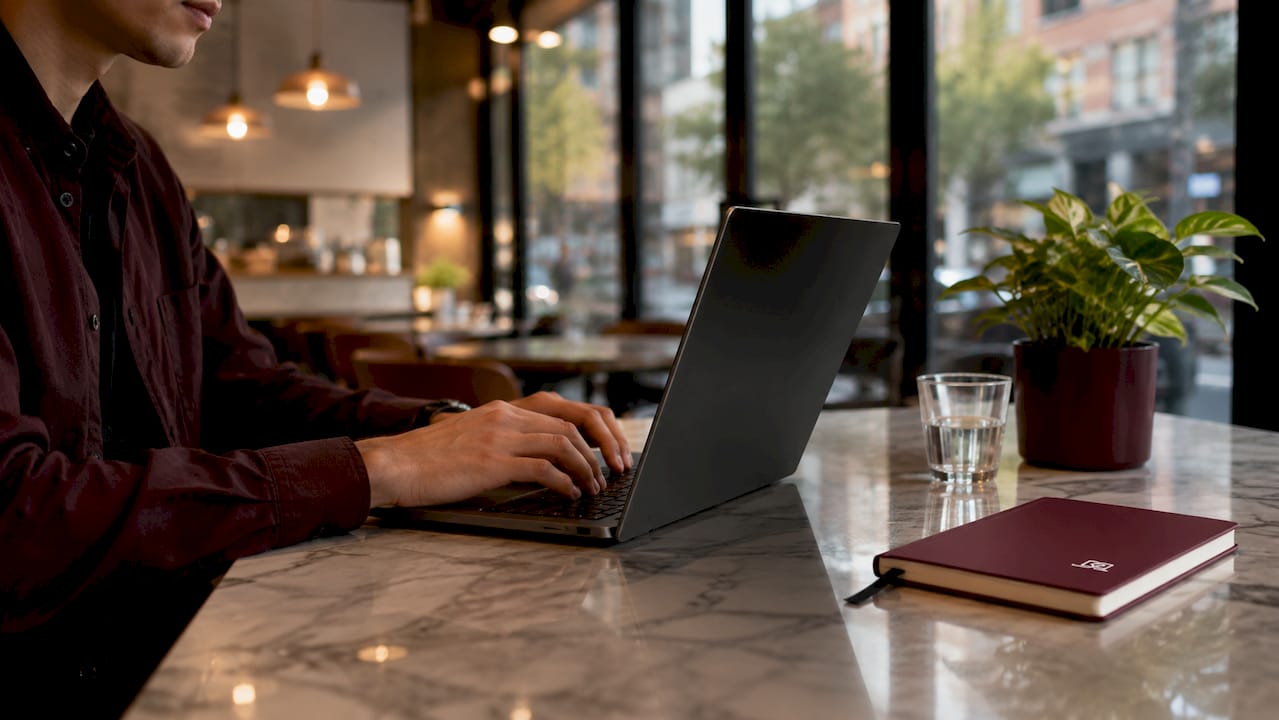
A standard screen, by contrast, scatters light in all directions. Anyone within a wide arc around you can read your display. A micro-louver filter eliminates that arc by design. The filter operates passively, with no software, no settings, and no power source. It works the same way at noon in a bright café as it does at midnight on a train.
Key mechanics at a glance:
- Louver spacing: roughly 60 micrometers between vertical slats
- Viewing cone: approximately ±15° to ±30° from center, depending on filter grade
- Side-angle effect: oblique light is absorbed by louver walls, not reflected
- Operation: fully passive, optical, and always active
Pro Tip: If you sit at a slight angle to your own screen, you will notice the dimming effect yourself. That is the louver working. Sit directly in front and the image returns to full clarity.
What brightness trade-offs come with privacy filters?
Privacy filters reduce screen brightness for the primary user. Typical filters reduce light transmission by 25–30%, which means a screen that looks bright without a filter will appear noticeably dimmer with one applied. This is not a defect. It is a direct consequence of the louver structure intercepting some front-directed light along with the side-directed light.
The degree of dimming varies by filter quality. Premium filters with anti-reflective coatings achieve greater than 95% light transmission in the visible spectrum while still reducing off-axis light by more than 80%. That combination preserves color fidelity and screen clarity for the user while maintaining strong side-angle privacy. The difference between a budget filter and a premium one is visible immediately on a color-accurate display.
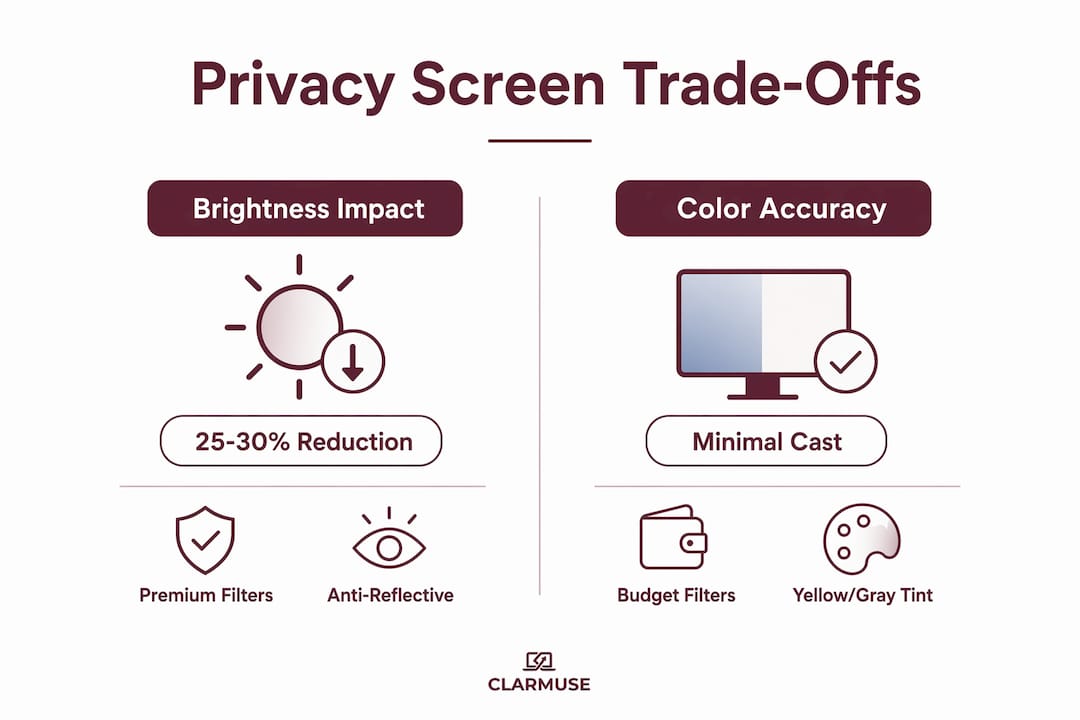
Color fidelity matters more than most people expect. A low-quality filter can introduce a slight yellow or gray cast across the display. Premium filters with anti-reflective layers avoid this by managing how light interacts with the filter surface before it reaches your eyes. The result is a display that looks close to unfiltered, with only a modest reduction in peak brightness.
The display type you use also affects how noticeable the dimming feels. High-brightness OLED panels with peak outputs above 2,000 nits can compensate for a 25–30% reduction without the user noticing much difference. Older LCD panels with lower peak brightness show the dimming more clearly, which means the filter choice matters more on those devices.
Pro Tip: After applying a privacy filter, increase your MacBook’s screen brightness by two or three steps. Most users find this fully compensates for the louver dimming without straining the battery.
What are the real-world limits of privacy screen effectiveness?
Privacy screens do not provide full 360-degree protection. Standard filters block side angles only. Anyone looking directly at your screen from the front, within the viewing cone, sees the display normally. Someone standing directly behind you and looking over your shoulder at the correct angle can also see the screen. The filter addresses the most common threat, which is a person seated beside you, but it does not replace physical awareness of your surroundings.
Orientation also affects privacy effectiveness. Two-way filters block side-viewing in portrait orientation only. Four-way privacy filters protect from all four sides, including top and bottom angles, but they produce slightly more brightness loss because the louver structure is denser. For laptop use in landscape orientation, a four-way filter is the more complete solution.
A few additional limitations worth knowing:
- Rear direct line of sight: someone directly behind you at the right height can still read your screen
- Extreme front angles: very steep forward angles near the edge of the viewing cone may show partial content
- Bidirectional dimming: the same louvers that block side viewers also reduce brightness for you
- Screen brightness dependency: a very dim screen setting makes the filter effect more pronounced and harder to read
Privacy screens reduce side-view contrast by over 80% while preserving central brightness within ±5%. That means side-angle visibility is practically eliminated for anyone seated next to you, which covers the vast majority of real-world exposure scenarios in shared spaces.
How to get the best results from your privacy screen
Choosing the right filter type is the first decision. For MacBook use in landscape orientation, a four-way filter covers more angles. For users who primarily care about the person seated beside them in a café or on a plane, a two-way filter delivers slightly better brightness with adequate protection.
Follow these steps to get consistent optical performance:
- Match the filter to your exact screen size. A filter that does not align precisely with your display edges creates light gaps at the corners, reducing both privacy and clarity.
- Clean the screen before installation. Dust or oil between the filter and the display creates visible distortion and reduces light transmission.
- Adjust brightness after applying the filter. Raise your MacBook’s brightness by two to three steps to offset the 25–30% reduction from the louver structure.
- Consider your ambient lighting. Bright overhead lighting in an office or direct sunlight reduces the perceived contrast of the side-angle blackout effect. Dimmer environments make the privacy effect stronger.
- Realign the filter if it shifts. A misaligned filter changes the effective viewing angle and can introduce uneven dimming across the display.
Screen clarity after installation is a reliable indicator of filter quality. A well-made filter with anti-reflective and blue-light-blocking coatings maintains color accuracy and reduces eye strain alongside its privacy function. Blue-light-blocking layers attenuate wavelengths in the 380–500 nm range by 30–45%, which reduces melatonin suppression during evening use without meaningfully affecting overall light transmission. That is a practical benefit that goes beyond privacy alone.
For a broader look at how screen filters affect daily MacBook use, including color accuracy and comfort over long sessions, the interaction between filter quality and display type is worth understanding before you buy.
Key Takeaways
Privacy screen light transmission is controlled by micro-louver optics that block side angles while preserving frontal clarity, with premium filters achieving greater than 95% transmission and over 80% side-angle reduction simultaneously.
| Point | Details |
|---|---|
| Micro-louver mechanism | Vertical slats ~60 micrometers apart block light beyond ±30° from center. |
| Brightness trade-off | Standard filters reduce light transmission by 25–30%; premium filters minimize this loss. |
| Four-way vs. two-way | Four-way filters protect all sides but dim slightly more; two-way covers left and right only. |
| Display type matters | OLED screens above 2,000 nits compensate for dimming better than older LCD panels. |
| Blue-light benefit | Quality filters block 380–500 nm wavelengths by 30–45%, adding eye-health value beyond privacy. |
The engineering balance most people overlook
The part of privacy screen design that gets the least attention is also the most consequential: the relationship between louver slit width and optical density. Most people evaluate a privacy filter by asking “can the person next to me see my screen?” That is the right question, but it is only half the picture. The other half is how much of your own screen you are giving up to achieve that protection.
I have seen users apply budget filters and immediately complain that their display looks like it is covered in gray gauze. That is not a privacy filter problem. That is a low-optical-density filter problem. The louvers are too dense, the slit width is too narrow, and the result is a screen that is private but barely usable. The fix is not to remove the filter. The fix is to choose a filter where the optical density is calibrated for the display type.
The other misconception I encounter regularly is that privacy screens are a software feature. They are not. Privacy filters are physical optical devices that cannot be toggled, adjusted, or updated. What you apply is what you get. That makes the initial selection far more important than most buyers realize.
The future of privacy screen technology points toward thinner louver structures and higher-transmission coatings that close the gap between filtered and unfiltered display quality. For now, the practical advice is straightforward: buy for your display type, adjust brightness after installation, and understand that screen clarity with privacy filters is a function of filter quality, not an inherent limitation of the technology.
— Gabriel
Clarmuse magnetic privacy screens for MacBook
Clarmuse designs magnetic privacy screens specifically for MacBook Air and MacBook Pro models, built around the light transmission principles covered in this article.
Each Clarmuse filter uses a calibrated micro-louver structure with anti-reflective and blue-light-blocking coatings, targeting high frontal light transmission while blocking side-angle views. The magnetic attachment system means no adhesive, no residue, and no alignment guesswork. Models are available for the MacBook Pro 16.2", MacBook Air 13.6", and MacBook Pro 14.2", among others. For the full range of MacBook-specific options, the complete filter collection covers current Air and Pro lineups.
FAQ
What does light transmission percentage mean on a privacy screen?
Light transmission percentage measures how much visible light passes through the filter to the user’s eyes. A filter rated at 70% transmission lets through 70% of the screen’s output, with the remaining 30% absorbed by the louver structure.
Does a privacy screen make my MacBook screen harder to read?
A standard privacy filter reduces brightness by 25–30%, which is noticeable but manageable. Raising your MacBook’s brightness by two to three steps after installation typically restores comfortable readability.
What is the difference between two-way and four-way privacy filters?
Two-way filters block side views in portrait orientation only. Four-way filters protect from all four angles, including top and bottom, making them the better choice for laptop use in landscape mode.
Do privacy screens affect color accuracy?
Budget filters can introduce a slight color cast. Premium filters with anti-reflective coatings maintain color fidelity by managing how light interacts with the filter surface before reaching the user’s eyes.
Can someone behind me still see my screen with a privacy filter applied?
Yes. Privacy filters block side angles but do not protect against someone looking directly at your screen from behind at the correct height. Physical positioning and awareness remain part of any complete privacy approach.


