

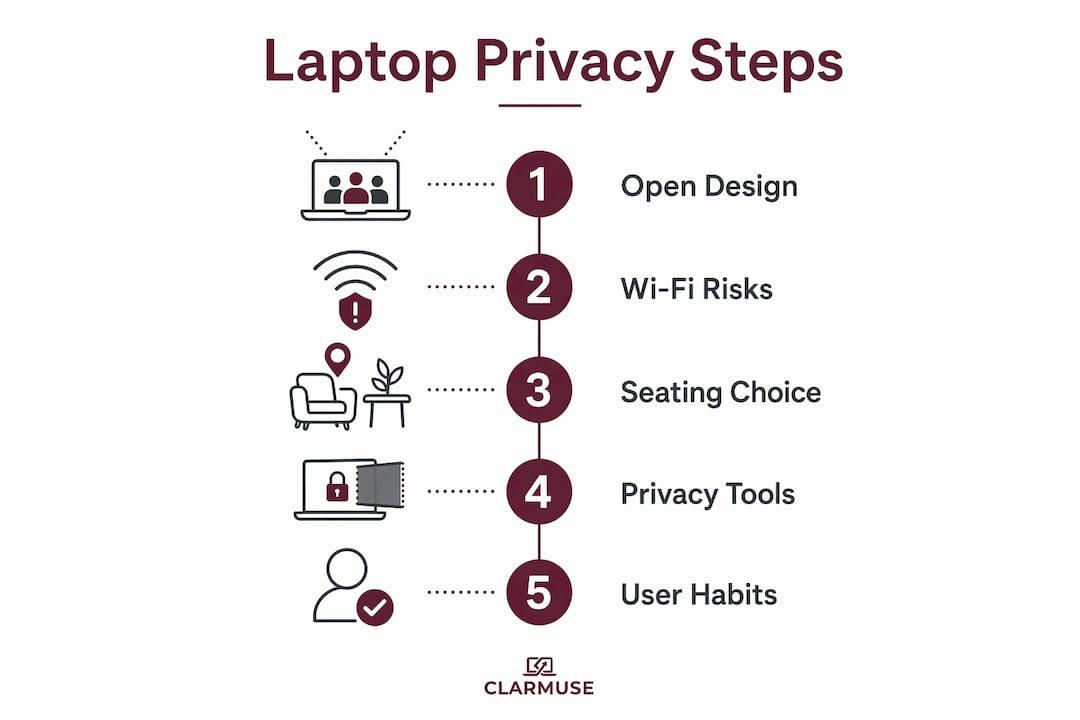
Hotel lobbies expose laptop screens because their open seating, minimal partitioning, and shared Wi-Fi networks create multiple layers of visual and data vulnerability. The technical term for the visual risk is “shoulder surfing,” and it is one of the most underreported threats remote workers face in shared spaces. Understanding why hotel lobbies expose laptop screens to bystanders and network attackers is the first step toward working there without compromising sensitive information. Tools like VPNs, magnetic privacy screen filters, and deliberate seat selection each address a different layer of that exposure.
Why hotel lobbies expose laptop screens by design
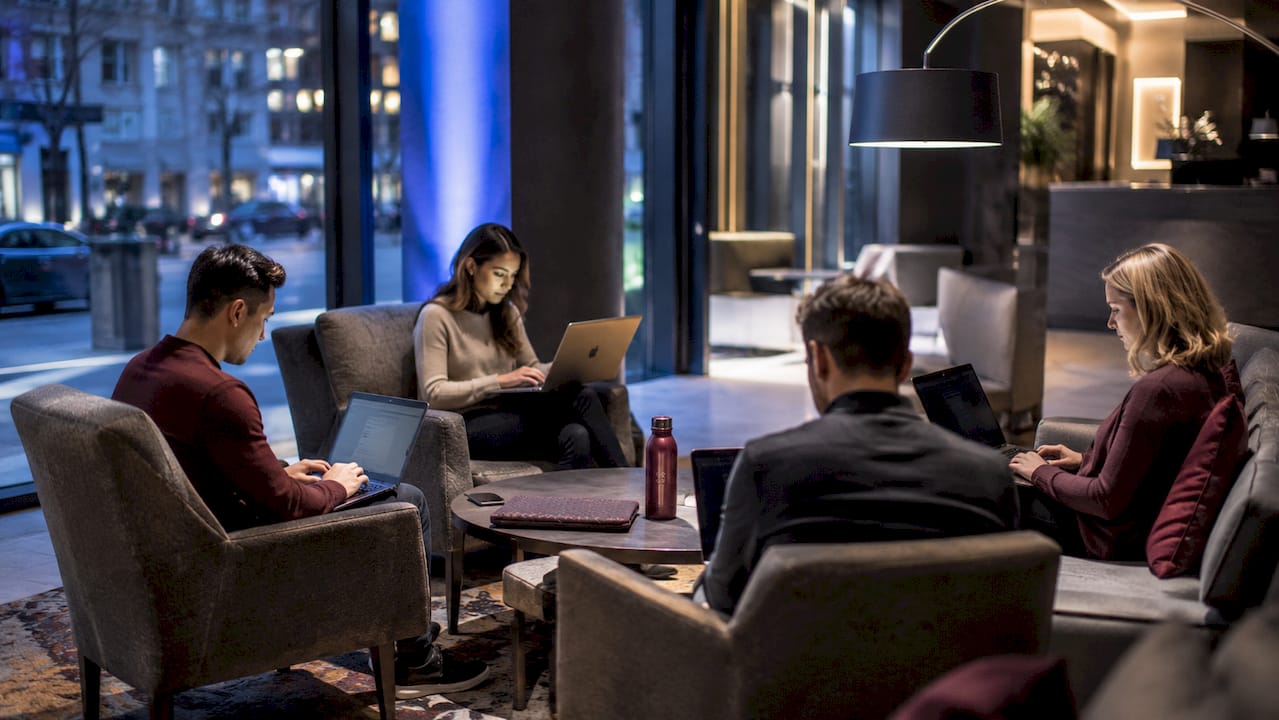
Hotel lobby designs favor openness and social interaction over individual privacy. Wide open floor plans, low furniture, and communal seating arrangements mean your screen faces multiple sightlines at once. There are no cubicle walls, no acoustic panels, and no directional lighting designed to shield your display from the person sitting three feet away.
Lighting compounds the problem. Lobbies use ambient lighting to feel welcoming, not task lighting aimed at individual workstations. That means your screen often becomes the brightest object in your immediate area, drawing the eye of anyone nearby. Glare from overhead lights also forces many users to tilt their screens outward, which widens the visible angle even further.
Seating layout is the third factor. Most hotel lobbies arrange chairs and sofas in clusters meant for conversation. When you sit in one of those clusters to work, you are physically positioned so that multiple people can see your screen without making any effort to look.
| Lobby Layout Type | Privacy Impact |
|---|---|
| Open cluster seating | High exposure, multiple sightlines from all angles |
| Bar-height communal tables | Moderate exposure, elevated screen visible from distance |
| Individual armchairs near windows | Lower exposure, but glare forces screen tilt outward |
| Dedicated business alcoves | Lowest exposure, partial wall shielding on one or two sides |
Pro Tip: When you enter a hotel lobby to work, scan for seating with a solid wall directly behind you. That single choice eliminates rear sightlines and cuts your visual exposure significantly.
What are the real security risks of hotel wi-fi?
Logging onto hotel Wi-Fi without a VPN exposes your data to interception and manipulation, even for quick tasks like checking email. Hotel guest networks are typically unsecured, meaning traffic travels without encryption between your device and the router. Anyone on the same network with basic tools can intercept that traffic.
The risk is not theoretical. VPN tunnels encrypt data traffic and significantly reduce vulnerability on public Wi-Fi, a recommendation backed by cybersecurity agencies including the Cybersecurity and Infrastructure Security Agency (CISA). Without a VPN, credentials, documents, and session tokens are all readable to a skilled attacker on the same network.
Personal hotspots offer an even stronger alternative. Using your phone’s LTE or 5G connection as a hotspot bypasses the hotel network entirely. The tradeoff is mobile data usage, but for sensitive work sessions, the security gain is worth it.
Key protective steps for hotel lobby connectivity:
- Use a VPN before connecting to any hotel Wi-Fi network, not after you have already opened sensitive files.
- Enable two-factor authentication on all accounts you access in public, so stolen credentials alone are not enough for an attacker.
- Switch to a personal hotspot for video calls, banking, or any session involving confidential client data.
- Check the network name carefully before connecting. Attackers sometimes create fake networks named “Hotel_Lobby_Free” to capture login credentials.
- Keep your firewall active and disable file sharing on your device when using any public network.
The hotel business center is underused while lobby workspaces remain popular despite being inherently flawed for privacy. That gap between preference and safety is where most data exposure incidents originate.
How user behavior makes screen exposure worse
Most laptop users in hotel lobbies underestimate the threat. High-pressure environments encourage neglect of security measures like VPN use or screen filters. When you are rushing to finish a report before a meeting, activating a privacy filter or repositioning your seat feels like friction. That friction is exactly what attackers and opportunistic viewers count on.
Three behaviors consistently increase exposure in shared spaces:
- Skipping the privacy filter. Most travelers own a laptop but few carry a privacy screen. Without one, anyone within a 60-degree side angle can read your display clearly.
- Taking calls without headphones. Keyboard clicks and voice calls carry further than expected in echoey lobby spaces, potentially exposing sensitive information audibly to anyone nearby.
- Assuming hotel environments are inherently safe. Hotels feel controlled and professional, which creates a false sense of security. The lobby is still a public space with unrestricted foot traffic.
Positioning your screen at arm’s length with the top at eye level reduces neck strain and helps shield the display from side angles. That single ergonomic adjustment doubles as a privacy measure. Pair it with a wall behind you and you have addressed the two most common sightlines without any additional equipment.
Pro Tip: Before opening your laptop in a lobby, spend 30 seconds choosing your seat deliberately. Wall behind you, screen angled slightly downward, and no mirrors or reflective surfaces in front of you. That setup costs nothing and eliminates most opportunistic shoulder surfing.
What tools actually protect your screen and data in hotel lobbies?
Screen privacy filters use micro-louvres to block visibility from side angles, making your display appear dark to anyone not sitting directly in front of it. This is the most direct solution to the shoulder surfing problem and requires no behavioral change once the filter is attached.
Combining a laptop stand with a privacy filter raises the screen to eye level, reduces neck strain, and limits the downward viewing angle that makes screens readable from a distance. The ergonomic and privacy benefits reinforce each other. You get a more comfortable setup and a harder-to-read screen at the same time.
For acoustic privacy, noise-cancelling microphones isolate your audio and prevent ambient lobby noise from leaking into calls while also reducing how much of your voice carries to nearby listeners. Devices like the Blue Yeti Nano or the built-in microphone on Apple AirPods Pro with noise isolation both serve this function well in shared spaces.
Here is a practical checklist for best hotel lobby practices when working on a laptop:
| Tool or Practice | What It Protects | Effort Level |
|---|---|---|
| Magnetic privacy screen filter | Visual privacy, shoulder surfing | Low, attaches in seconds |
| VPN or personal hotspot | Data traffic, network interception | Low, activate before connecting |
| Laptop stand | Ergonomics, reduces downward visibility | Medium, requires carrying stand |
| Noise-cancelling headphones | Acoustic privacy, call confidentiality | Low, wear during calls |
| Wall-facing seat selection | Rear and side sightlines | Zero cost, takes 30 seconds |
Remote workers should treat hotel lobbies as high-risk environments requiring the same security protocols used in professional offices. That framing shifts the mindset from reactive to proactive. You stop waiting for something to go wrong and start building habits that prevent it.
For a full breakdown of laptop visual security in shared environments, including hardware comparisons and positioning guides, the Clarmuse resource library covers MacBook-specific scenarios in detail.
Key takeaways
Hotel lobbies expose laptop screens through a combination of open design, unsecured Wi-Fi, and user habits that together create predictable, preventable privacy failures.
| Point | Details |
|---|---|
| Lobby design drives exposure | Open seating and ambient lighting create multiple sightlines with no natural shielding. |
| Hotel Wi-Fi is unsecured by default | Always activate a VPN or personal hotspot before opening sensitive files on any hotel network. |
| Behavior amplifies risk | Skipping privacy filters and taking open calls in lobbies are the two most common exposure mistakes. |
| Privacy filters block side angles | Micro-louvre screen filters make your display unreadable to anyone outside a direct frontal view. |
| Seat selection is free protection | A wall behind you and a slightly downward screen angle eliminate most opportunistic shoulder surfing. |
The part most travelers get wrong
I have worked from hotel lobbies in a dozen cities, and the pattern I see most often is not ignorance. It is overconfidence. People know the risks exist. They just assume those risks apply to someone else, someone working on something more sensitive, in a busier lobby, on a worse network.
The uncomfortable reality is that managing shared space risk requires controlling the environment, not just staying alert. Individual vigilance fades. You get absorbed in your work, you stop scanning the room, and your screen stays fully visible for 45 minutes while you draft a proposal or review a contract. No amount of awareness fixes that. A privacy filter does.
What I have found actually works is treating the setup phase as non-negotiable. Before the laptop opens, the seat is chosen, the VPN is on, and the filter is attached. That sequence takes under two minutes and covers visual exposure, network exposure, and acoustic exposure simultaneously. The travelers who skip that sequence are not lazy. They are just solving the wrong problem, which is finishing work faster rather than finishing it safely.
Portable privacy tools have become genuinely good. Magnetic filters from brands like Clarmuse attach and detach in seconds without adhesive or bulk. A compact laptop stand folds flat in a bag. A pair of earbuds handles acoustic privacy. The full kit weighs less than a paperback book. There is no longer a meaningful tradeoff between convenience and protection when working in a hotel lobby.
— Gabriel
Work smarter in public with Clarmuse privacy screens
If you use a MacBook in hotel lobbies, airports, or any shared space, Clarmuse makes the most direct fix available. Clarmuse magnetic privacy screen protectors snap onto your MacBook with no adhesive, no tools, and no bulk. They use micro-louvre technology to block side-angle visibility while keeping your screen sharp and clear from the front.
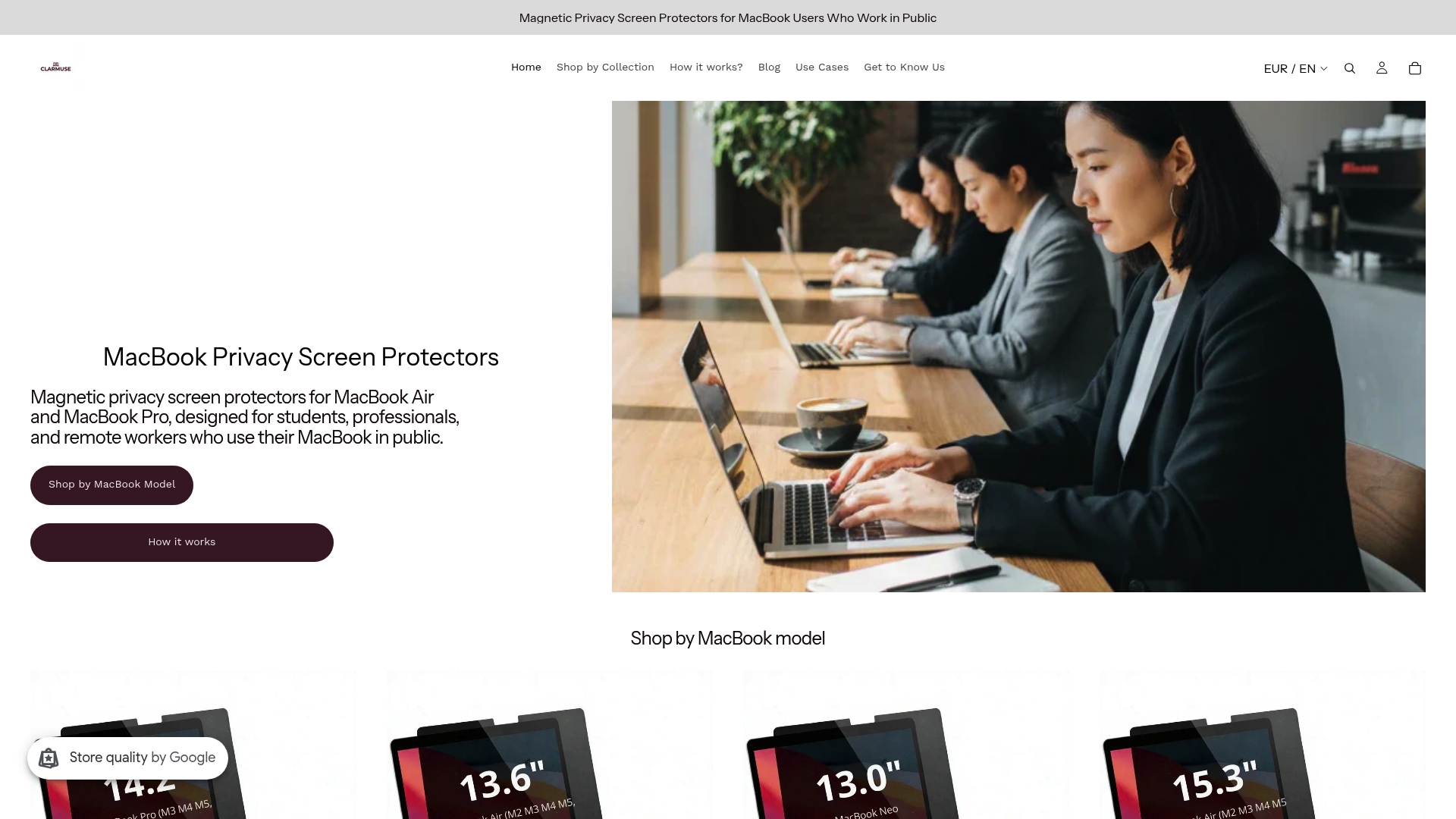
Clarmuse covers the full MacBook lineup, including the MacBook Pro 16.2", the MacBook Air 15.3", the MacBook Air 13.6" for M2 through M5 models, and the MacBook Pro 14.2". Each filter is designed for a precise model fit so it looks clean and stays secure. If you work in public regularly, this is the one addition to your kit that pays off every single session.
FAQ
Why do hotel lobbies expose laptop screens more than offices?
Hotel lobbies use open seating clusters designed for social interaction, with no partitioning or directional lighting to shield individual screens. Offices typically include cubicles, privacy panels, or desk arrangements that limit sightlines.
What is shoulder surfing and how common is it in hotels?
Shoulder surfing is the practice of reading someone’s screen or keyboard input from a nearby position. It occurs in any open public space, including hotel lobbies, and requires no technical skill from the observer.
Does a privacy screen filter affect display quality?
Privacy screen filters with micro-louvres block side-angle visibility without significantly reducing brightness or color accuracy for the person sitting directly in front of the screen.
Is hotel wi-fi safe to use for work in 2026?
Hotel Wi-Fi without a VPN remains vulnerable to data interception. Use a VPN or personal hotspot for any session involving confidential files, client communications, or account logins.
What is the fastest way to reduce laptop exposure in a hotel lobby?
Choose a seat with a solid wall directly behind you, angle your screen slightly downward, and attach a privacy filter before opening your laptop. Those three steps address the most common visual exposure vectors with no additional cost or complexity.


