

The MacBook Air vs Pro screen differences come down to four measurable factors: brightness, panel technology, refresh rate, and HDR support. The MacBook Pro uses a Liquid Retina XDR display built on mini-LED technology, while the MacBook Air uses a standard Liquid Retina LED-backlit LCD panel. Those two panel types define two distinct tiers of display performance. For most buyers, the Air’s screen is genuinely excellent. For photographers, video editors, and anyone working in bright environments, the Pro’s display is a different category of product entirely.
How do MacBook Air and Pro screen specs actually compare?
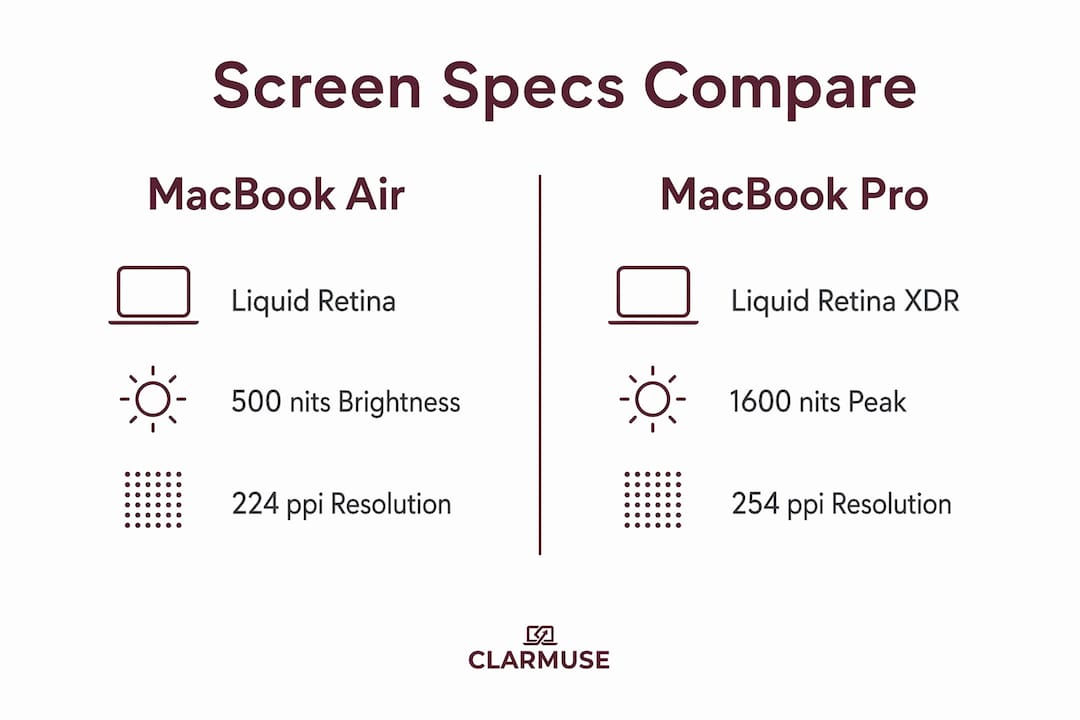
The core display specs show a clear gap between the two lines. The MacBook Air comes in 13.6-inch and 15.3-inch sizes with a Liquid Retina panel at 500 nits brightness and a fixed 60Hz refresh rate. The MacBook Pro comes in 14.2-inch and 16.2-inch sizes with a Liquid Retina XDR panel reaching 1,000 nits sustained brightness, 1,600 nits peak HDR brightness, and ProMotion adaptive refresh up to 120Hz. That is not a minor spec bump. It is a fundamentally different display architecture.
Resolution density is closer than most buyers expect. The Air delivers 224 ppi while the Pro reaches 254 ppi. Both look sharp at normal viewing distances, and the 30 ppi gap is unlikely to register in daily use. The bigger perceptual difference comes from the Pro’s higher brightness and contrast ratio, which makes text and images appear more defined even at the same resolution.
Both models support P3 wide color gamut and True Tone, Apple’s technology that adjusts white balance to match ambient lighting. However, the Pro’s mini-LED panel achieves significantly better contrast and peak brightness than the Air’s LED-backlit LCD. Mini-LED uses thousands of small backlighting zones to produce deeper blacks and brighter highlights simultaneously, which is the structural reason the Pro’s display looks more vivid in side-by-side testing.
| Feature | MacBook Air | MacBook Pro |
|---|---|---|
| Display type | Liquid Retina (LED-backlit LCD) | Liquid Retina XDR (mini-LED) |
| Screen sizes | 13.6" / 15.3" | 14.2" / 16.2" |
| Peak brightness | 500 nits | 1,600 nits (HDR) |
| Refresh rate | 60Hz fixed | Up to 120Hz (ProMotion) |
| Resolution density | 224 ppi | 254 ppi |
| HDR support | No | Yes |
| Nano-texture glass | Not available | Optional upgrade |
Pro Tip: When comparing screens in an Apple Store, ask staff to open an HDR video on both models. The brightness and contrast difference between the Air and Pro becomes immediately obvious in that test.
What screen features set the MacBook Pro apart?
The MacBook Pro’s display advantages are not just about raw numbers. Three specific technologies separate it from the Air in ways that affect daily use.
ProMotion adaptive refresh rate is the most noticeable upgrade for general users. The ProMotion technology adjusts the display’s refresh rate dynamically between 24Hz and 120Hz depending on what is on screen. Scrolling through a webpage feels noticeably smoother. Animations in macOS respond with less lag. For users who spend hours reading, writing, or working in dense interfaces, this is a genuine quality-of-life improvement, not a spec-sheet detail.
HDR support is the critical differentiator for media work. The Air’s display does not support HDR content, while the Pro’s Liquid Retina XDR renders HDR video, photos, and graphics at full fidelity. This matters for anyone editing footage shot on an iPhone 16 Pro, a Sony mirrorless camera, or any device capturing HDR content. Editing HDR on a non-HDR display means working blind to the actual tonal range of your files.
Nano-texture glass is an optional upgrade exclusive to the MacBook Pro. The nano-texture coating etches the glass surface at a microscopic level to scatter ambient light and reduce reflections without applying a traditional matte film. The result is a screen that stays readable in bright rooms and near windows. The trade-off is a slight reduction in perceived sharpness compared to the standard glossy glass, and the coating requires a specific cleaning cloth to avoid damage.
Here is a summary of the Pro-exclusive display features and their practical relevance:
- ProMotion up to 120Hz: Smoother scrolling, reduced motion blur, and more responsive UI across all apps
- HDR peak brightness at 1,600 nits: Accurate rendering of HDR photos and video for editing and playback
- 1,000 nits sustained brightness: Readable in direct sunlight or brightly lit offices where the Air’s 500 nits falls short
- Nano-texture glass (optional): Significant glare reduction for users near windows or in high-ambient-light environments
- Mini-LED backlighting: Deeper blacks and higher contrast than the Air’s standard LED panel
Pro Tip: If you work near a window or in a café with overhead lighting, the sustained brightness difference between 500 nits and 1,000 nits is the single most practical reason to choose the Pro.
How do these screen differences affect real-world use?
Translating specs into purchase decisions requires matching display capabilities to actual workflows. The Air’s display suits everyday computing well: students writing papers, professionals in email-heavy roles, casual video watchers, and anyone primarily working indoors under controlled lighting. The 500-nit Liquid Retina panel supporting 1 billion colors produces vivid, accurate color for everyday content. It is not a compromise screen. It is a very good screen that stops short of professional-grade output.
The Pro’s display becomes the clear choice in four specific scenarios:
- Photo and video editing: HDR support and 254 ppi density allow editors to see accurate color and tonal detail. Working in Adobe Lightroom, Final Cut Pro, or DaVinci Resolve on a non-HDR display means missing highlight and shadow information that your audience will see on HDR-capable screens.
- Bright environment use: Anyone working outdoors, near windows, or in brightly lit offices will notice the Air’s 500-nit ceiling. The Pro’s 1,000 nits sustained brightness keeps the screen readable in conditions where the Air requires shade or screen angle adjustments.
- Extended screen time: The 120Hz ProMotion refresh reduces eye strain during long sessions. Users who spend six or more hours daily in front of their screen often report less fatigue on the Pro, though this is subjective and varies by individual.
- Gaming and motion-heavy content: The 120Hz refresh rate reduces motion blur in games and fast-moving video. The Air’s 60Hz panel is standard for gaming but shows visible stutter in fast-paced titles that support higher frame rates.
For buyers focused on portability and budget, the Air remains the stronger value. The resolution difference between 224 ppi and 254 ppi is small enough that most users will never notice it. The features that actually change the experience are brightness, HDR, and ProMotion, and those come at a meaningful price premium.
What should you know about screen coatings and visibility?
Screen coatings affect how usable a display is across different environments, and this is an area where the MacBook Air and Pro diverge beyond raw specs.
The MacBook Air uses standard glass without any nano-texture option. It has Apple’s standard anti-reflective coating applied to the glass, which handles moderate ambient light well. In direct sunlight or under strong overhead lighting, reflections become noticeable and can reduce readability. This is a practical limitation for users who work in variable lighting conditions.
The MacBook Pro’s optional nano-texture glass addresses this directly. The etched surface diffuses light rather than reflecting it, which keeps the display readable in bright environments. The trade-off is real: nano-texture glass can make the display look slightly less crisp compared to the standard glossy option, and it adds cost to an already premium product. For users who primarily work indoors under controlled lighting, the standard glass on either model is sufficient.
- MacBook Air: Standard anti-reflective glass, no nano-texture option, performs well in typical indoor lighting
- MacBook Pro (standard glass): Same anti-reflective treatment as Air, better brightness to compensate for reflections
- MacBook Pro (nano-texture glass): Reduced glare in bright environments, slight softening of perceived sharpness, requires specific cleaning cloth
Screen protectors are another consideration for both models. A quality privacy screen protector adds a layer of physical protection while also reducing side-angle visibility. This matters for users working in cafés, airports, or open offices where screen content is visible to nearby people. The visibility in shared workspaces is a separate concern from display quality, but it is worth factoring into your setup decisions alongside the native screen features.
Key takeaways
The MacBook Pro’s Liquid Retina XDR display outperforms the MacBook Air’s Liquid Retina panel in brightness, HDR support, refresh rate, and contrast, making it the clear choice for professional workflows and bright-environment use.
| Point | Details |
|---|---|
| Panel technology gap | Pro uses mini-LED Liquid Retina XDR; Air uses standard LED-backlit Liquid Retina LCD. |
| Brightness difference | Pro reaches 1,600 nits peak HDR vs Air’s 500 nits ceiling, a critical gap outdoors. |
| ProMotion refresh rate | Pro’s 120Hz adaptive refresh improves scrolling and reduces eye strain over Air’s fixed 60Hz. |
| HDR support | Pro supports HDR content natively; Air does not, limiting color-critical editing workflows. |
| Nano-texture glass | Available only on Pro, reducing glare in bright environments at a slight sharpness trade-off. |
When the Pro’s screen is actually worth the price
I have reviewed and compared MacBook displays across multiple generations, and the most common buyer mistake I see is treating the resolution difference as the main story. It is not. The 30 ppi gap between the Air and Pro is nearly invisible in daily use. What you actually feel is the brightness ceiling and the refresh rate.
The Air’s 500-nit display is genuinely good in most indoor settings. I have used it for writing, browsing, and light photo work without frustration. But the moment you take it into a bright café or sit near a window, you start adjusting the screen angle rather than your posture. The Pro’s 1,000 nits sustained brightness removes that friction entirely.
ProMotion is the other upgrade that sounds optional until you use it. After extended time on a 120Hz display, going back to 60Hz feels like watching a slightly stuttery film. Most users will not notice the difference in a five-minute demo. They will notice it after three months of daily use.
My honest position: if your work involves photo editing, video production, or you spend significant time working in variable lighting, the Pro’s display justifies the price difference. If you are a student, a writer, or a general professional working primarily at a desk, the Air’s screen will not hold you back. The display technology framing of consumer-grade versus pro-grade is accurate, but “consumer-grade” here still means excellent.
— Gabriel
Protect your MacBook display wherever you work
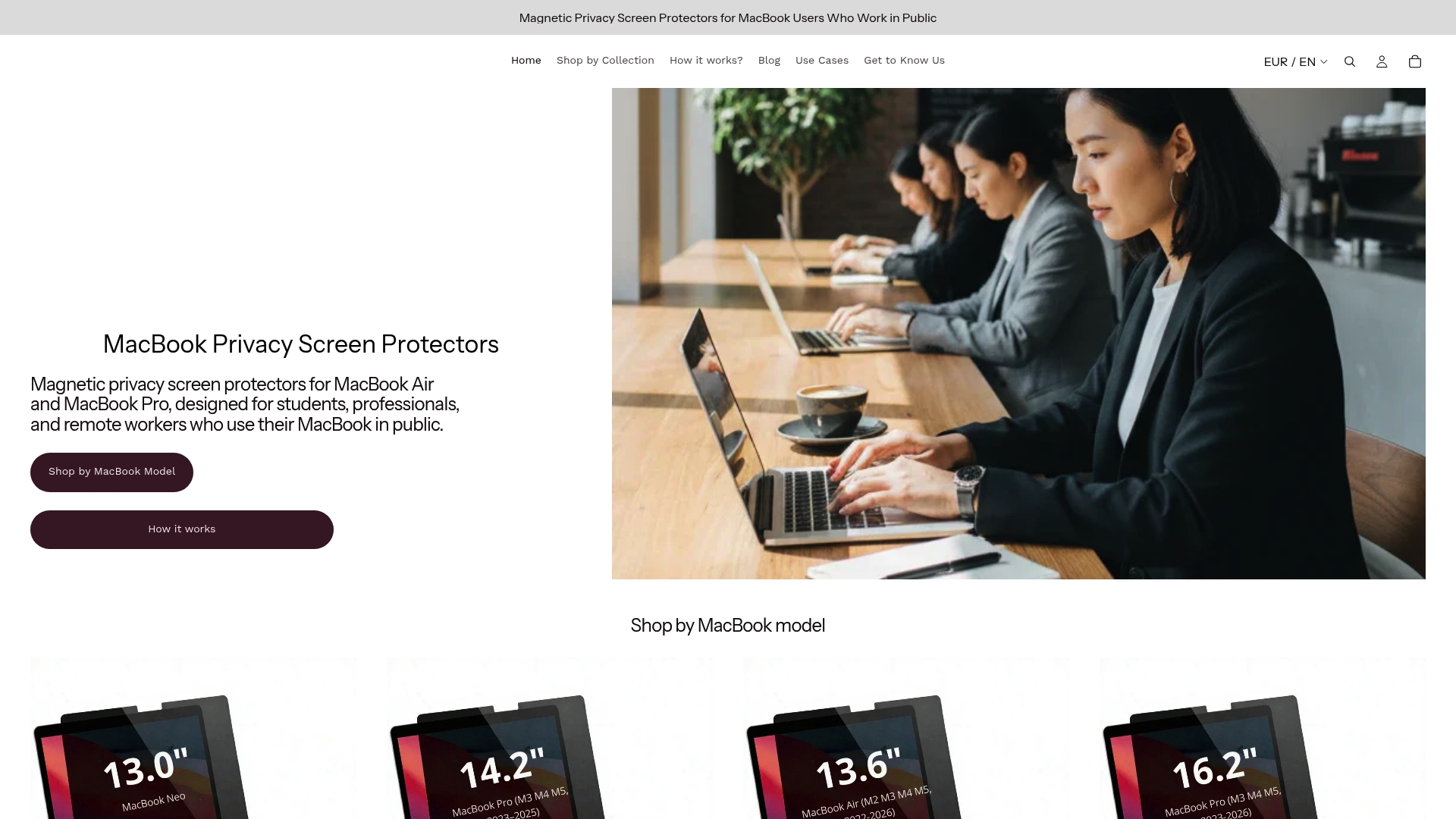
Once you have chosen between the MacBook Air and Pro, protecting that display in shared spaces becomes the next practical decision. Clarmuse makes magnetic privacy screen protectors designed specifically for MacBook Air and MacBook Pro models, with precise fits for the 13.6-inch, 14.2-inch, 15.3-inch, and 16.2-inch displays. The magnetic attachment system means no adhesives, no residue, and no interference with the screen’s color accuracy when removed. For anyone working in cafés, airports, coworking spaces, or open offices, a MacBook Pro privacy filter reduces side-angle visibility without compromising the display quality you paid for. Clarmuse also offers Air-specific privacy screens for the full MacBook lineup.
FAQ
What is the main screen difference between MacBook Air and Pro?
The MacBook Pro uses a Liquid Retina XDR mini-LED display with up to 1,600 nits peak brightness, ProMotion 120Hz refresh, and HDR support. The MacBook Air uses a Liquid Retina LED-backlit LCD panel capped at 500 nits with a fixed 60Hz refresh rate and no HDR support.
Does the MacBook Air have a good enough screen for everyday use?
Yes. The MacBook Air’s Liquid Retina display supports P3 wide color, True Tone, and 1 billion colors at 224 ppi, making it well-suited for writing, browsing, video calls, and casual media consumption in typical indoor lighting.
Is the resolution difference between Air and Pro noticeable?
The 224 ppi vs 254 ppi gap is small and rarely noticeable at normal viewing distances. The more perceptible differences come from the Pro’s higher brightness, HDR support, and ProMotion refresh rate rather than pixel density alone.
What is ProMotion and does it matter for most users?
ProMotion is Apple’s adaptive refresh rate technology in the MacBook Pro, scaling between 24Hz and 120Hz based on screen content. It produces smoother scrolling and animations compared to the Air’s fixed 60Hz, and users who spend long hours on screen often find it reduces eye fatigue over time.
Can you add nano-texture glass to a MacBook Air?
No. Nano-texture glass is an optional upgrade available only on MacBook Pro models. MacBook Air uses standard anti-reflective glass, which performs well in controlled indoor lighting but shows more reflections in bright or outdoor environments.


