

Privacy filters meaningfully reduce visual data exposure in open and shared workspaces. A two-week in-the-wild study confirmed that screen filters increased perceived screen privacy, reduced physical guarding behaviors, and allowed users to engage with sensitive applications they previously avoided in public. The role of privacy filters in focus workspaces is direct: by narrowing the viewing cone to roughly 30–60 degrees, they block side-angle sightlines and reduce the low-level social monitoring that fragments attention.
One important boundary: privacy filters address visual exposure. They do not block sound, camera-based surveillance, or network-level data risks. For professionals handling sensitive data in open offices, cafés, or transit, a filter is the right first layer, but it is not the only one.
What privacy filters deliver:
- Narrowed viewing cone (typically 30–60 degrees) so only the person directly in front sees the screen clearly
- Reduced shoulder surfing and accidental data exposure
- A psychological boundary that lowers the sense of being watched, supporting deeper focus
- A passive, always-on protection that requires no software configuration
Table of Contents
- When do privacy screens actually matter for your work?
- How do privacy filters work, and what are the real trade-offs?
- What types of privacy solutions fit different workspace needs?
- How to choose the right privacy filter for your workspace
- Sizing, mounting, and installation: getting it right the first time
- Balancing visual privacy with acoustic control and office etiquette
- Do privacy filters actually work? Effectiveness and limitations
- Budgeting, maintenance, and when the investment makes sense
- Clarmuse magnetic privacy screens: why MacBook-specific fit matters
- Key Takeaways
- The case for specificity over coverage
- Clarmuse magnetic MacBook privacy screens
- Useful sources
- FAQ
When do privacy screens actually matter for your work?
The primary beneficiaries are professionals who regularly handle confidential information in non-private settings: healthcare workers reviewing patient records, legal staff accessing case files, finance professionals working with client data, and executives reviewing sensitive strategy documents. Customer service representatives at shared counters and anyone working in dense open-plan offices also see clear returns.
A randomized crossover experiment found that combined privacy features in office environments reduced physiological stress and improved cognitive task performance to a meaningful degree. That range reflects how much the workspace context shapes the outcome. A filter alone in a quiet private office adds little. The same filter in a crowded airport lounge or a hot-desk row changes the working experience measurably.
Privacy screens are less useful for casual public browsing, color-critical creative work (where brightness loss matters most), or any setting where the user is not handling sensitive content. Buying one for low-risk personal use is a trade-off that rarely pays off. The practical guidance is consistent: match the tool to the threat model and the frequency of shared-space use.
How do privacy filters work, and what are the real trade-offs?
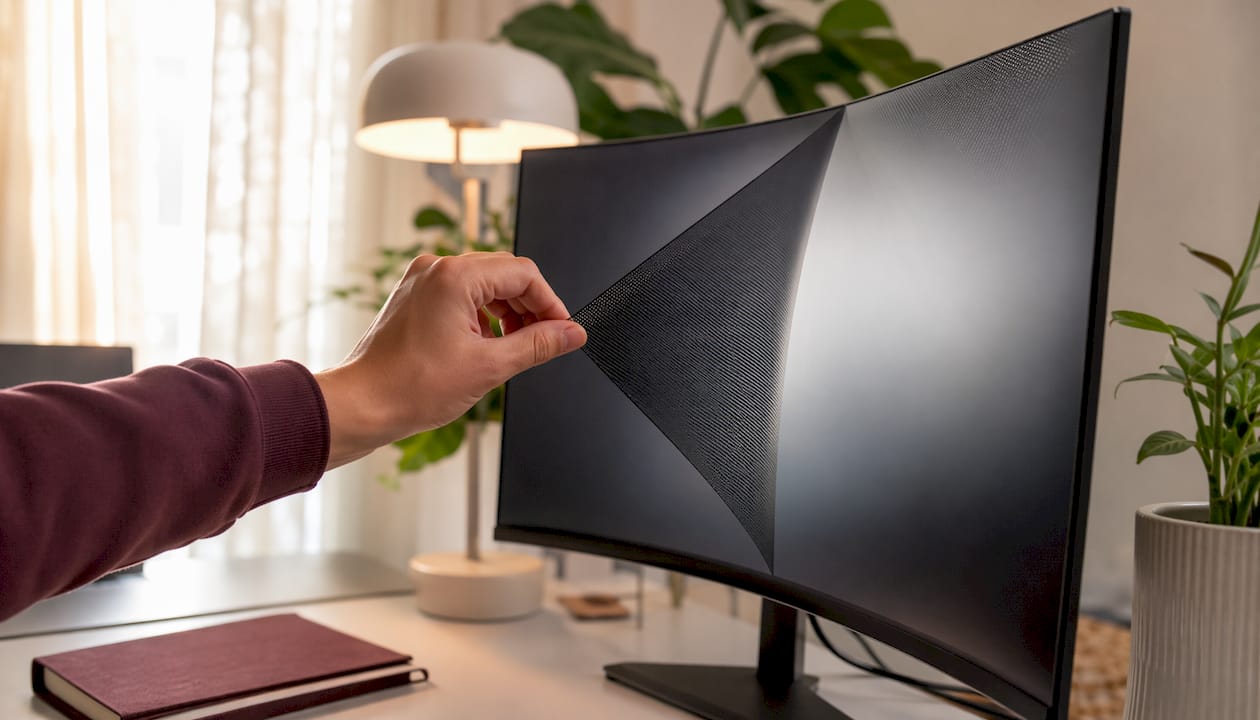
Privacy filters use precision-aligned micro-louvers, functioning like tiny vertical blinds embedded in the filter material. Light from the display passes straight through to the user sitting directly in front, but is blocked at angles beyond the viewing cone. The result: someone seated beside or behind you sees a dark or nearly black screen.
Most filters offer a total viewing cone that typically ranges between narrower and wider angles. Two-way filters block side angles on the left and right. Four-way filters add top and bottom blocking, useful when someone is standing behind you or positioned above. Hardware overlays provide passive, always-on protection regardless of which application is open. Software privacy modes, by contrast, limit only certain apps or require OS-level support and can be bypassed.
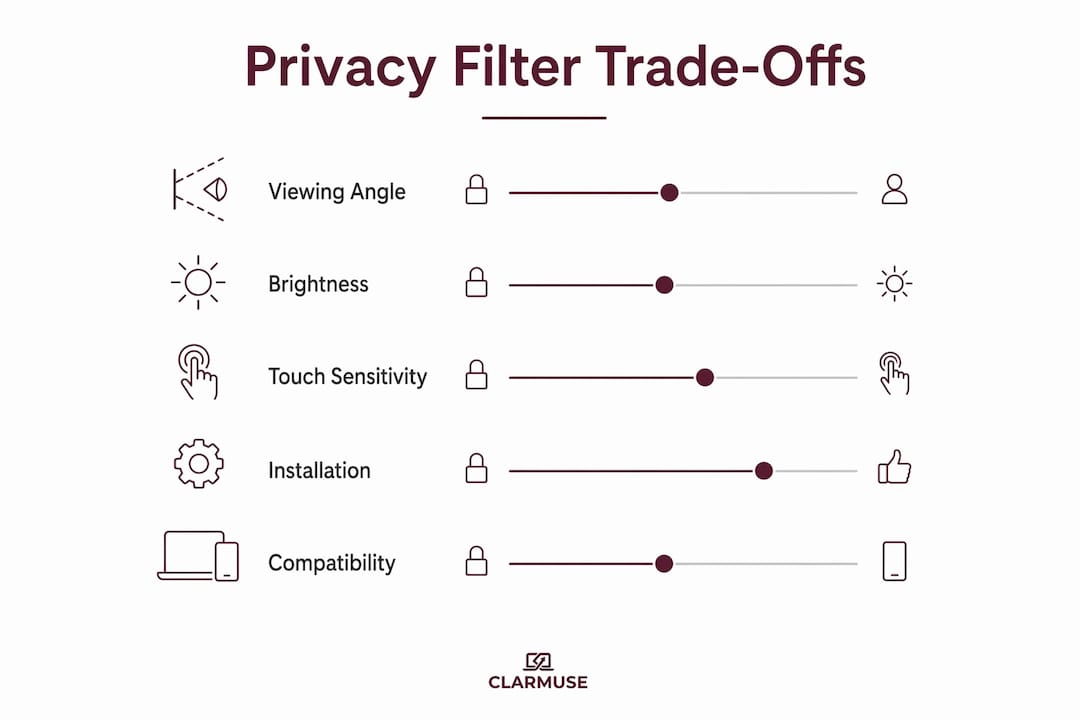
The main trade-off is brightness. Micro-louver filters typically reduce perceived screen brightness by roughly 25–30%. Most users compensate by raising display brightness, which carries a 5–8% reduction in screen-on battery life—accumulating to about one extra hour of charging per week on average devices. Before buying, check whether your device’s display can reach at least 400 nits of peak brightness. At that level, this reduction still leaves the screen comfortable in most indoor environments without pushing battery drain to a noticeable level.
Touchscreen compatibility is a separate consideration. Most physical overlays interfere with capacitive touch sensitivity. If your workflow depends on touch input, verify touchscreen compatibility explicitly before purchasing.
What types of privacy solutions fit different workspace needs?
| Solution type | Best workspace fit | Privacy angle | Acoustic benefit | Attachment method | Notes |
|---|---|---|---|---|---|
| Desktop divider / partition | Open-plan desks, hot-desking | Wide (physical barrier) | Yes (fabric panels) | Freestanding or clamped | Bulky; not portable |
| Acrylic / glass panel | Reception, customer counters | Wide | None | Frame-mounted | Durable; easy to clean |
| Fabric / acoustic screen | Open offices, meeting rooms | Wide | Yes | Freestanding | Reduces noise and visual exposure |
| Monitor overlay (adhesive / clip) | Fixed workstations | 30–60° | None | Adhesive or clip | Lower cost; less precise fit |
| Laptop magnetic filter | Mobile, coworking, transit | 30–60° | None | Magnetic | Precise fit; quick attach/detach |
Fabric and acoustic panels address two problems at once: visual exposure and ambient noise. For open-plan offices where both are concerns, they are the most efficient single investment. Acrylic and glass panels suit customer-facing counters where durability and easy cleaning matter more than acoustic performance.
For laptop users, especially those on MacBooks, magnetic filters are the practical choice. Magnetic attachments reduce friction and increase adoption among professionals who move between locations. An adhesive overlay on a laptop creates alignment problems and risks surface damage on removal. A magnetic filter snaps on and off in seconds.
How to choose the right privacy filter for your workspace
Work through these questions before committing to a purchase:
- Define the purpose. Is the primary need visual privacy, focus, or both? A filter optimized for maximum privacy angle may sacrifice more brightness than a focus-oriented user needs.
- Confirm device compatibility. For laptop filters, verify the exact model and screen size. A filter cut for a 15.3" display will not align correctly on a 14.2" machine.
- Check the stated privacy angle. Ask for the measured viewing cone in degrees, not marketing language. A filter advertised as “high privacy” without a degree specification is a red flag.
- Assess brightness tolerance. If your work involves reading dense text or reviewing documents for hours, a 25–30% brightness reduction will be noticeable, and most users compensate by increasing the display brightness, leading to a 5–8% reduction in screen-on battery life.
- Clarify attachment method. Magnetic is preferred for laptops used in multiple locations. Adhesive suits fixed monitors where removal is rare.
- Verify touchscreen compatibility if applicable.
- Review warranty and return policy. A filter that does not fit the device correctly is unusable. Confirm the vendor’s policy for fit-related returns before purchasing.
Red flags to watch for: vague privacy specs with no degree measurement, no device-fit guarantee for laptop overlays, brightness loss above 35% with no compensation guidance, and vendors who offer no sample or trial option for bulk orders.
Sizing, mounting, and installation: getting it right the first time
For monitor overlays, measure the visible screen area (not the outer bezel) diagonally and confirm the aspect ratio. A 27" 16:9 monitor and a 27" 4:3 monitor require different filter dimensions. Most manufacturers publish exact dimensions for their filters; match those to your measured screen, not the advertised monitor size.
For desktop dividers and acoustic panels, measure the desk footprint and the height needed to block sightlines from adjacent seats. A panel that reaches only to shoulder height leaves the upper screen visible to someone standing nearby.
Magnetic filters for MacBooks require no measurement beyond confirming the model. The filter is cut to the exact screen dimensions of the device. Magnetic attachment aligns automatically with the display frame, eliminating the alignment errors common with adhesive overlays.
Common installation issues and fixes:
- Misalignment on adhesive overlays: Clean the screen with a microfiber cloth before application. Apply from one edge, pressing gradually to avoid air bubbles.
- Touch sensitivity loss: If touch input is critical, check whether the filter is rated for touchscreen use. Most standard privacy overlays are not.
- Magnet interference: Magnetic filters use low-strength magnets designed for laptop frames. Interference with other devices is not a documented issue for standard MacBook magnetic filters.
Balancing visual privacy with acoustic control and office etiquette
A privacy filter handles one dimension of exposure. In a shared office or coworking space, sound is often the larger problem. Conversations, keyboard noise, and ambient chatter fragment attention independently of whether anyone can see your screen.
The most effective setups pair a screen filter with noise-canceling headphones and an explicit visual cue, such as headphones on or a small desk sign, to signal that the user is in focused work mode. That combination addresses visual exposure, auditory distraction, and the social signaling that tells colleagues not to interrupt. Research on multi-component privacy setups consistently shows better focus outcomes than any single measure alone.
Etiquette matters in shared spaces. Introducing a privacy filter at a shared desk can read as exclusionary if not framed correctly. A brief, neutral explanation (“I work with client data and need to keep the screen visible only to me”) removes ambiguity. For coworking environments, the practical guidance on shared-space norms is worth reviewing before deployment.
- Use headphones as a paired signal for deep-work periods
- Position the desk so your back is to a wall when possible, reducing the number of angles that need blocking
- Communicate filter use to teammates proactively to avoid misreading
Do privacy filters actually work? Effectiveness and limitations
The behavioral evidence is clear. The in-the-wild study found that filters reduced physical guarding behaviors and expanded the range of sensitive tasks users were willing to perform in public. Beyond the technical blocking function, privacy screens act as psychological boundary markers that reduce low-level anxiety about being observed, which supports deeper focus for many users.
Pro Tip: If you notice you are still angling your screen or hunching over your keyboard after installing a filter, the privacy angle may be too wide for your seating arrangement. A narrower cone (closer to 30 degrees) resolves this in dense seating.
Filters have real limits. Someone seated directly across from you at a narrow table can still see the screen clearly. Camera-based surveillance is not blocked. Brightness and color rendering are affected, which matters for image editing or video review. And a filter does nothing for acoustic exposure or network-level data risks.
When to add further measures:
- Move to an enclosed room for calls involving confidential information
- Reposition the workstation so the screen faces a wall rather than an open floor
- Add policy controls and remote-access software for sensitive data workflows
- Use laptop visual security practices alongside physical filters for a complete approach
Budgeting, maintenance, and when the investment makes sense
| Product category | Typical price range (US) | Replacement cycle | Key cost driver |
|---|---|---|---|
| Monitor overlay (adhesive / clip) | — | 2–3 years | Screen size and brand |
| Laptop magnetic filter | — | 3–5 years | Device-specific fit and material quality |
| Desktop divider / fabric panel | — | 5 years | Panel size, acoustic rating, and frame type |
| Acrylic / glass panel | — | 5+ years | Thickness and mounting hardware |
Maintenance is straightforward. Clean filter surfaces with a dry or slightly damp microfiber cloth. Avoid abrasive cleaners, which scratch the micro-louver coating and degrade the privacy angle over time. Magnetic laptop filters can be removed for cleaning without adhesive residue.
ROI is clearest for high-frequency, high-sensitivity users. A single accidental data exposure incident in healthcare or finance can carry compliance costs that dwarf the price of a filter. For individual buyers, the calculation is simpler: if you work with sensitive data in shared spaces more than a few times per week, the cost is justified. Practical buying guidance consistently notes that casual users rarely recover the brightness trade-off in tangible benefit.
Clarmuse magnetic privacy screens: why MacBook-specific fit matters
Generic laptop filters are cut to approximate sizes. A filter listed as “fits 13-inch laptops” may cover the wrong aspect ratio, leave gaps at the edges, or require adhesive strips that risk surface damage. MacBook screens use precise dimensions that vary by model and generation. A filter designed for a MacBook Pro 14.2" is not interchangeable with one for a MacBook Air 13.6".
Clarmuse builds magnetic privacy screens to exact MacBook dimensions, with magnetic attachment that aligns to the display frame without adhesive. The filter snaps on for focused or sensitive work and removes in seconds when you want full brightness or need to share the screen. For professionals who move between a desk, a coworking space, and transit in a single day, that attach/detach speed is the practical difference between a filter you use consistently and one that stays in the bag.
Clarmuse model compatibility:
- MacBook Pro 16.2": executives and power users who need maximum screen real estate with side-angle blocking
- MacBook Air 15.3": professionals who prioritize portability without sacrificing screen size
- MacBook Pro 14.2": the most common choice for hot-desk and coworking users
- MacBook Neo 13.0": compact daily carry for frequent flyers and commuters
- MacBook Air 13.6" (M2, M3, M4, M5, 2022–2026): multi-generation compatibility for the most widely used MacBook Air configuration
Use cases where the magnetic format pays off most: frequent flyers who work in airport lounges and on planes, coworking users who hot-desk across multiple locations, and executives who review sensitive documents in transit or hotel lobbies.
Key Takeaways
Privacy filters reduce visual data exposure and support focus in shared workspaces, but work best as one layer in a multi-component setup that includes acoustic control and clear social signaling.
| Point | Details |
|---|---|
| Viewing angle restriction | Micro-louver filters narrow the viewing cone to 30–60 degrees, blocking side-angle sightlines. |
| Brightness trade-off | Filters reduce perceived brightness by roughly 25–30%, leading to a 5–8% reduction in screen-on battery life, or about one extra hour of charging per week on most devices. |
| Multi-component setup | Pairing a filter with noise-canceling headphones and a visual cue produces better focus outcomes than a filter alone. |
| Best for high-risk roles | Healthcare, legal, and finance professionals in shared spaces see the clearest return on investment. |
| Clarmuse for MacBook users | Clarmuse magnetic filters provide model-specific fit and quick attach/detach for MacBook Air and Pro users in shared spaces. |
The case for specificity over coverage
Most advice on privacy filters treats the category as uniform. It is not. A 30-degree viewing cone and a 60-degree cone are not interchangeable choices. The narrower filter is the right answer for a crowded train or a dense coworking row. The wider one suits a private office where occasional screen sharing is needed. Buying without knowing the measured angle is buying blind.
The brightness penalty is also consistently underweighted in buying guides. A 25–30% reduction sounds manageable until you are reviewing a dense spreadsheet for three hours under office fluorescents. Test the brightness impact in your actual working environment, not in a product photo. If your MacBook’s display tops out at 300 nits, a 30% cut will be noticeable. At 500 nits, the same cut is comfortable.
The psychological effect is real and worth naming. A filter that creates a visible boundary reduces the background attention drain of wondering whether the person next to you can read your screen. That reduction is not trivial for sustained, focused work. But it is also not a substitute for acoustic control. The professionals who get the most from privacy filters are the ones who treat them as one component of a deliberate workspace setup, not a standalone fix.
For MacBook users specifically: magnetic attachment is not a convenience feature. It is the difference between a filter you use every day and one you use when you remember to bring it. Precise model fit matters for the same reason. A filter that does not align correctly is a distraction, not a solution.
Clarmuse magnetic MacBook privacy screens
Clarmuse offers a direct answer for MacBook users who work in shared spaces and need reliable, model-specific privacy without adding bulk or complexity to their setup.
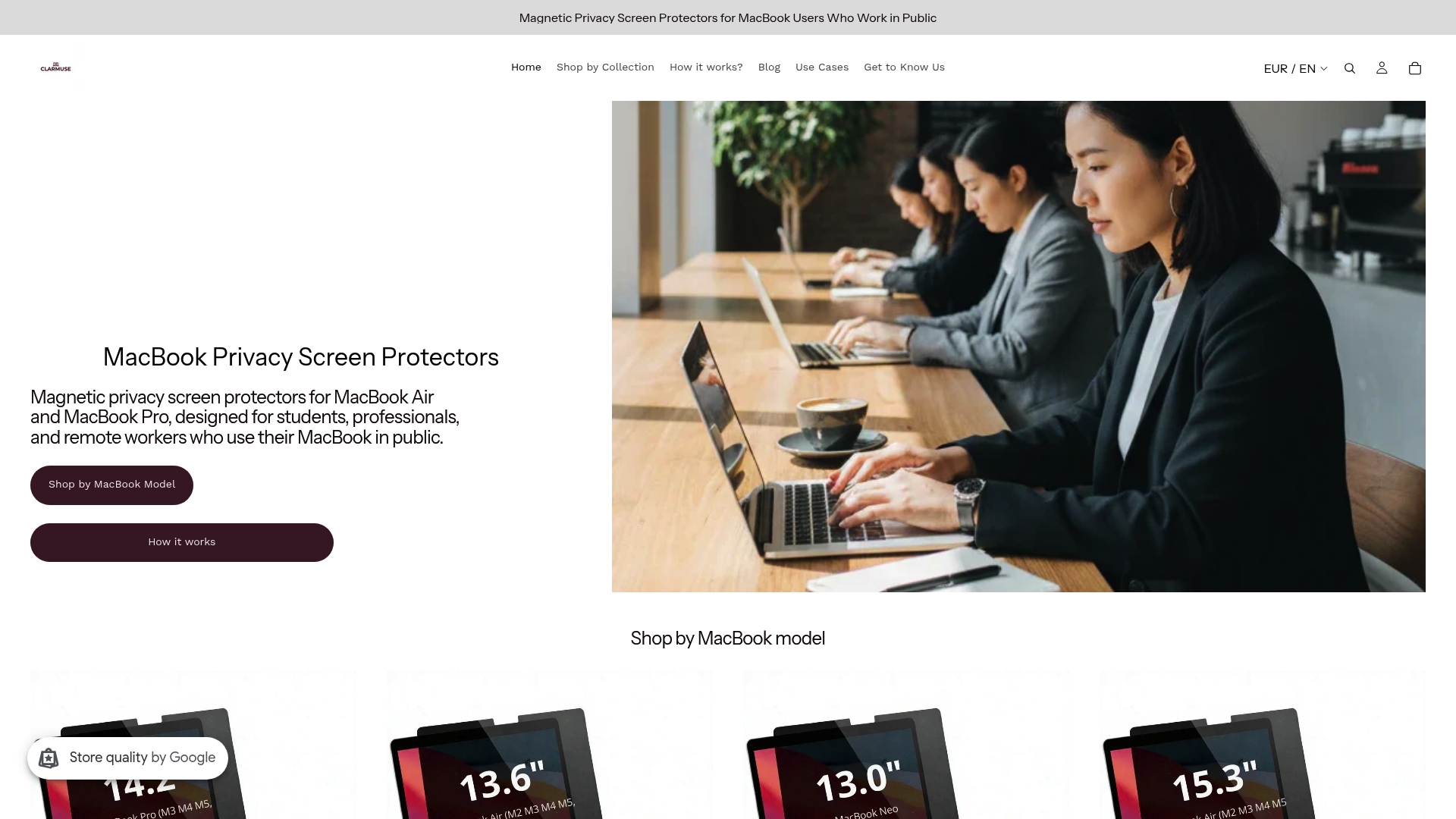
Each filter is cut to the exact dimensions of a specific MacBook model, attaches magnetically in seconds, and removes just as quickly when you need full brightness or want to share your screen. No adhesive, no alignment guesswork, no surface risk. The full MacBook Pro collection covers the 14.2" and 16.2" Pro models. Air users can match by screen size and chip generation, including the M2 through M5 13.6" lineup.
Check your MacBook model, confirm the compatible filter, and order directly from Clarmuse to get the right fit for your device.
Useful sources
- A Two-Week In-the-Wild Study of Screen Filters and Camera Sliders for Smartphone Privacy in Public Spaces — behavioral study on privacy filter adoption and effectiveness
- How does a privacy filter work and why should you have one? — technical explanation of micro-louver mechanics and attachment types
- Privacy Screen Protectors Explained — practical buying guidance including brightness trade-offs and user categories
- The role of privacy design in office environments — randomized crossover study on privacy features, stress, and cognitive performance
- Why Should You Use a Computer Privacy Screen? — Lenovo overview of privacy screen function and use cases
- Best privacy screens for introverts — psychological effects and multi-component setup guidance
- Shared Workspace Screen Privacy Explained for MacBook Users — practical guidance for MacBook users in shared environments
FAQ
What does a privacy filter do in a shared workspace?
A privacy filter narrows the screen’s viewing cone to roughly 30–60 degrees using micro-louvers, so only the person directly in front sees the display clearly. It reduces shoulder surfing and accidental data exposure in open offices, coworking spaces, and transit.
Do privacy filters actually improve focus?
Yes, with a qualifier. Filters reduce the low-level attention drain of feeling observed, which supports deeper focus for many users. A behavioral study found reduced guarding behaviors and expanded sensitive-task usage after filter adoption. Pairing a filter with noise-canceling headphones produces stronger focus outcomes than a filter alone.
What is the difference between a glare filter and a privacy filter?
A glare filter reduces reflections and ambient light interference but does not restrict the viewing angle. A privacy filter uses micro-louvers to block side-angle sightlines. Some filters combine both functions, but the privacy angle is the defining feature of a privacy filter.
How much brightness do privacy filters reduce?
Micro-louver filters typically reduce perceived screen brightness by roughly 25–30%. Most users compensate by increasing display brightness, which leads to a 5–8% reduction in screen-on battery life, adding about one extra hour of charging per week on average devices.
Which MacBook models does Clarmuse make privacy filters for?
Clarmuse makes model-specific magnetic privacy filters for the MacBook Pro 16.2", MacBook Pro 14.2", MacBook Air 15.3", MacBook Neo 13.0", and MacBook Air 13.6" covering M2, M3, M4, and M5 chip generations from 2022 through 2026.


