

¿Cuáles son los principales desafíos de privacidad en una oficina abierta?
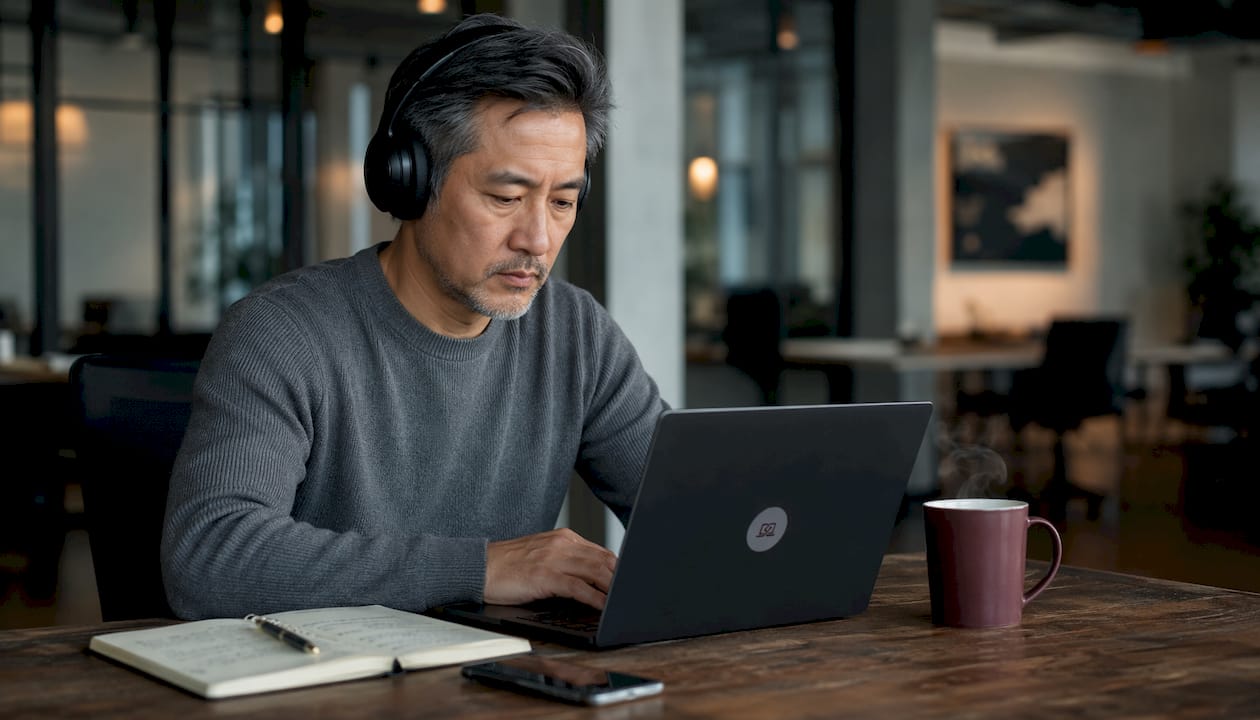
Los entornos de oficina abierta crean un conjunto predecible de problemas de privacidad. El ruido, la exposición visual y los riesgos de confidencialidad son las tres categorías principales. Comprender cada una de ellas es el primer paso para abordarlas.
Desafíos comunes de privacidad en oficinas abiertas:
- Distracciones por ruido. El habla irrelevante, las llamadas telefónicas y las reuniones en línea son las principales fuentes de ruido que causan pérdida de productividad y estrés en las oficinas de planta abierta.
- Pérdida de privacidad visual. Los compañeros de trabajo y los transeúntes pueden ver tu pantalla, documentos y lenguaje corporal en cualquier momento.
- Riesgo de conversaciones confidenciales. Las llamadas sensibles con clientes, las discusiones de RRHH y los datos financieros no se pueden compartir de forma segura sin paredes.
- Reducción de la comunicación cara a cara. Un estudio de Harvard Business School de 2018 encontró que las oficinas de planta abierta reducen la interacción cara a cara en un 70%, ya que los trabajadores evitan conversaciones que otros puedan escuchar.
- Sobrecarga cognitiva. La entrada sensorial constante obliga a los trabajadores a gestionar las distracciones junto con las tareas reales.
- Pérdida de control personal. Los trabajadores no pueden ajustar el ruido, la iluminación o el tránsito de personas alrededor de su escritorio.
- Exposición de la seguridad de datos. Las pantallas visibles para otros crean riesgos de cumplimiento según regulaciones como HIPAA y GDPR.
Tres de cada cinco estadounidenses informan que necesitan espacios de trabajo privados para producir su mejor trabajo. Las oficinas abiertas, por diseño, dificultan satisfacer esa necesidad.
Cómo los problemas de privacidad en oficinas abiertas dañan la productividad y el bienestar
El costo en productividad del ruido en oficinas abiertas es medible. La pérdida de productividad autoevaluada debido a la distracción por ruido se duplica en oficinas de planta abierta en comparación con oficinas cerradas. Las tareas que requieren un procesamiento verbal complejo son las más afectadas.
Más allá del ruido, existe un problema más sutil: la trampa de la visibilidad. Los trabajadores que se sienten constantemente observados dividen su atención entre el trabajo real y la gestión de cómo aparecen ante colegas y gerentes. Esta carga cognitiva acelera el agotamiento incluso sin un monitoreo activo. Una investigación de la Universidad de California, Irvine, encontró que se necesitan un promedio de 23 minutos para recuperar la concentración total después de una sola interrupción. En una oficina de planta abierta concurrida, las interrupciones rara vez se detienen en una.
Estrategias efectivas para mejorar la privacidad en oficinas abiertas
Los diseñadores de lugares de trabajo recomiendan cada vez más entornos multimodales en lugar de diseños abiertos de un solo modo. El objetivo es una variedad de entornos dentro de un mismo espacio, no un retorno a las filas de oficinas privadas.
Soluciones probadas de diseño y políticas:
- Zonas tranquilas. Áreas designadas con reglas de bajo ruido obligatorias que brindan a los trabajadores un lugar para tareas enfocadas.
- Cabinas semi-privadas. Cápsulas acústicas o grupos de asientos de respaldo alto que reducen tanto el sonido como la exposición visual sin paredes completas. Tecnología de enmascaramiento de sonido. Los sistemas de ruido de fondo elevan el nivel de sonido ambiental, haciendo que las conversaciones cercanas sean ininteligibles sin ser disruptivas.
- Tratamientos acústicos. Muebles blandos, alfombras, deflectores de techo y pantallas parciales que absorben el sonido y reducen la reverberación.
- Políticas de etiqueta de privacidad. Normas escritas sobre señales de "no molestar", uso de auriculares y ubicaciones de llamadas telefónicas que brindan a los trabajadores formas legítimas de proteger la concentración.
- Muebles móviles. Escritorios y pantallas reconfigurables que permiten a los equipos crear áreas privadas improvisadas para discusiones sensibles.
- Planificación estratégica del diseño. Separar departamentos con diferentes perfiles de ruido (equipos de ventas frente a analistas, por ejemplo) reduce la interrupción entre equipos.
Consejo profesional: Los auriculares con cancelación de ruido protegen tu propia concentración, pero no impiden que los compañeros escuchen tus conversaciones. Crean una falsa sensación de privacidad. Combínalos con una barrera física o una cabina telefónica designada para llamadas que involucren información sensible.
Cómo las pantallas de privacidad Clarmuse protegen a los usuarios de MacBook en espacios de trabajo compartidos
La visibilidad de la pantalla es uno de los riesgos de privacidad menos reconocidos en las oficinas abiertas. Un compañero de trabajo que echa un vistazo a tu pantalla puede exponer datos de clientes, registros financieros o comunicaciones confidenciales en segundos, a menudo sin que ninguna de las partes se dé cuenta.
Clarmuse aborda esto directamente con protectores de pantalla de privacidad magnéticos diseñados específicamente para los modelos MacBook Air y MacBook Pro. El sistema de fijación magnética significa que el filtro se pone y se quita en segundos, sin adhesivos, sin residuos y sin añadir volumen a tu configuración. Para los profesionales que trabajan en espacios de coworking, oficinas abiertas o entornos de trabajo compartidos, esa comodidad es tan importante como la propia protección.
Lo que ofrecen las pantallas de privacidad Clarmuse:
- Reducción de la visibilidad lateral, para que solo la persona directamente enfrente de la pantalla pueda leerla claramente.
- Ajuste específico para MacBook para los modelos Air y Pro, evitando los bordes sueltos y los cortes desalineados comunes con los filtros genéricos.
- Diseño limpio y minimalista que no compromete la claridad de la pantalla para el usuario principal.
- Fácil extracción cuando no se necesita privacidad, a diferencia de los filtros adhesivos que permanecen permanentemente.
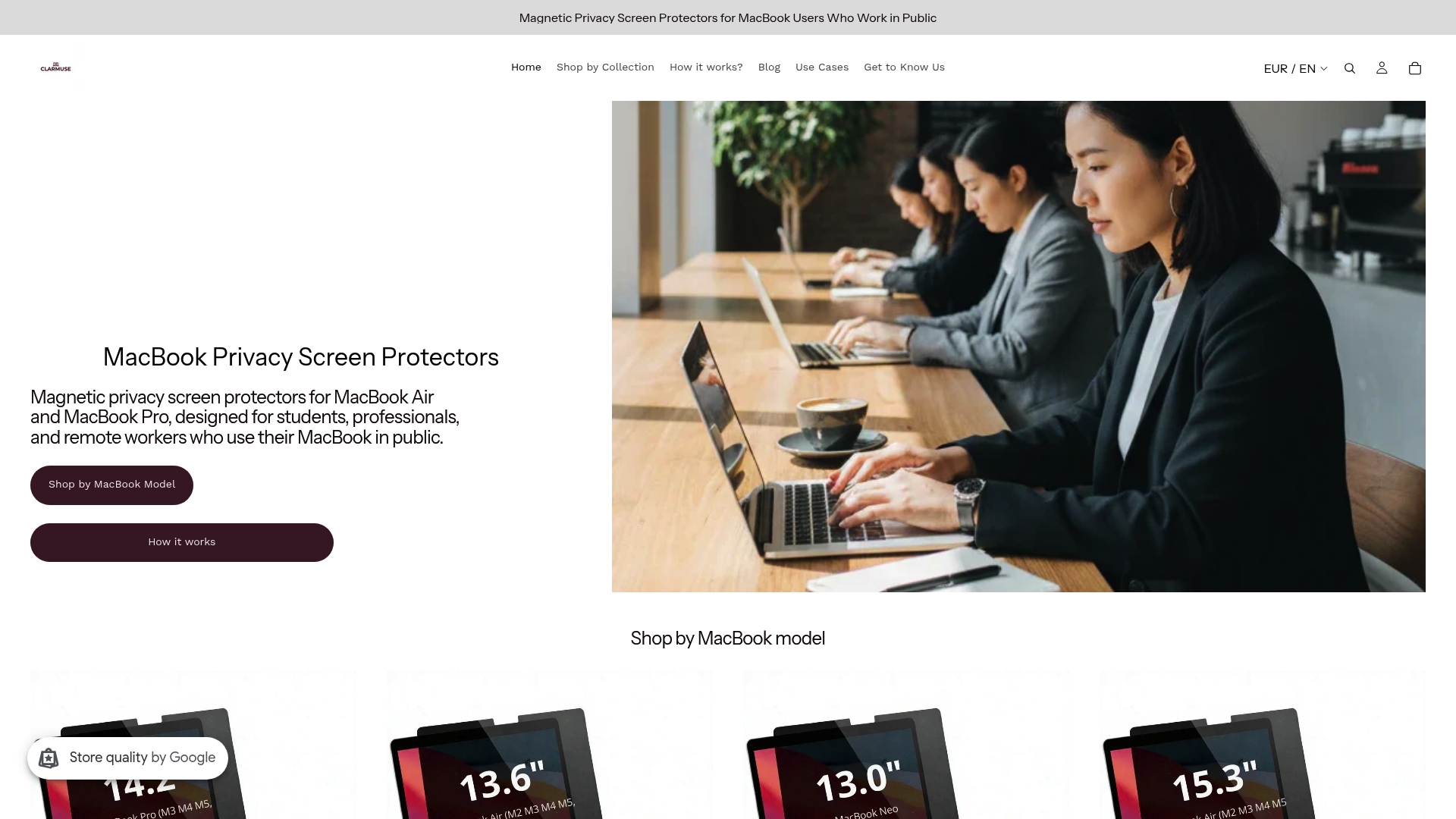
Las pantallas de privacidad Clarmuse para MacBook Pro y los modelos MacBook Air están disponibles para toda la línea actual, incluyendo el MacBook Pro de 16.2", el MacBook Air de 15.3" y el MacBook Air de 13.6" (M2 a M5, 2022-2026).
Consejo profesional: Si trabajas regularmente en cafeterías, aeropuertos u oficinas abiertas, una pantalla de privacidad portátil es una de las formas más rápidas de cerrar la brecha de exposición visual que las soluciones acústicas no pueden cubrir.
Obligaciones legales y éticas en torno a la privacidad en oficinas abiertas
La privacidad en el lugar de trabajo no es solo una cuestión de comodidad. Según HIPAA, las organizaciones de atención médica deben proteger la información del paciente del acceso no autorizado, incluida la exposición visual o auditiva incidental en espacios compartidos. El GDPR impone obligaciones similares a cualquier organización que maneje datos personales de residentes de la UE. Las oficinas abiertas, por defecto, crean condiciones en las que ambos tipos de violaciones pueden ocurrir sin ninguna acción intencional.
Mejores prácticas legales y políticas para empleadores:
- Realizar una evaluación de riesgos de privacidad específica para la disposición física del espacio de trabajo.
- Establecer políticas claras sobre dónde pueden realizarse llamadas y conversaciones sensibles.
- Exigir filtros de pantalla de privacidad en los dispositivos utilizados para manejar datos regulados.
- Capacitar a los empleados para que reconozcan la exposición visual y auditiva de datos como un riesgo de cumplimiento, no solo como un problema de comodidad.
- Documentar los procedimientos de adaptación para los empleados cuyos roles requieren confidencialidad.
Las industrias sensibles, como la atención médica, el derecho y las finanzas, conllevan la mayor exposición. Pero cualquier organización que maneje registros de empleados, contratos de clientes o datos financieros enfrenta una responsabilidad real cuando esos materiales son visibles para ojos no autorizados en un plano abierto.
Apoyo a empleados neurodivergentes en entornos de oficina abierta
Los empleados neurodivergentes experimentan los desafíos de la oficina abierta de forma más aguda que sus colegas neurotípicos. Los trabajadores autistas, aquellos con TDAH y las personas con diferencias en el procesamiento sensorial están más cerca de sus límites de tolerancia en entornos de alta estimulación. Lo que un trabajador neurotípico gestiona como una molestia menor puede convertirse en una barrera genuina para la función de un colega neurodivergente.
Adaptaciones de diseño y políticas que ayudan:
- Salas tranquilas con poca luz y mínimo desorden visual, disponibles bajo demanda sin necesidad de justificación formal.
- Iluminación ajustable en estaciones de trabajo individuales, reduciendo la carga sensorial de las luces fluorescentes duras del techo.
- Zonas de baja estimulación lejos de pasillos de mucho tránsito y áreas de impresoras.
- Organización espacial clara para que los trabajadores puedan predecir qué actividad ocurre dónde.
- Normas escritas de "no molestar" que se aplican por igual a todos los empleados, eliminando la fricción social de pedir silencio.
El diseño inclusivo del espacio de trabajo beneficia a toda la oficina, no solo a los trabajadores neurodivergentes. Las mejoras acústicas y la reducción del caos visual ayudan a todos a concentrarse de manera más efectiva.
Efectos psicológicos de la pérdida de privacidad más allá de la productividad
La pérdida de privacidad en las oficinas abiertas genera estrés e insatisfacción laboral que van más allá de la producción medible. Una revisión de 49 estudios sobre oficinas abiertas publicada en Ergonomics encontró una fuerte evidencia de que los lugares de trabajo abiertos reducen la privacidad psicológica y la satisfacción laboral. Los trabajadores en planes abiertos informan mayores tasas de fatiga, irritabilidad y dificultad para concentrarse, síntomas consistentes con la exposición crónica a un estrés de bajo nivel.
El Journal of Architectural and Planning Research identificó el hacinamiento como un estado psicológico específico desencadenado por las instalaciones compartidas y la observación constante. Los trabajadores que experimentan hacinamiento reaccionan negativamente a las interacciones, tienen dificultades para concentrarse y se sienten insatisfechos con sus trabajos con el tiempo. Esto no es un problema de personalidad. Es una respuesta predecible a un entorno que elimina el control personal.
La satisfacción laboral y la privacidad están directamente relacionadas. Una gran encuesta a ocupantes encontró que los beneficios de una interacción más fácil en oficinas abiertas no compensaban las desventajas del aumento del ruido y la disminución de la privacidad en las calificaciones de satisfacción general de los trabajadores.
Derechos de los empleados y políticas de privacidad en entornos de oficina abierta
Los empleados tienen expectativas legítimas de privacidad incluso en espacios de trabajo compartidos, y los empleadores tienen obligaciones correspondientes. El derecho a un espacio de trabajo que no exponga información personal o profesional sensible es cada vez más reconocido tanto en la política de recursos humanos como en la legislación laboral.
Los marcos de políticas prácticas para oficinas abiertas deben abordar tres áreas. Primero, la privacidad física: espacios designados para llamadas confidenciales, reuniones privadas y trabajo concentrado. Segundo, la privacidad de los datos: reglas claras sobre la visibilidad de la pantalla, el manejo de documentos y la seguridad de los dispositivos en áreas compartidas. Tercero, la privacidad psicológica: normas escritas que legitiman las señales de "no molestar" y protegen a los trabajadores de interrupciones constantes.
Las leyes de privacidad de pantalla varían según la industria y la jurisdicción, pero el principio subyacente es consistente: las organizaciones son responsables de prevenir el acceso no autorizado a datos regulados, independientemente de si ese acceso ocurre a través de un ciberataque o de la línea de visión de un compañero de trabajo.
Mejores prácticas para trabajadores remotos que enfrentan desafíos de privacidad en oficinas abiertas
Los trabajadores remotos que ocasionalmente utilizan espacios de coworking, oficinas compartidas o entornos de cafetería se enfrentan a los mismos desafíos de privacidad en oficinas abiertas sin el apoyo institucional de una configuración de empleador permanente. La responsabilidad de gestionar la privacidad recae más directamente en el individuo.
Pasos prácticos para profesionales remotos:
- Elige un asiento de espaldas a una pared para eliminar la visibilidad trasera de la pantalla.
- Utiliza un filtro de privacidad para tu laptop en cualquier sesión que involucre datos de clientes, registros financieros o comunicaciones confidenciales.
- Realiza llamadas sensibles en una cabina telefónica designada o en el exterior, no en un escritorio abierto.
- Utiliza sistemas VoIP con auriculares para contener el audio y reducir la posibilidad de que las conversaciones sean escuchadas.
- Programa el trabajo de concentración profunda para los momentos en que el espacio compartido esté menos ocupado.
- Establece una señal personal de "no molestar", como usar auriculares, y comunícala a los vecinos de coworking habituales.
La privacidad en los espacios de coworking requiere una planificación más deliberada que una oficina privada, pero las herramientas y los hábitos que la abordan son sencillos una vez que conoces los riesgos reales.
Preocupaciones de privacidad relacionadas con la tecnología en oficinas abiertas
La visibilidad de la pantalla es el riesgo de privacidad más común relacionado con la tecnología en oficinas abiertas. La fuga de datos involuntaria a través de compañeros de trabajo que vislumbran pantallas sensibles es una causa frecuente y poco reconocida tanto de filtraciones de privacidad como de violaciones regulatorias. Un solo vistazo a una pantalla desbloqueada puede exponer registros de pacientes, datos salariales o contratos de clientes.
Más allá de las pantallas, las oficinas abiertas crean riesgos relacionados con el audio de las videollamadas, las impresoras compartidas que imprimen documentos sensibles en áreas comunes y las redes Wi-Fi no seguras en entornos de coworking. Las reuniones en línea realizadas sin auriculares transmiten el contenido de la conversación a todos los que están al alcance del oído, un problema que ha crecido a medida que el trabajo híbrido ha aumentado el volumen y la frecuencia de las videollamadas en espacios compartidos.
La mitigación a nivel de dispositivo incluye filtros de privacidad de pantalla, políticas de bloqueo automático de pantalla configuradas a intervalos cortos, almacenamiento cifrado y uso de VPN en redes compartidas. A nivel organizacional, la ubicación de las impresoras en áreas de bajo tráfico y las políticas claras de manejo de documentos reducen el riesgo de exposición física de datos. La combinación de controles físicos y digitales aborda toda la gama de exposición relacionada con la tecnología que crean los diseños de oficinas abiertas.
Puntos clave
Los entornos de oficina abierta reducen consistentemente la privacidad, la productividad y la satisfacción laboral, y la evidencia de esto abarca décadas de investigación en el lugar de trabajo.
| Punto | Detalles |
|---|---|
| La comunicación cara a cara disminuye drásticamente | La investigación de Harvard Business School encontró una disminución del 70% en la interacción cara a cara después de la transición a oficinas de planta abierta. |
| El ruido duplica la pérdida de productividad autoevaluada | Los trabajadores en oficinas de planta abierta califican su pérdida de productividad relacionada con el ruido al doble del nivel de aquellos en oficinas cerradas. |
| La visibilidad de la pantalla es un riesgo de cumplimiento | La fuga de datos no intencionada a través de pantallas visibles puede violar HIPAA y GDPR, incluso sin una acción intencional. |
| El diseño multimodal supera a los diseños de modo único | Las zonas tranquilas, las cabinas semiprivadas y los tratamientos acústicos abordan las necesidades de privacidad sin eliminar el espacio de colaboración. |
| Las pantallas de privacidad cierran la brecha de exposición visual | Los filtros de privacidad magnéticos como los de Clarmuse bloquean la visibilidad de la pantalla desde ángulos laterales en entornos compartidos y abiertos. |
Preguntas Frecuentes
¿Cuánto reduce una oficina abierta la comunicación cara a cara?
Un estudio de 2018 de la Harvard Business School encontró que mudarse a una oficina de planta abierta reduce la interacción cara a cara en un 70%, con los trabajadores cambiando al correo electrónico y la mensajería.
¿Cuáles son los mayores riesgos de privacidad en las oficinas abiertas?
La exposición al ruido, la visibilidad de la pantalla y las conversaciones escuchadas son los tres riesgos principales, cada uno capaz de causar tanto pérdida de productividad como fallas en el cumplimiento normativo.
¿Cómo pueden los trabajadores remotos proteger su privacidad en espacios compartidos?
Siéntese de espaldas a la pared, use un filtro de privacidad para la pantalla del portátil, atienda llamadas sensibles en áreas cerradas y programe el trabajo concentrado durante las horas de menor afluencia.
¿Están los empleadores legalmente obligados a proporcionar privacidad en oficinas abiertas?
Bajo regulaciones como HIPAA y GDPR, los empleadores deben prevenir el acceso no autorizado a datos regulados, lo que incluye la exposición visual o auditiva incidental en espacios de trabajo compartidos.
¿Los auriculares con cancelación de ruido resuelven los problemas de privacidad en oficinas abiertas?
Los auriculares con cancelación de ruido protegen la concentración del usuario, pero no evitan que otros escuchen sus conversaciones, lo que los convierte en una solución incompleta para los riesgos de confidencialidad.
Recomendado
- Por qué usar el portátil en público da sensación de exposición y cómo solucionarlo – Clarmuse
- Consejos de privacidad para estudiantes de portátil en el campus en 2026 – Clarmuse
- Pantallas de privacidad en espacios de coworking: Su guía para 2026 – Clarmuse
- Lista de verificación de seguridad para portátiles públicos en 2026 – Clarmuse


