

El resplandor de la pantalla es la alteración visual causada por la luz reflejada o excesiva que incide en tu pantalla, y reduce directamente la productividad de los nómadas digitales al provocar fatiga visual, fatiga cognitiva y pérdida de concentración. El Síndrome de Visión por Computadora, el término clínico para el estrés ocular relacionado con la pantalla, afecta a los trabajadores en todos los entornos donde la luz y las pantallas compiten. Ya sea que trabajes desde una cafetería soleada en Lisboa o un espacio de coworking con iluminación fluorescente en Bangkok, entender por qué el resplandor de la pantalla afecta la productividad nómada es el primer paso para solucionarlo. El impacto del resplandor de la pantalla en el trabajo no es cosmético. Agota tus recursos mentales, tensa tu cuerpo y, silenciosamente, te cuesta horas de producción cada semana.
Por qué el resplandor de la pantalla afecta la productividad nómada a nivel biológico
El resplandor de la pantalla fuerza a tu sistema visual a un estado constante de conflicto. Tus ojos intentan adaptarse entre la luz reflejada brillante y el contenido más oscuro de la pantalla, lo que desencadena contracciones musculares rápidas e involuntarias alrededor del ojo. Ese ciclo se repite cientos de veces por hora sin que te des cuenta.
El Síndrome de Visión por Computadora afecta aproximadamente al 70% de las personas que trabajan cuatro o más horas diarias frente a pantallas. Los trabajadores remotos muestran tasas de incidencia aún más altas porque carecen de los entornos de iluminación controlados de las oficinas tradicionales. Esa estadística significa que la mayoría de los nómadas digitales trabajan bajo algún grado de estrés ocular todos los días.
El resplandor crea lo que los investigadores describen como un "impuesto oculto" sobre los recursos cognitivos. Tu sistema visual recurre a la memoria de trabajo para compensar la distorsión perceptiva causada por el resplandor. Menos memoria de trabajo significa un procesamiento más lento, más errores y una capacidad reducida para mantener ideas complejas en mente mientras escribes, codificas o analizas datos.
La cascada de síntomas de fatiga visual sigue un patrón predecible: los ojos secos y la visión borrosa aparecen primero, seguidos de tensión en el cuello y dolores de cabeza tensionales. Cada síntoma agrava los demás, dificultando la recuperación a mitad de la sesión.
- Ojos secos: El resplandor reduce tu tasa de parpadeo, cortando la lubricación natural.
- Visión borrosa: El ajuste repetido del enfoque fatiga los músculos ciliares dentro del ojo.
- Tensión en el cuello: Entrecerrar los ojos e inclinarse hacia adelante para ver a través del resplandor tensa los músculos trapecio y cervicales.
- Dolores de cabeza tensionales: La contracción muscular sostenida alrededor de los ojos y el cuello desencadena dolor referido en la frente.
Un factor que se pasa por alto es el parpadeo oculto en las lámparas de escritorio LED de baja calidad. Este parpadeo, invisible a simple vista, causa fatiga visual rápida y agitación cognitiva que la mayoría de los nómadas atribuyen erróneamente al brillo de la pantalla. Cambiar a una lámpara LED sin parpadeo elimina una fuente significativa de fatiga que ningún filtro de pantalla puede solucionar.
Consejo profesional: Apunte a 300–500 lux de iluminación ambiental de escritorio en lugar de simplemente aumentar el brillo de su pantalla. La luz ambiental equilibrada reduce la brecha de contraste entre su pantalla y el entorno, disminuyendo la carga de trabajo visual que causa fatiga.
Cómo el resplandor obliga a cambios de postura que agravan el problema
Las consecuencias físicas del resplandor de la pantalla se extienden mucho más allá de los ojos. Cuando el resplandor dificulta la lectura de la pantalla, tu cuerpo responde automáticamente. Inclinas la cabeza, te inclinas hacia adelante y desplazas el torso para encontrar un ángulo de visión con menos reflejo. Estos ajustes parecen menores en el momento. Con el paso de las horas, causan un daño musculoesquelético real.
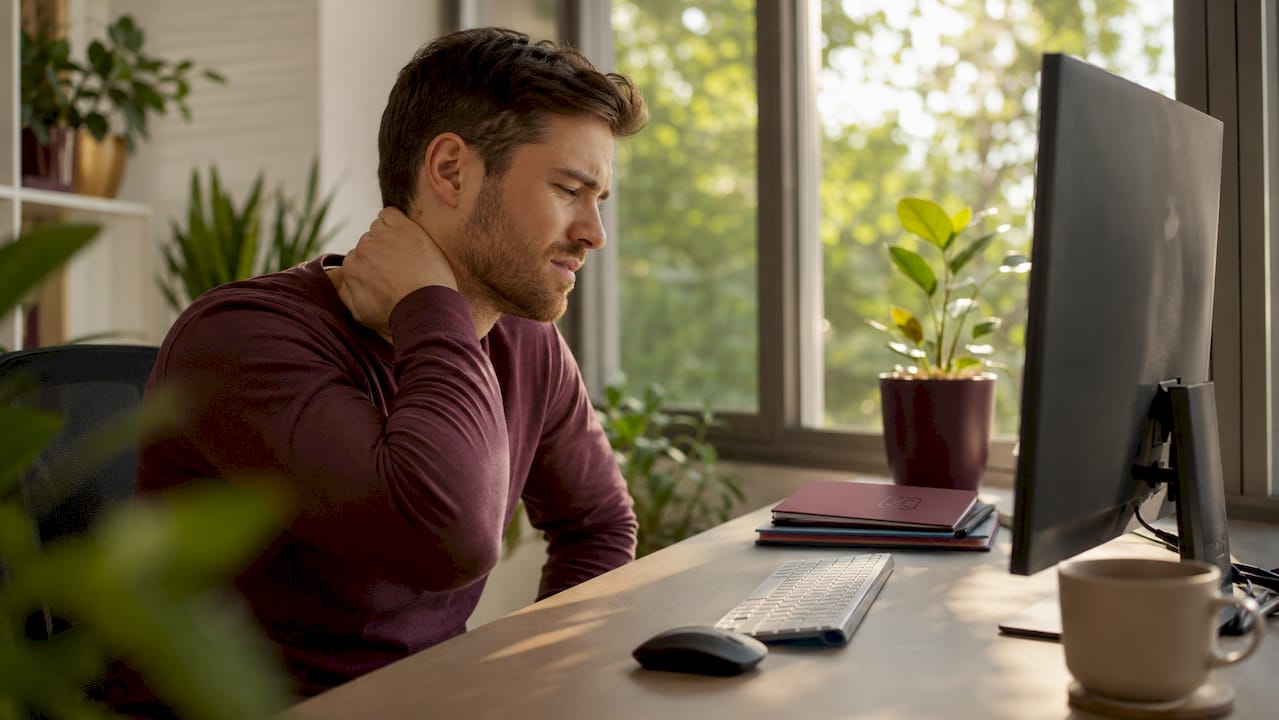
La luz excesiva desencadena un reflejo de entrecerrar los ojos y los correspondientes cambios de postura de la cabeza y el cuello que contribuyen directamente a los trastornos musculoesqueléticos. Eso significa que el resplandor no es solo un problema ocular. Es un peligro ergonómico para todo el cuerpo que se acumula a lo largo de una jornada laboral.
El 60% de los encuestados en oficinas informa que el resplandor interfiere con su trabajo, causando dolor ocular y reducción de la concentración. Entre las mujeres, el 62.5% informa un dolor ocular leve por el resplandor, en comparación con el 53.8% de los hombres. Esos números reflejan un problema que afecta a la mayoría de los trabajadores de pantallas, independientemente del género.
Los patrones de compensación postural que desarrollan los nómadas incluyen:
- Inclinación de la cabeza: Girar el cuello lateralmente para evitar un reflejo de una ventana lateral.
- Inclinación hacia adelante: Empujar el torso hacia la pantalla para reducir el ángulo de deslumbramiento percibido.
- Elevación de hombros: Levantar uno o ambos hombros para bloquear la luz cenital, creando una tensión asimétrica.
- Angulación de la pantalla: Inclinar la tapa del portátil repetidamente durante la sesión, interrumpiendo el flujo de trabajo.
Cada uno de estos patrones coloca la columna vertebral y los músculos de apoyo fuera de su alineación neutral. La postura sostenida fuera de la neutralidad es el principal motor de las lesiones por esfuerzo repetitivo en los trabajadores remotos. Para los nómadas que ya carecen de muebles ergonómicos en cafés y habitaciones de hotel, los cambios de postura inducidos por el deslumbramiento empujan una configuración ya comprometida aún más hacia la lesión.
Consejo profesional: Coloca tu monitor perpendicular a las ventanas en lugar de mirarlas de frente o sentarte de espaldas a ellas. Este simple ajuste de posicionamiento del monitor elimina la fuente más común de deslumbramiento directo y reflejado sin ningún equipo adicional.
Exposición al deslumbramiento en entornos de trabajo nómadas comunes
No todos los espacios de trabajo crean los mismos problemas de deslumbramiento. El impacto del resplandor de la pantalla en el trabajo varía significativamente según la orientación de las ventanas, la altura del techo, los materiales de la superficie y el tipo de iluminación artificial. Comprender qué entornos presentan el mayor riesgo te ayuda a tomar decisiones de ubicación más inteligentes.
Las ventanas orientadas al sureste producen los niveles más altos de deslumbramiento en entornos de oficina, y los ocupantes confían constantemente en cortinas o persianas para controlar la incomodidad. Este hallazgo se traduce directamente en entornos nómadas: un asiento de café junto a la ventana orientado al sureste por la mañana es una de las peores configuraciones posibles para trabajar con pantallas.
| Entorno | Fuente principal de deslumbramiento | Nivel de riesgo de deslumbramiento | Impacto en la productividad |
|---|---|---|---|
| Cafetería al aire libre | Luz solar directa, superficies de mesa reflectantes | Muy alto | Grave: ojos entrecerrados, pantalla descolorida |
| Cafetería interior (asiento junto a la ventana) | Luz solar indirecta, reflejos de vidrio | Alto | Moderado a grave: fatiga visual en 30 minutos |
| Espacio de coworking | Paneles fluorescentes o LED superiores | Moderado | Moderado: manejable con el posicionamiento de la pantalla |
| Apartamento compartido | Luz natural y artificial mezclada | Bajo a moderado | Bajo: entorno más controlable |
| Salón de hotel | Iluminación ambiental cálida, superficies reflectantes | Moderado | Moderado: deslumbramiento de mesas y paredes pulidas |
| Terminal de aeropuerto | Iluminación superior brillante, grandes ventanas | Alto | Alto: difícil de controlar, solo sesiones cortas |
El espacio de coworking y el apartamento compartido ofrecen el mayor control. Los entornos al aire libre y de aeropuerto ofrecen el menor. Para los nómadas que confían en los cafés como su espacio de trabajo principal, mejorar el enfoque en entornos brillantes requiere una combinación de filtros de pantalla, selección de asientos y gestión del tiempo de sesión.
Cómo reducir el resplandor y proteger tu concentración como nómada
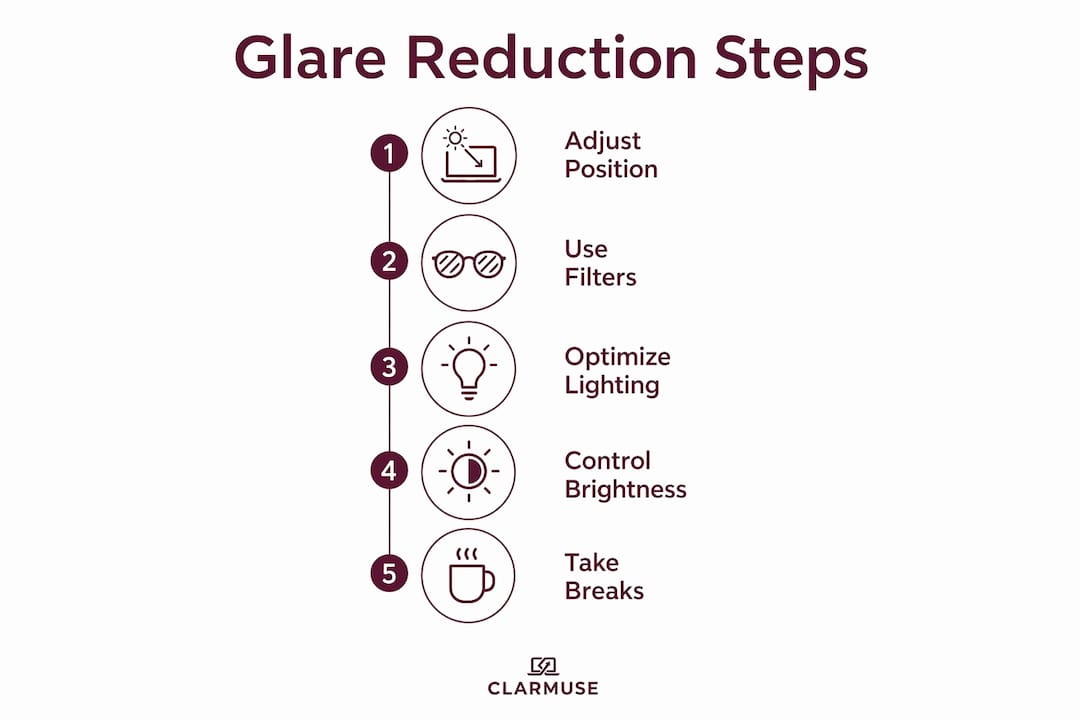
Reducir el resplandor para los nómadas digitales no requiere equipos costosos. Las soluciones más efectivas combinan posicionamiento, filtrado y hábitos de comportamiento. El objetivo es reducir la brecha de contraste entre la pantalla y su entorno, minimizando las fuentes de luz directa y reflejada.
Mejoras modestas en la gestión del deslumbramiento producen ganancias de productividad del 1 al 2% que superan el costo de las soluciones en cuestión de meses. Una ganancia de productividad del 1 al 2% parece pequeña, pero en una semana laboral de 40 horas, suma aproximadamente 45 minutos de producción recuperada por semana.
Sigue estos pasos para construir una estación de trabajo móvil con poco deslumbramiento:
- Elige primero tu asiento. Siéntate con las ventanas a un lado, nunca directamente delante o detrás de tu pantalla. Las posiciones con luz lateral reducen el deslumbramiento directo sin sacrificar la luz natural.
- Aplica un protector de pantalla mate o un filtro de privacidad. Las superficies mate dispersan la luz reflejada en lugar de reflejarla directamente en tus ojos. Las pantallas de privacidad de Clarmuse cumplen una doble función: reducen el deslumbramiento y bloquean la visibilidad lateral en espacios compartidos.
- Ajusta el brillo de la pantalla para que coincida con la luz ambiental. Tu pantalla no debe aparecer como una fuente de luz en la habitación. Ajusta el brillo al entorno circundante en lugar de maximizarlo.
- Usa una lámpara de escritorio LED sin parpadeo. Colócala para iluminar tu teclado y la superficie del escritorio, no tu pantalla. Esto eleva la luz ambiental al rango de 300 a 500 lux sin agregar resplandor a la pantalla.
- Aplica la regla 20-20-20. Cada 20 minutos, mira un objeto a 20 pies de distancia durante 20 segundos. Esto reinicia la tensión del músculo ciliar y reduce la acumulación de ojos secos y visión borrosa que acelera el resplandor.
- Ajusta el ángulo de la tapa de tu portátil. Una pequeña inclinación de 10 a 15 grados puede redirigir los reflejos de la luz del techo lejos de tu línea de visión sin cambiar tu postura.
- Audita tu entorno antes de instalarte. Dedica 60 segundos a escanear superficies reflectantes, luces cenitales y posiciones de las ventanas antes de abrir tu portátil. Reubicarse temprano cuesta menos que recuperarse de una sesión de dos horas de deslumbramiento.
Para los usuarios de MacBook, el blog de Clarmuse cubre en detalle las causas y soluciones específicas del deslumbramiento en MacBook, incluyendo consideraciones sobre el revestimiento de la pantalla para diferentes generaciones de MacBook Air y MacBook Pro.
El brillo de la pantalla y la productividad están directamente relacionados: una pantalla demasiado brillante en relación con su entorno crea el mismo estrés visual que una demasiado tenue. El objetivo es el equilibrio, no el brillo máximo.
Puntos clave
El resplandor de la pantalla reduce la productividad de los nómadas al crear un ciclo acumulativo de fatiga visual, agotamiento cognitivo y compensación postural que se acumula en cada sesión de trabajo.
| Punto | Detalles |
|---|---|
| El deslumbramiento agota la memoria de trabajo | La corrección visual del deslumbramiento consume recursos cognitivos que deberían destinarse a la concentración y el rendimiento de la tarea. |
| El 70% de los trabajadores de pantalla se ven afectados | El síndrome de visión por computadora es la norma para los trabajadores remotos, no la excepción. |
| La postura agrava el daño | Entrecerrar los ojos e inclinarse hacia adelante para evitar el deslumbramiento provoca tensión musculoesquelética más allá de la fatiga ocular. |
| El entorno determina el nivel de riesgo | Las cafeterías al aire libre y los aeropuertos conllevan el mayor riesgo de deslumbramiento; los apartamentos compartidos ofrecen el mayor control. |
| El posicionamiento supera al equipo | Sentarse perpendicular a las ventanas y ajustar el brillo de la pantalla a la luz ambiental no cuesta nada y funciona de inmediato. |
Lo que he aprendido sobre el deslumbramiento que la mayoría de los nómadas pasa por alto
La mayoría de los nómadas tratan el deslumbramiento como una molestia en lugar de una variable de productividad. Ese planteamiento es el error fundamental. Después de pasar tiempo observando cómo las condiciones de iluminación afectan el rendimiento en diferentes entornos de trabajo, el patrón es consistente: las sesiones que se sienten mentalmente agotadoras a primera hora de la tarde casi siempre implican una mala gestión de la luz, no un trabajo difícil.
El detalle que sorprende a la mayoría de la gente es el problema del parpadeo del LED. Puedes hacer todo bien con el posicionamiento de la pantalla y aun así sentirte agotado a las 2 p.m. porque la lámpara de tu escritorio está ciclando a una frecuencia que tus ojos detectan inconscientemente. Reemplazar una lámpara barata por un modelo de calidad sin parpadeo es uno de los cambios con mayor retorno de inversión que un nómada puede hacer, y casi nadie habla de ello.
El otro factor pasado por alto es cómo la mala iluminación socava tanto la salud ocular como la apariencia en cámara en el trabajo remoto. El deslumbramiento no solo afecta tu concentración. Te hace parecer poco profesional en las videollamadas, lo que tiene su propio costo de productividad en el trabajo de cara al cliente.
La lección práctica es esta: trata tu entorno de iluminación con la misma atención que le das a tu conexión a Internet. Ambos son infraestructura. Ambos determinan directamente lo que puedes lograr en una sesión.
— Gabriel
Pantallas de privacidad magnéticas Clarmuse para trabajar con MacBook sin reflejos
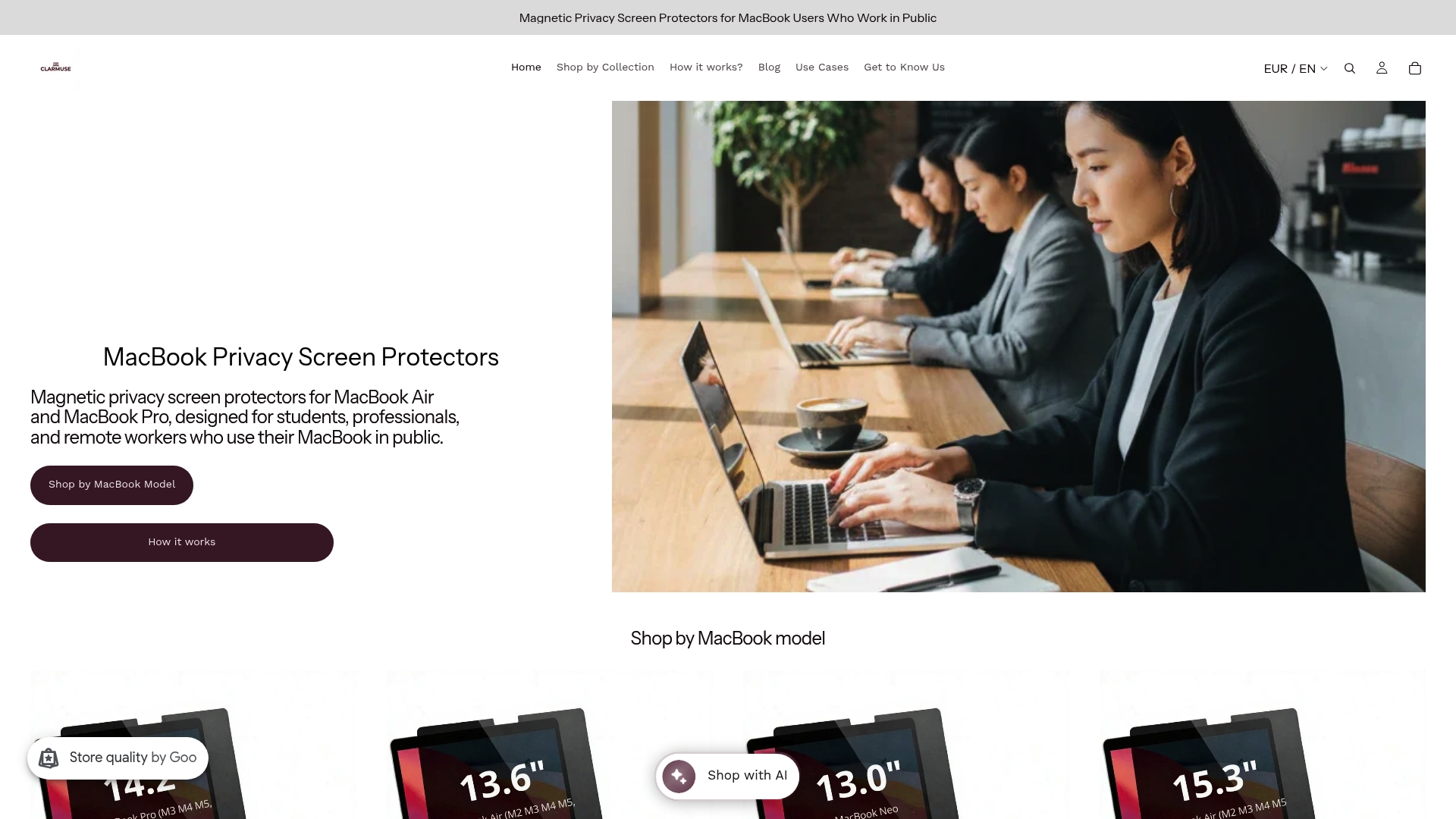
Los protectores de pantalla de privacidad magnéticos Clarmuse están diseñados específicamente para los modelos MacBook Air y MacBook Pro, se colocan y quitan en segundos sin herramientas ni adhesivos. La superficie mate del filtro dispersa la luz reflejada, reduciendo el deslumbramiento en cafeterías, espacios de coworking, aeropuertos y salas de hoteles, al tiempo que bloquea la visibilidad de la pantalla desde ángulos laterales. Resuelves dos problemas con una sola y ligera adición a tu configuración.
Clarmuse ofrece ajustes específicos de modelo para el MacBook Pro de 16.2", MacBook Air de 15.3", MacBook Pro de 14.2" y MacBook Air de 13.6", entre otros. Explora la colección completa de pantallas de privacidad para MacBook para encontrar el ajuste adecuado para tu modelo.
Preguntas frecuentes
¿Qué es el resplandor de la pantalla y por qué afecta la concentración?
El resplandor de la pantalla es luz reflejada o excesiva que crea conflictos de contraste visual en tu pantalla. Tu sistema visual utiliza la memoria de trabajo para compensar, reduciendo los recursos cognitivos disponibles para el trabajo concentrado.
¿Cómo afecta el resplandor a los trabajadores remotos de manera diferente a los trabajadores de oficina?
Los trabajadores remotos y los nómadas digitales carecen de entornos de iluminación controlados, por lo que se encuentran con deslumbramientos de mayor intensidad y menos predecibles debido a la luz solar, la iluminación de cafeterías y las superficies reflectantes. La incidencia del Síndrome de Visión por Computadora es mayor entre los trabajadores remotos que en los entornos de oficina tradicionales.
¿El brillo de la pantalla por sí solo resuelve los problemas de deslumbramiento?
No. El equilibrio ambiental a 300-500 lux es más efectivo que simplemente aumentar el brillo de la pantalla. Aumentar el brillo sin ajustar la luz ambiental amplía la brecha de contraste y puede empeorar la fatiga visual.
¿Cuál es la forma más rápida de reducir el deslumbramiento en una cafetería o espacio de coworking?
Reposiciona tu asiento de modo que las ventanas queden a tu lado en lugar de delante o detrás de tu pantalla. Este simple ajuste elimina la fuente de deslumbramiento más común sin ningún equipo adicional.
¿Puede un filtro de pantalla de privacidad reducir el deslumbramiento en un MacBook?
Sí. Los filtros de pantalla de privacidad mate dispersan la luz reflejada en lugar de reflejarla hacia tus ojos, reduciendo tanto el deslumbramiento como la visibilidad de la pantalla desde ángulos laterales. Las pantallas de privacidad magnéticas de Clarmuse están diseñadas específicamente para modelos de MacBook y se adhieren sin adhesivo.
Recomendado
- Qué causa el deslumbramiento de la pantalla del MacBook y cómo solucionarlo – Clarmuse
- Visibilidad de la pantalla del MacBook explicada para espacios de trabajo compartidos – Clarmuse
- Esenciales para MacBook en la vida nómada: Guía de equipo 2026 – Clarmuse
- Mantener la claridad de la pantalla del MacBook diariamente: Guía 2026 – Clarmuse


