

Los filtros de privacidad reducen significativamente la exposición visual de los datos en espacios de trabajo abiertos y compartidos. Un estudio de dos semanas en el mundo real confirmó que los filtros de pantalla aumentaron la privacidad percibida de la pantalla, redujeron los comportamientos de protección física y permitieron a los usuarios interactuar con aplicaciones sensibles que antes evitaban en público. El papel de los filtros de privacidad en los espacios de trabajo de enfoque es directo: al estrechar el cono de visión a aproximadamente 30-60 grados, bloquean las líneas de visión de ángulo lateral y reducen la monitorización social de bajo nivel que fragmenta la atención.
Un límite importante: los filtros de privacidad abordan la exposición visual. No bloquean el sonido, la vigilancia basada en cámaras ni los riesgos de datos a nivel de red. Para los profesionales que manejan datos sensibles en oficinas abiertas, cafeterías o en tránsito, un filtro es la primera capa correcta, pero no la única.
Lo que ofrecen los filtros de privacidad:
- Cono de visión reducido (normalmente de 30 a 60 grados) para que solo la persona directamente enfrente vea la pantalla con claridad
- Reducción del espionaje de hombro y la exposición accidental de datos
- Un límite psicológico que disminuye la sensación de ser observado, lo que favorece una mayor concentración
- Una protección pasiva y siempre activa que no requiere configuración de software
Índice
- ¿Cuándo son realmente importantes las pantallas de privacidad para tu trabajo?
- ¿Cómo funcionan los filtros de privacidad y cuáles son los verdaderos inconvenientes?
- ¿Qué tipos de soluciones de privacidad se adaptan a las diferentes necesidades del espacio de trabajo?
- Cómo elegir el filtro de privacidad adecuado para tu espacio de trabajo
- Tamaño, montaje e instalación: acertar a la primera
- Equilibrio entre privacidad visual, control acústico y etiqueta en la oficina
- ¿Funcionan realmente los filtros de privacidad? Eficacia y limitaciones
- Presupuesto, mantenimiento y cuándo la inversión tiene sentido
- Pantallas de privacidad magnéticas Clarmuse: por qué es importante el ajuste específico para MacBook
- Puntos clave
- El caso de la especificidad sobre la cobertura
- Pantallas de privacidad magnéticas para MacBook de Clarmuse
- Fuentes útiles
- Preguntas frecuentes
¿Cuándo son realmente importantes las pantallas de privacidad para tu trabajo?
Los principales beneficiarios son los profesionales que manejan regularmente información confidencial en entornos no privados: trabajadores de la salud que revisan registros de pacientes, personal legal que accede a expedientes de casos, profesionales financieros que trabajan con datos de clientes y ejecutivos que revisan documentos de estrategia sensibles. Los representantes de servicio al cliente en mostradores compartidos y cualquier persona que trabaje en oficinas de planta abierta densas también ven retornos claros.
Un experimento aleatorio cruzado encontró que las características combinadas de privacidad en entornos de oficina redujeron el estrés fisiológico y mejoraron el rendimiento de las tareas cognitivas en un grado significativo. Ese rango refleja cuánto el contexto del espacio de trabajo moldea el resultado. Un filtro solo en una oficina privada tranquila aporta poco. El mismo filtro en una sala de aeropuerto concurrida o en una fila de escritorios compartidos cambia la experiencia de trabajo de manera medible.
Las pantallas de privacidad son menos útiles para la navegación pública casual, el trabajo creativo crítico en color (donde la pérdida de brillo importa más) o cualquier entorno donde el usuario no maneja contenido sensible. Comprar una para uso personal de bajo riesgo es un compromiso que rara vez vale la pena. La guía práctica es consistente: hacer coincidir la herramienta con el modelo de amenaza y la frecuencia de uso del espacio compartido.
¿Cómo funcionan los filtros de privacidad y cuáles son los verdaderos inconvenientes?
Los filtros de privacidad utilizan microláminas de precisión alineadas, que funcionan como diminutas persianas verticales incrustadas en el material del filtro. La luz de la pantalla pasa directamente al usuario sentado justo delante, pero se bloquea en ángulos más allá del cono de visión. El resultado: alguien sentado a tu lado o detrás de ti ve una pantalla oscura o casi negra.
La mayoría de los filtros ofrecen un cono de visión total que suele oscilar entre ángulos más estrechos y más amplios. Los filtros bidireccionales bloquean los ángulos laterales a la izquierda y a la derecha. Los filtros de cuatro vías añaden bloqueo superior e inferior, útil cuando alguien está de pie detrás de ti o posicionado encima. Las superposiciones de hardware proporcionan una protección pasiva y siempre activa, independientemente de la aplicación que esté abierta. Los modos de privacidad del software, por el contrario, solo limitan ciertas aplicaciones o requieren soporte a nivel de sistema operativo y pueden ser eludidos.
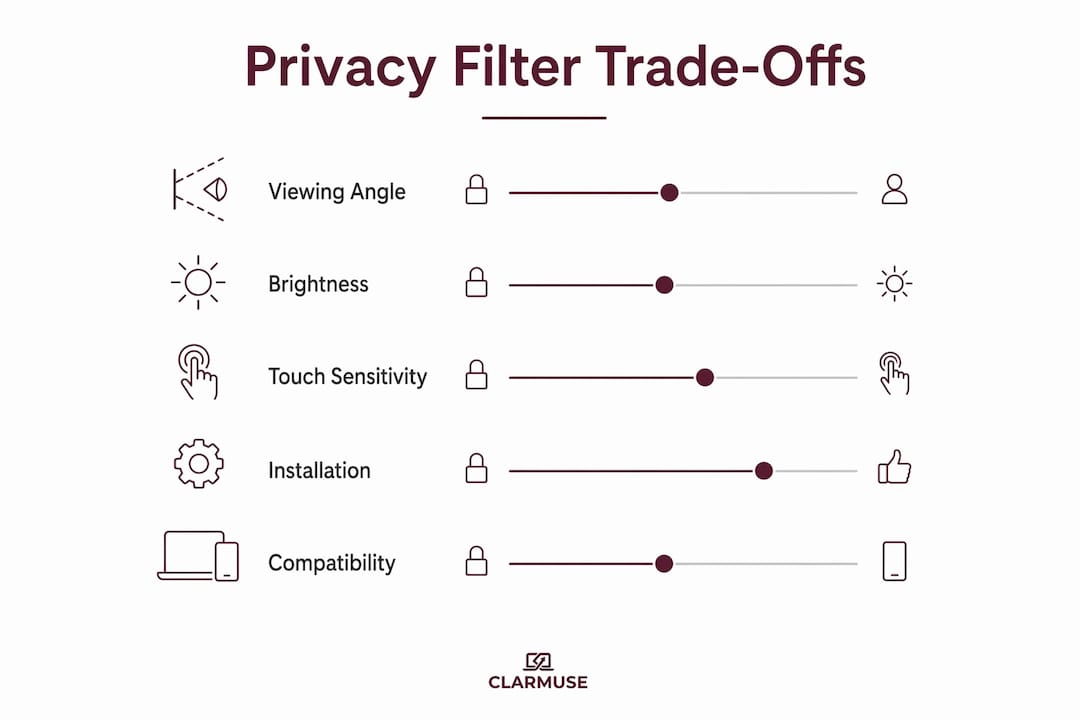
El principal inconveniente es el brillo. Los filtros de microláminas suelen reducir el brillo percibido de la pantalla en aproximadamente un 25-30 %. La mayoría de los usuarios lo compensan aumentando el brillo de la pantalla, lo que conlleva una reducción del 5-8 % en la duración de la batería con la pantalla encendida, lo que acumula aproximadamente una hora adicional de carga por semana en los dispositivos promedio. Antes de comprar, comprueba si la pantalla de tu dispositivo puede alcanzar al menos 400 nits de brillo máximo. A ese nivel, esta reducción sigue dejando la pantalla cómoda en la mayoría de los entornos interiores sin aumentar el consumo de batería a un nivel notable.
La compatibilidad con pantallas táctiles es una consideración aparte. La mayoría de las superposiciones físicas interfieren con la sensibilidad táctil capacitiva. Si tu flujo de trabajo depende de la entrada táctil, verifica explícitamente la compatibilidad con pantallas táctiles antes de comprar.
¿Qué tipos de soluciones de privacidad se adaptan a las diferentes necesidades del espacio de trabajo?
| Tipo de solución | Mejor ajuste para el espacio de trabajo | Ángulo de privacidad | Beneficio acústico | Método de fijación | Notas |
|---|---|---|---|---|---|
| Divisor / partición de escritorio | Escritorios de planta abierta, hot-desking | Amplio (barrera física) | Sí (paneles de tela) | Independiente o con abrazadera | Voluminoso; no portátil |
| Panel acrílico / de cristal | Recepción, mostradores de clientes | Amplio | Ninguno | Montado en marco | Duradero; fácil de limpiar |
| Pantalla de tela / acústica | Oficinas abiertas, salas de reuniones | Amplio | Sí | Independiente | Reduce el ruido y la exposición visual |
| Superposición de monitor (adhesivo / clip) | Estaciones de trabajo fijas | 30–60° | Ninguno | Adhesivo o clip | Menor coste; ajuste menos preciso |
| Filtro magnético para portátil | Móvil, coworking, tránsito | 30–60° | Ninguno | Magnético | Ajuste preciso; fijación/extracción rápida |
Los paneles de tela y acústicos abordan dos problemas a la vez: la exposición visual y el ruido ambiental. Para oficinas de planta abierta donde ambas son preocupaciones, son la inversión individual más eficiente. Los paneles de acrílico y vidrio son adecuados para mostradores de cara al cliente donde la durabilidad y la facilidad de limpieza importan más que el rendimiento acústico.
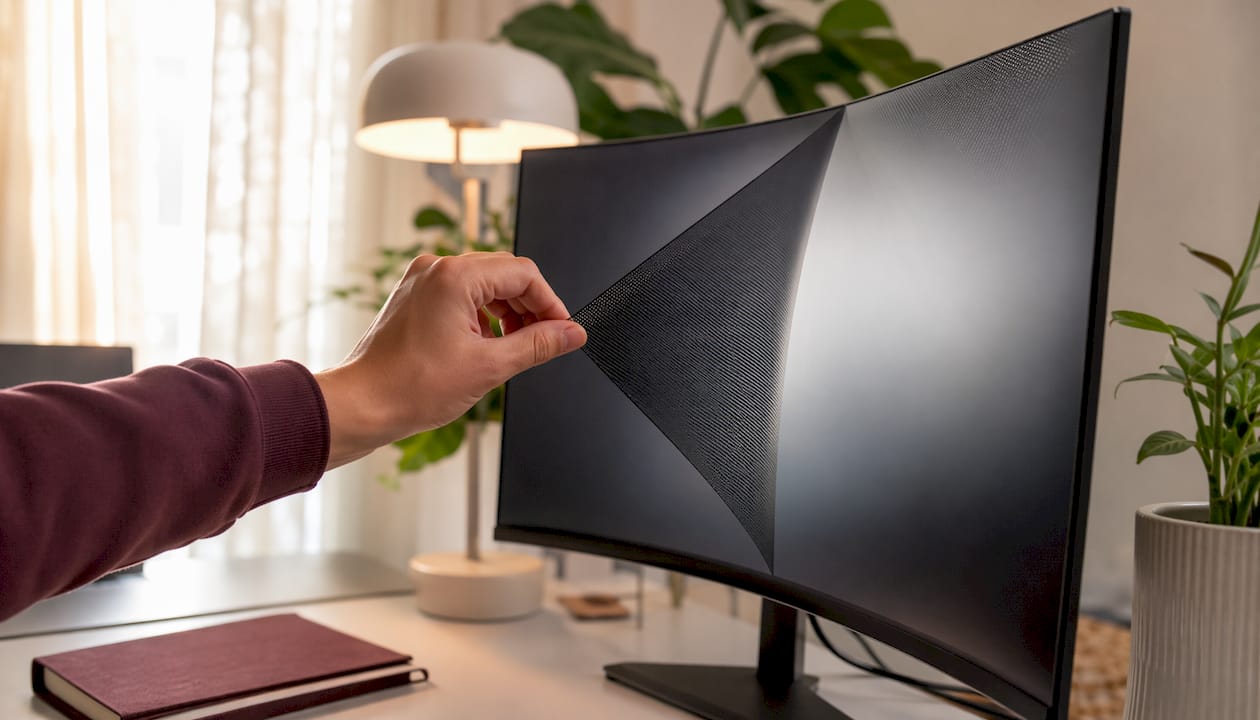
Para los usuarios de portátiles, especialmente los de MacBook, los filtros magnéticos son la opción práctica. Los accesorios magnéticos reducen la fricción y aumentan la adopción entre los profesionales que se mueven entre ubicaciones. Una superposición adhesiva en un portátil crea problemas de alineación y riesgo de daños en la superficie al retirarla. Un filtro magnético se coloca y se quita en segundos.
Cómo elegir el filtro de privacidad adecuado para tu espacio de trabajo
Responde a estas preguntas antes de realizar una compra:
- Define el propósito. ¿La necesidad principal es la privacidad visual, la concentración o ambas? Un filtro optimizado para el ángulo de máxima privacidad puede sacrificar más brillo de lo que necesita un usuario orientado a la concentración.
- Confirma la compatibilidad del dispositivo. Para los filtros de portátil, verifica el modelo exacto y el tamaño de la pantalla. Un filtro cortado para una pantalla de 15,3" no se alineará correctamente en una máquina de 14,2".
- Comprueba el ángulo de privacidad indicado. Pide el cono de visión medido en grados, no el lenguaje de marketing. Un filtro anunciado como de "alta privacidad" sin una especificación de grados es una señal de alarma.
- Evalúa la tolerancia al brillo. Si tu trabajo implica leer textos densos o revisar documentos durante horas, una reducción del brillo del 25-30% será notable, y la mayoría de los usuarios lo compensan aumentando el brillo de la pantalla, lo que lleva a una reducción del 5-8% en la duración de la batería con la pantalla encendida.
- Aclara el método de fijación. El magnético es preferible para portátiles utilizados en varias ubicaciones. El adhesivo es adecuado para monitores fijos donde la extracción es poco frecuente.
- Verifica la compatibilidad con pantallas táctiles si corresponde.
- Revisa la garantía y la política de devoluciones. Un filtro que no se ajusta correctamente al dispositivo es inutilizable. Confirma la política del proveedor para las devoluciones relacionadas con el ajuste antes de comprar.
Señales de alarma a tener en cuenta: especificaciones de privacidad vagas sin medición de grados, sin garantía de ajuste del dispositivo para las superposiciones de portátiles, pérdida de brillo superior al 35 % sin orientación de compensación, y proveedores que no ofrecen una opción de muestra o prueba para pedidos al por mayor.
Tamaño, montaje e instalación: acertar a la primera
Para las superposiciones de monitor, mide el área visible de la pantalla (no el bisel exterior) en diagonal y confirma la relación de aspecto. Un monitor de 27" 16:9 y un monitor de 27" 4:3 requieren diferentes dimensiones de filtro. La mayoría de los fabricantes publican las dimensiones exactas de sus filtros; haz que coincidan con la pantalla medida, no con el tamaño de monitor anunciado.
Para los divisores de escritorio y los paneles acústicos, mide la huella del escritorio y la altura necesaria para bloquear las líneas de visión de los asientos adyacentes. Un panel que solo llega a la altura de los hombros deja la parte superior de la pantalla visible para alguien que esté cerca.
Los filtros magnéticos para MacBooks no requieren ninguna medida más allá de confirmar el modelo. El filtro se corta a las dimensiones exactas de la pantalla del dispositivo. La fijación magnética se alinea automáticamente con el marco de la pantalla, eliminando los errores de alineación comunes con las superposiciones adhesivas.
Problemas comunes de instalación y soluciones:
- Desalineación en superposiciones adhesivas: Limpia la pantalla con un paño de microfibra antes de la aplicación. Aplica desde un borde, presionando gradualmente para evitar burbujas de aire.
- Pérdida de sensibilidad táctil: Si la entrada táctil es crítica, comprueba si el filtro está clasificado para uso con pantalla táctil. La mayoría de las superposiciones de privacidad estándar no lo están.
- Interferencia magnética: Los filtros magnéticos utilizan imanes de baja intensidad diseñados para marcos de portátiles. La interferencia con otros dispositivos no es un problema documentado para los filtros magnéticos estándar de MacBook.
Equilibrio entre privacidad visual, control acústico y etiqueta en la oficina
Un filtro de privacidad maneja una dimensión de exposición. En una oficina compartida o un espacio de coworking, el sonido suele ser el problema más grande. Las conversaciones, el ruido del teclado y el parloteo ambiental fragmentan la atención independientemente de si alguien puede ver tu pantalla.
Las configuraciones más efectivas combinan un filtro de pantalla con auriculares con cancelación de ruido y una señal visual explícita, como el uso de auriculares o un pequeño cartel en el escritorio, para indicar que el usuario está en modo de trabajo concentrado. Esa combinación aborda la exposición visual, la distracción auditiva y la señalización social que indica a los colegas que no interrumpan. La investigación sobre configuraciones de privacidad de varios componentes muestra consistentemente mejores resultados de concentración que cualquier medida única por sí sola.
La etiqueta importa en los espacios compartidos. Introducir un filtro de privacidad en un escritorio compartido puede interpretarse como excluyente si no se enmarca correctamente. Una explicación breve y neutral ("Trabajo con datos de clientes y necesito que la pantalla solo sea visible para mí") elimina la ambigüedad. Para entornos de coworking, la guía práctica sobre las normas de los espacios compartidos merece la pena revisarla antes de la implementación.
- Usa auriculares como señal combinada para períodos de trabajo profundo
- Coloca el escritorio de modo que tu espalda esté contra una pared cuando sea posible, reduciendo el número de ángulos que necesitan ser bloqueados
- Comunica el uso del filtro a los compañeros de equipo de forma proactiva para evitar malentendidos
¿Funcionan realmente los filtros de privacidad? Eficacia y limitaciones
La evidencia conductual es clara. El estudio en el mundo real encontró que los filtros redujeron los comportamientos de protección física y ampliaron el rango de tareas sensibles que los usuarios estaban dispuestos a realizar en público. Más allá de la función de bloqueo técnico, las pantallas de privacidad actúan como marcadores de límites psicológicos que reducen la ansiedad de bajo nivel por ser observado, lo que favorece una mayor concentración para muchos usuarios.
Consejo profesional: Si notas que sigues inclinando la pantalla o encorvándote sobre el teclado después de instalar un filtro, el ángulo de privacidad puede ser demasiado amplio para tu disposición de asiento. Un cono más estrecho (más cercano a los 30 grados) resuelve esto en asientos densos.
Los filtros tienen límites reales. Alguien sentado directamente enfrente de ti en una mesa estrecha todavía puede ver la pantalla con claridad. La vigilancia basada en cámaras no se bloquea. El brillo y la reproducción del color se ven afectados, lo que es importante para la edición de imágenes o la revisión de videos. Y un filtro no hace nada por la exposición acústica o los riesgos de datos a nivel de red.
Cuándo añadir medidas adicionales:
- Trasládate a una habitación cerrada para llamadas que impliquen información confidencial
- Reubica la estación de trabajo para que la pantalla mire hacia una pared en lugar de hacia un espacio abierto
- Añade controles de políticas y software de acceso remoto para flujos de trabajo de datos sensibles
- Utiliza prácticas de seguridad visual para portátiles junto con filtros físicos para un enfoque completo
Presupuesto, mantenimiento y cuándo la inversión tiene sentido
| Categoría de producto | Rango de precio típico (EE. UU.) | Ciclo de reemplazo | Factor clave del coste |
|---|---|---|---|
| Superposición de monitor (adhesivo / clip) | — | 2–3 años | Tamaño de pantalla y marca |
| Filtro magnético para portátil | — | 3–5 años | Ajuste específico del dispositivo y calidad del material |
| Divisor de escritorio / panel de tela | — | 5 años | Tamaño del panel, clasificación acústica y tipo de marco |
| Panel acrílico / de cristal | — | Más de 5 años | Grosor y herrajes de montaje |
El mantenimiento es sencillo. Limpia las superficies del filtro con un paño de microfibra seco o ligeramente húmedo. Evita los limpiadores abrasivos, que rayan la capa de microláminas y degradan el ángulo de privacidad con el tiempo. Los filtros magnéticos para portátiles se pueden quitar para limpiar sin dejar residuos de adhesivo.
El ROI es más claro para los usuarios de alta frecuencia y alta sensibilidad. Un solo incidente de exposición accidental de datos en el sector sanitario o financiero puede conllevar costes de cumplimiento que superan con creces el precio de un filtro. Para los compradores individuales, el cálculo es más sencillo: si trabajas con datos sensibles en espacios compartidos más de unas pocas veces por semana, el coste está justificado. Las guías prácticas de compra señalan constantemente que los usuarios ocasionales rara vez recuperan el inconveniente del brillo en un beneficio tangible.
Pantallas de privacidad magnéticas Clarmuse: por qué es importante el ajuste específico para MacBook
Los filtros genéricos para portátiles se cortan a tamaños aproximados. Un filtro que se anuncia como "apto para portátiles de 13 pulgadas" puede cubrir una relación de aspecto incorrecta, dejar huecos en los bordes o requerir tiras adhesivas que corren el riesgo de dañar la superficie. Las pantallas de MacBook utilizan dimensiones precisas que varían según el modelo y la generación. Un filtro diseñado para un MacBook Pro de 14,2" no es intercambiable con uno para un MacBook Air de 13,6".
Clarmuse fabrica pantallas de privacidad magnéticas con las dimensiones exactas de MacBook, con un acoplamiento magnético que se alinea con el marco de la pantalla sin adhesivo. El filtro se coloca fácilmente para el trabajo concentrado o sensible y se retira en segundos cuando se desea el brillo completo o se necesita compartir la pantalla. Para los profesionales que se mueven entre un escritorio, un espacio de coworking y el transporte en un solo día, esa velocidad de colocación y retirada es la diferencia práctica entre un filtro que se usa constantemente y uno que permanece en la bolsa.
Compatibilidad de modelos Clarmuse:
- MacBook Pro 16.2": ejecutivos y usuarios avanzados que necesitan el máximo espacio en pantalla con bloqueo de ángulo lateral
- MacBook Air 15.3": profesionales que priorizan la portabilidad sin sacrificar el tamaño de la pantalla
- MacBook Pro 14.2": la opción más común para usuarios de escritorios compartidos y espacios de coworking
- MacBook Neo 13.0": dispositivo compacto para el día a día para viajeros frecuentes y personas que se desplazan diariamente
- MacBook Air 13.6" (M2, M3, M4, M5, 2022–2026): compatibilidad multigeneracional para la configuración de MacBook Air más utilizada
Casos de uso donde el formato magnético es más rentable: viajeros frecuentes que trabajan en salas de espera de aeropuertos y en aviones, usuarios de coworking que comparten escritorios en múltiples ubicaciones, y ejecutivos que revisan documentos confidenciales en tránsito o en vestíbulos de hoteles.
Puntos clave
Los filtros de privacidad reducen la exposición visual de datos y favorecen la concentración en espacios de trabajo compartidos, pero funcionan mejor como una capa dentro de una configuración multicomponente que incluye control acústico y una señalización social clara.
| Punto | Detalles |
|---|---|
| Restricción del ángulo de visión | Los filtros de microláminas estrechan el cono de visión a 30-60 grados, bloqueando las líneas de visión laterales. |
| Compensación de brillo | Los filtros reducen el brillo percibido en aproximadamente un 25-30%, lo que conlleva una reducción del 5-8% en la duración de la batería con la pantalla encendida, o aproximadamente una hora adicional de carga por semana en la mayoría de los dispositivos. |
| Configuración multicomponente | Combinar un filtro con auriculares con cancelación de ruido y una señal visual produce mejores resultados de concentración que un filtro solo. |
| Lo mejor para roles de alto riesgo | Los profesionales de la salud, el derecho y las finanzas en espacios compartidos ven el retorno de la inversión más claro. |
| Clarmuse para usuarios de MacBook | Los filtros magnéticos Clarmuse ofrecen un ajuste específico para cada modelo y una rápida colocación/extracción para los usuarios de MacBook Air y Pro en espacios compartidos. |
El argumento a favor de la especificidad sobre la cobertura
La mayoría de los consejos sobre filtros de privacidad tratan la categoría como uniforme. No lo es. Un cono de visión de 30 grados y uno de 60 grados no son opciones intercambiables. El filtro más estrecho es la respuesta correcta para un tren abarrotado o una fila densa en un espacio de coworking. El más ancho es adecuado para una oficina privada donde se necesita compartir la pantalla ocasionalmente. Comprar sin conocer el ángulo medido es comprar a ciegas.
La penalización de brillo también se subestima constantemente en las guías de compra. Una reducción del 25-30% parece manejable hasta que estás revisando una hoja de cálculo densa durante tres horas bajo luces fluorescentes de oficina. Prueba el impacto del brillo en tu entorno de trabajo real, no en una foto de producto. Si la pantalla de tu MacBook alcanza un máximo de 300 nits, un recorte del 30% será notable. A 500 nits, el mismo recorte es cómodo.
El efecto psicológico es real y vale la pena mencionarlo. Un filtro que crea un límite visible reduce la distracción de preguntarse si la persona de al lado puede leer la pantalla. Esa reducción no es trivial para un trabajo sostenido y concentrado. Pero tampoco es un sustituto del control acústico. Los profesionales que más se benefician de los filtros de privacidad son los que los tratan como un componente de una configuración de espacio de trabajo deliberada, no como una solución independiente.
Específicamente para los usuarios de MacBook: la fijación magnética no es una característica de conveniencia. Es la diferencia entre un filtro que usas todos los días y uno que usas cuando te acuerdas de llevarlo. El ajuste preciso del modelo importa por la misma razón. Un filtro que no se alinea correctamente es una distracción, no una solución.
Pantallas de privacidad magnéticas para MacBook de Clarmuse
Clarmuse ofrece una respuesta directa para los usuarios de MacBook que trabajan en espacios compartidos y necesitan una privacidad fiable y específica para su modelo, sin añadir volumen ni complejidad a su configuración.
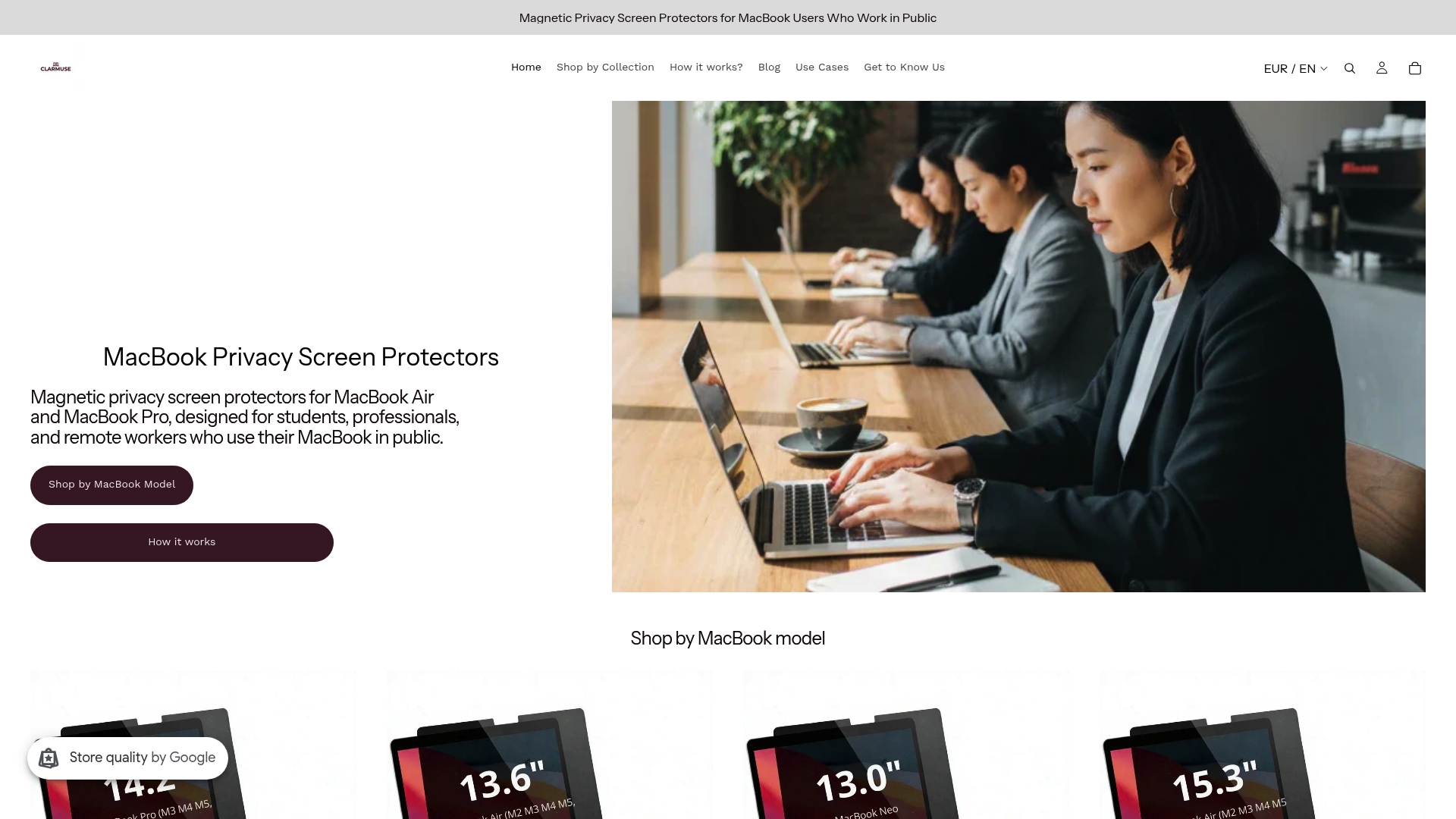
Cada filtro se corta a las dimensiones exactas de un modelo de MacBook específico, se adhiere magnéticamente en segundos y se retira con la misma rapidez cuando necesitas todo el brillo o quieres compartir tu pantalla. Sin adhesivos, sin conjeturas de alineación, sin riesgos para la superficie. La colección completa para MacBook Pro cubre los modelos Pro de 14.2" y 16.2". Los usuarios de Air pueden elegir por tamaño de pantalla y generación de chip, incluida la gama de 13.6" con M2 a M5.
Verifica tu modelo de MacBook, confirma el filtro compatible y haz tu pedido directamente en Clarmuse para obtener el ajuste adecuado para tu dispositivo.
Fuentes útiles
- Un estudio de dos semanas en el mundo real sobre filtros de pantalla y controles deslizantes de cámara para la privacidad de los teléfonos inteligentes en espacios públicos: estudio de comportamiento sobre la adopción y eficacia de los filtros de privacidad
- ¿Cómo funciona un filtro de privacidad y por qué debería tener uno? — Explicación técnica de la mecánica de las microláminas y los tipos de fijación
- Protectores de pantalla de privacidad explicados — Guía práctica de compra que incluye las desventajas del brillo y las categorías de usuarios
- El papel del diseño de privacidad en los entornos de oficina — Estudio cruzado aleatorizado sobre las características de privacidad, el estrés y el rendimiento cognitivo
- ¿Por qué debería usar una pantalla de privacidad para computadora? — Descripción general de Lenovo sobre la función y los casos de uso de la pantalla de privacidad
- Las mejores pantallas de privacidad para introvertidos — Efectos psicológicos y guía de configuración multicomponente
- Privacidad de la pantalla en espacios de trabajo compartidos explicada para usuarios de MacBook — Guía práctica para usuarios de MacBook en entornos compartidos
Preguntas frecuentes
¿Qué hace un filtro de privacidad en un espacio de trabajo compartido?
Un filtro de privacidad reduce el ángulo de visión de la pantalla a aproximadamente 30-60 grados utilizando micro-láminas, de modo que solo la persona directamente enfrente ve la pantalla con claridad. Reduce la "mirada por encima del hombro" y la exposición accidental de datos en oficinas abiertas, espacios de coworking y durante el tránsito.
¿Los filtros de privacidad realmente mejoran la concentración?
Sí, con un matiz. Los filtros reducen la distracción de bajo nivel de sentirse observado, lo que favorece una concentración más profunda para muchos usuarios. Un estudio de comportamiento encontró una reducción de los comportamientos de protección y una mayor utilización de tareas sensibles después de la adopción del filtro. Combinar un filtro con auriculares con cancelación de ruido produce mejores resultados de concentración que un filtro solo.
¿Cuál es la diferencia entre un filtro antirreflejo y un filtro de privacidad?
Un filtro antirreflejo reduce los reflejos y la interferencia de la luz ambiental, pero no restringe el ángulo de visión. Un filtro de privacidad utiliza micro-láminas para bloquear las líneas de visión laterales. Algunos filtros combinan ambas funciones, pero el ángulo de privacidad es la característica definitoria de un filtro de privacidad.
¿Cuánto brillo reducen los filtros de privacidad?
Los filtros de microláminas suelen reducir el brillo percibido de la pantalla en aproximadamente un 25-30%. La mayoría de los usuarios lo compensan aumentando el brillo de la pantalla, lo que lleva a una reducción del 5-8% en la duración de la batería con la pantalla encendida, añadiendo aproximadamente una hora extra de carga por semana en los dispositivos promedio.
¿Para qué modelos de MacBook fabrica filtros de privacidad Clarmuse?
Clarmuse fabrica filtros de privacidad magnéticos específicos para los modelos MacBook Pro de 16.2", MacBook Pro de 14.2", MacBook Air de 15.3", MacBook Neo de 13.0" y MacBook Air de 13.6", que cubren las generaciones de chips M2, M3, M4 y M5 desde 2022 hasta 2026.
Recomendado
- Privacidad de pantalla en espacios de trabajo compartidos explicada para usuarios de MacBook – Clarmuse
- Pantallas de privacidad en espacios de coworking: tu guía para 2026 – Clarmuse
- Por qué la privacidad de la pantalla aumenta el enfoque nómada en público – Clarmuse
- Filtros de privacidad para viajeros: la guía de 2026 – Clarmuse


