

Screen privacy is defined as the practice of restricting who can see your laptop screen content, using physical or software-based methods to block side-angle viewing. The screen privacy study focus explained in this guide centers on micro-louver technology, the optical mechanism behind most privacy screen protectors sold today. Visual hacking leaves no digital footprint and relies entirely on opportunity, making physical screen protection the most reliable first-line defense against it. Professionals handling personally identifiable information, medical records, or financial data face real exposure every time they open their MacBook in a café, airport, or coworking space. This guide covers how the technology works, who needs it most, what trade-offs to expect, and how to build stronger privacy habits around it.
How does screen privacy study focus on micro-louver technology?
Micro-louver technology is the core mechanism behind privacy screen protectors. Micro-louvers act like microscopic Venetian blinds built into a thin film layer. They allow light to pass straight through toward the user sitting directly in front of the screen, while blocking light that travels at any lateral angle.
The result is a 60-degree viewing cone centered on the user. Anyone sitting or standing more than 45 degrees off-axis sees a completely black screen. That blackout effect is not a dimming or blur. It is a total cutoff of visible light from that angle.
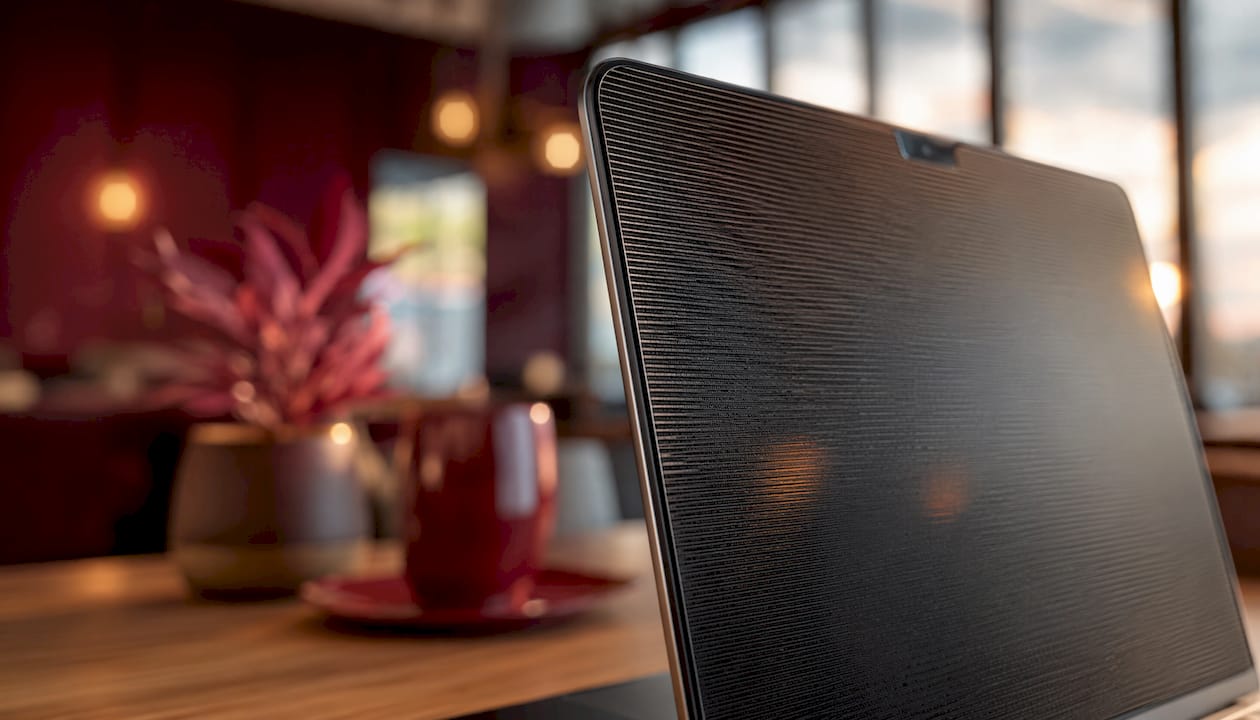
Micro-louvers intercept lateral light by physically blocking the path of photons traveling sideways through the filter. The louver walls absorb that light rather than letting it scatter. High-quality filters encapsulate this louver film between optical-grade adhesive layers and tempered glass to maintain screen flatness and image clarity for the direct viewer.
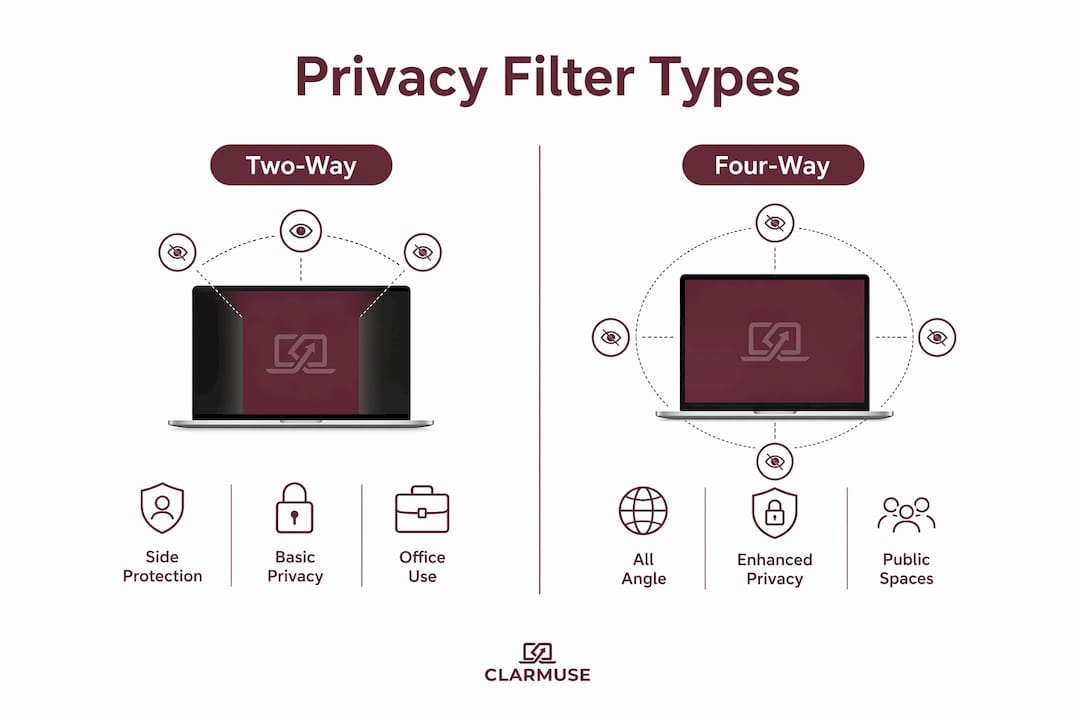
Two-way vs. four-way privacy filters
Two-way filters block visibility from the left and right sides only. They work well when your MacBook stays in landscape orientation on a desk. Four-way filters block visibility from all four sides, including above and below, which matters in crowded environments like trains or stadium-style seating.
- Two-way filters: Lower cost, effective for standard desk use, lose effectiveness if the device rotates
- Four-way filters: Block all side angles, better for high-traffic public spaces, typically priced higher
- Magnetic attachment: Lets you remove the filter instantly when you want full brightness in a private setting
Pro Tip: If you work primarily at a fixed desk or café table, a two-way filter covers most real-world risk. If you regularly use your MacBook on planes or trains with passengers beside and behind you, a four-way filter is the stronger choice.
Who benefits most from screen privacy devices?
Privacy screens are essential for professionals handling sensitive client data in public or shared spaces, and genuinely unnecessary for casual browsing. The distinction matters because privacy filters carry real trade-offs in brightness and color accuracy. Buying one without a clear use case means accepting those trade-offs for no practical gain.
The professions and settings with the highest visual hacking exposure include:
- Legal professionals reviewing case files, contracts, or client communications in shared offices or airport lounges
- Healthcare workers accessing patient records or clinical notes on portable devices outside secure facilities
- Finance and accounting professionals working with tax filings, payroll data, or investment portfolios in public
- Journalists and researchers protecting source identities or unpublished work in shared spaces
- Executives and managers reviewing confidential strategy documents, personnel files, or acquisition data while traveling
Settings that carry the highest shoulder-surfing risk are public transit, airport terminals, open-plan offices, hotel lobbies, and cafés. These environments combine high foot traffic with close physical proximity, which gives opportunistic viewers easy sightlines to your screen. The importance of screen privacy in these spaces is not theoretical. Visual hacking is a constant, practical risk wherever sensitive data appears on an unprotected screen.
For casual users watching videos, browsing social media, or writing personal emails, the risk profile is low. A privacy filter in that context adds friction without meaningful security benefit.
What are the trade-offs of using a privacy screen?
Privacy screen protectors reduce screen brightness by 25–30% as a direct result of the micro-louver film absorbing lateral light. That reduction is significant enough that most users raise their MacBook’s brightness setting to compensate. That compensation carries a cost: battery life drops by an estimated 5–8% due to the higher display power draw.
Color accuracy also shifts slightly with most louver-based filters. Reds and greens can appear marginally warmer or cooler depending on the filter quality. For graphic designers or photo editors who need precise color rendering, this is a genuine limitation. For most professionals reviewing documents or spreadsheets, the shift is barely noticeable.
Privacy screens cannot stop software-based screen recording, remote desktop capture, or malware that grabs screenshots. The filter only blocks what bystanders can see with their eyes. A layered security approach still requires endpoint protection software, strong access controls, and encrypted storage alongside any physical filter.
Practical ways to manage the brightness trade-off:
- Set your MacBook to auto-brightness so the display adjusts based on ambient light rather than running at a fixed high level
- Use True Tone where available to maintain color balance despite the filter’s optical effect
- Reduce screen timeout to 1–2 minutes when working in public to limit exposure during breaks
- Check your public laptop security habits regularly to catch gaps that a filter alone cannot cover
How to maintain screen privacy in public spaces
Behavioral habits reduce visual hacking risk as much as physical hardware does. The most effective approach combines both. Sitting with your back against a wall removes the largest threat vector: anyone positioned behind you. Choosing corner seats in cafés or window seats on trains limits the number of angles from which your screen is visible.
A periodic quick-glance check of your surroundings is a low-effort habit with real impact. Glancing left and right every few minutes lets you spot anyone who has moved into a sightline. Seating with back to a wall and limiting sensitive tasks in public are the two behavioral changes that most reduce shoulder-surfing risk.
Software settings that complement a physical filter:
- Screen timeout: Set to 1 minute of inactivity. A locked screen is invisible to bystanders.
- Focus mode: Use macOS Focus to hide notification previews that flash sensitive content on screen.
- Reduced transparency: Turn off transparency effects in System Settings to prevent content from bleeding through UI layers.
- Hot corner lock: Assign a screen lock to a hot corner so you can lock instantly by moving your cursor.
- Webcam cover: A physical webcam cover prevents visual access through the camera, which is a separate but related exposure point.
Pro Tip: Treat screen privacy as a layered system. A physical filter handles bystanders. Software settings handle accidental exposure. Behavioral habits handle the gaps both leave open. No single tool covers all three.
The screen privacy benefits for remote workers extend beyond personal data protection. Employers in regulated industries increasingly treat privacy filters as a reasonable confidentiality measure, not an optional accessory. Combining a quality filter with the behavioral steps above puts you well ahead of the baseline. For MacBook users specifically, visual security in public spaces requires hardware that fits the machine precisely, since gaps around the screen edge create visible angles that undermine the filter’s effect.
Remote work environments carry their own compliance considerations. AI security in remote work contexts increasingly flags visual hacking as a non-technical threat that technical controls alone cannot address.
Key Takeaways
Physical privacy screens remain the most reliable defense against visual hacking in public spaces, but they work best when combined with behavioral habits and software settings that close the gaps louver technology cannot cover.
| Point | Details |
| Micro-louver mechanism | Blocks side-angle light beyond 45 degrees, creating a total blackout for bystanders. |
| Who needs a filter | Professionals in law, healthcare, and finance face the highest real-world visual hacking risk. |
| Brightness trade-off | Expect a 25–30% brightness reduction and a 5–8% battery life decrease with most filters. |
| Software limits | Privacy filters do not block screen recording software or remote capture tools. |
| Layered defense | Combine a physical filter, software settings, and behavioral habits for full coverage. |
Screen privacy in 2026: what I’ve learned from working in public
The conversation around screen privacy has shifted noticeably over the past few years. When I first started paying attention to visual hacking risks, most people treated it as a niche concern for intelligence officers or corporate lawyers. That framing is now clearly wrong.
Open-plan offices, hybrid work schedules, and the normalization of working from cafés and airports have put sensitive data in front of far more casual observers than anyone anticipated. I’ve watched people review salary spreadsheets on crowded subway cars and open patient intake forms in airport lounges without a second thought. The exposure is real, and it happens constantly.
What I find underappreciated in most screen privacy research is the behavioral side. A privacy filter on a MacBook with a two-minute screen timeout and a wall-facing seat is dramatically more effective than a filter used carelessly in the center of a busy café. The technology is only as strong as the habits around it.
The trade-offs in brightness and battery life are real but manageable. Most professionals adjust within a day or two. The bigger friction point is remembering to attach and remove the filter consistently, which is exactly why magnetic attachment matters more than most buyers realize before they try it.
My honest view: if you handle any data that would cause professional or legal consequences if seen by the wrong person, a privacy filter is not optional. The cost of one incident far exceeds the cost of the filter.
— Gabriel
Clarmuse magnetic privacy screens for MacBook users
Clarmuse builds magnetic privacy screen protectors specifically for MacBook Air and MacBook Pro models. The magnetic attachment means the filter goes on and comes off in seconds, with no adhesive residue and no tools required.
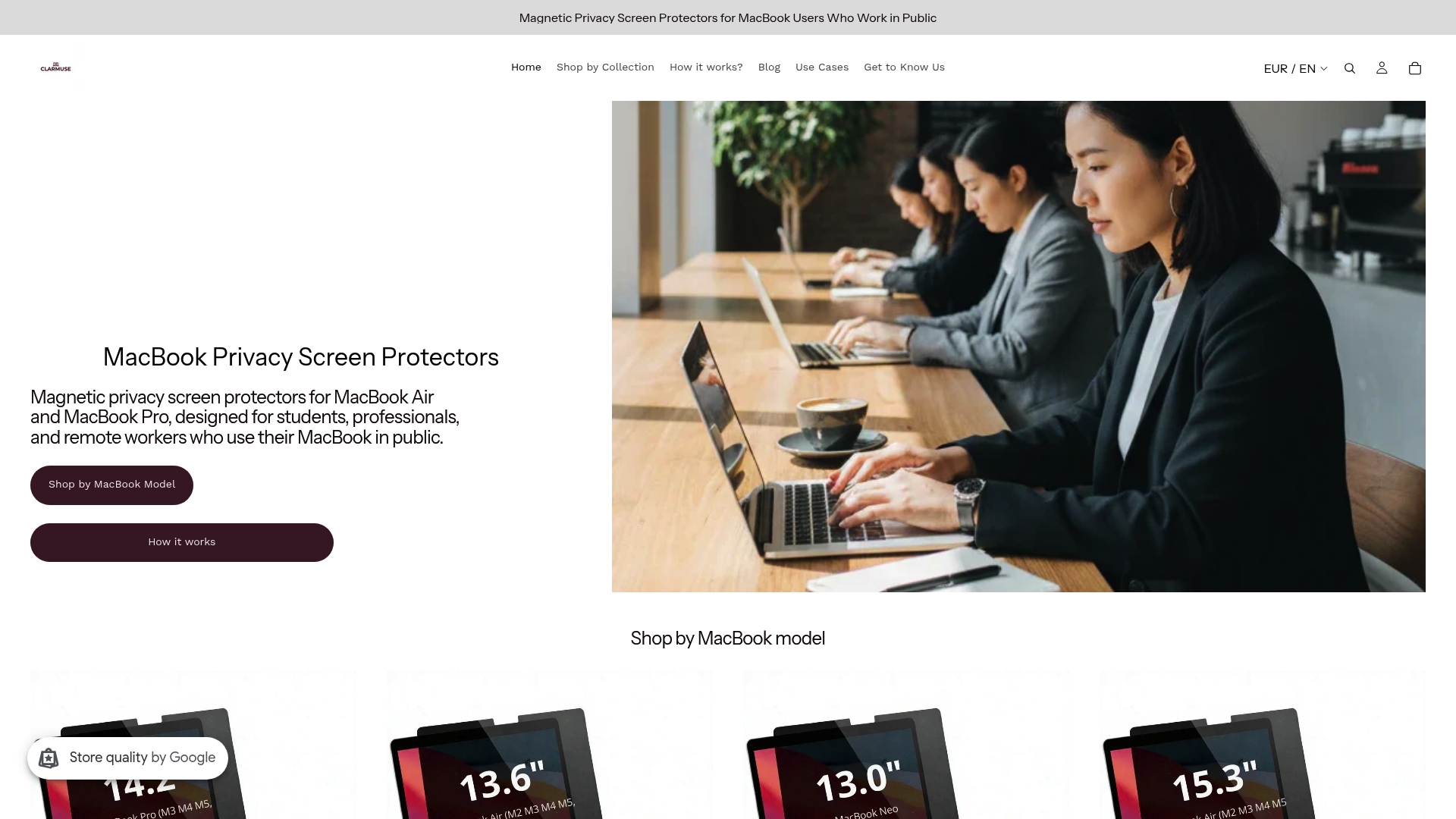
Each Clarmuse filter uses micro-louver film to restrict side-angle visibility while keeping the screen clear and readable for the person sitting directly in front of it. Models are sized precisely for specific MacBook dimensions, so there are no gaps at the screen edges that would let side viewers see around the filter. Options include the MacBook Pro 16.2" filter, the MacBook Air 13.6" filter for M2 through M5 models, and the MacBook Air 15.3" filter for larger-screen users. The full range of MacBook Pro privacy screens covers additional sizes for professionals who need a model-specific fit.
FAQ
What is micro-louver technology in privacy screens?
Micro-louver technology uses microscopic vertical structures embedded in a filter film to block light traveling at side angles. The result is a 60-degree viewing cone centered on the user, with a complete blackout beyond 45 degrees off-axis.
Do privacy screens affect MacBook battery life?
Privacy screen protectors reduce screen brightness by 25–30%, which causes most users to raise their display brightness to compensate. That adjustment reduces battery life by an estimated 5–8%.
Can a privacy screen stop screen recording software?
Physical privacy filters only block what bystanders can see with their eyes. They do not prevent software-based screen recording, remote desktop capture, or malware that takes screenshots.
Who needs a privacy screen most?
Professionals in law, healthcare, finance, and journalism who regularly work with sensitive client data in public or shared spaces benefit most. Casual users with low-sensitivity content face minimal risk that would justify the brightness trade-off.
What is the difference between two-way and four-way privacy filters?
Two-way filters block left and right side views only, making them effective for standard desk use. Four-way filters block all four angles including above and below, which is better for crowded environments like planes or trains.


