

Not every business class seat protects your screen equally. Business class screen privacy explained properly goes beyond lie-flat beds and wider seats. It covers seat geometry, physical partitions, sliding doors, display technology, and the accessories you carry onto the plane. Professionals who open a MacBook at 35,000 feet face the same shoulder-surfing risks they do in a coffee shop, sometimes more so, because cabin lighting is low and neighbors sit close. This article breaks down what actually protects your screen in business class and what you need to do when the cabin design falls short.
Table of Contents
- Key Takeaways
- Physical privacy features in business class cabins
- Technology-driven screen privacy onboard
- Comparing top business class cabin privacy
- Practical tips for improving screen privacy on flights
- My take on what screen privacy actually requires
- Protect your screen with Clarmuse
- FAQ
Key Takeaways
| Point | Details |
|---|---|
| Seat layout determines base privacy | 1-2-1 and staggered configurations give each passenger direct aisle access and physical separation from neighbors. |
| Suite doors add meaningful protection | Full-height sliding doors in cabins like ANA THE Room and Cathay Pacific Aria Suite block lateral sightlines to your screen. |
| Micro-louver filters protect your display | Privacy screen technology narrows viewing angles so only the person seated directly in front of the screen can see content. |
| Airline privacy varies significantly | Qatar Qsuite, ANA THE Room, and similar products offer far more screen isolation than older 2-2-2 or angled layouts. |
| Carry your own screen protector | Cabin design alone is not enough. A magnetic privacy filter for your MacBook closes the gap no seat can cover. |
Physical privacy features in business class cabins
Most travelers assume business class means automatic privacy. The reality is more complicated. The seat configuration matters enormously, and not all layouts deliver the same level of visual isolation for your laptop screen.
The shift that changed everything is the near-universal adoption of 1-2-1 staggered and reverse herringbone layouts on long-haul routes. Lufthansa’s 2026 A380 overhaul removed its older 2-2-2 seating to reduce seat count and give every passenger direct aisle access with a higher degree of physical separation. That means no one is climbing over you, and no one is sitting close enough to read your screen from the side without effort.
Physical partitions and adjustable divider screens between neighboring seats add another layer. Most modern cabins include a fixed or sliding partition on the aisle side and a shared divider that can be raised or lowered between seat pairs. Raised dividers block the angle a neighbor would need to see your screen. But they are not perfect. They stop at shoulder height on many aircraft, which still leaves your display visible to someone walking the aisle or standing nearby.
The real leap forward in business class privacy features comes from full-enclosure suite designs. American Airlines’ Flagship Suite and Cathay Pacific’s Aria Suite both offer sliding doors and seven-foot flat beds, creating a genuinely enclosed personal space. When the door is closed, lateral sightlines to your screen are blocked from virtually every angle outside the suite.
One critical detail that gets overlooked: some sliding suite doors do not extend fully to the floor, leaving gaps at the bottom that affect both visual and acoustic privacy. If you are reviewing sensitive documents, that gap matters.
Key physical features to look for when booking:
- Full-height sliding doors (not partial panels)
- High side walls above shoulder height
- Forward-facing or inward-angled seat orientation
- Fixed aisle partition rather than open aisle exposure
- Individual overhead lighting that does not spill into neighboring suites
Pro Tip: When selecting a seat on a 1-2-1 layout, choose a window seat facing the fuselage rather than the aisle. Your screen faces the wall, not the cabin, which removes the primary sightline risk entirely.
Technology-driven screen privacy onboard
Physical cabin design sets the stage. The technology in and around your screen determines whether your data is actually protected.
The foundation of laptop screen privacy is the micro-louver filter. Privacy filters work by blocking side viewing angles through a layer of microscopic vertical louvers, similar in principle to window blinds. Anyone sitting to your left or right sees a darkened or blacked-out display. Only someone positioned directly in front of the screen sees content clearly. This technology has been available as a clip-on accessory for years, but the format matters as much as the function.
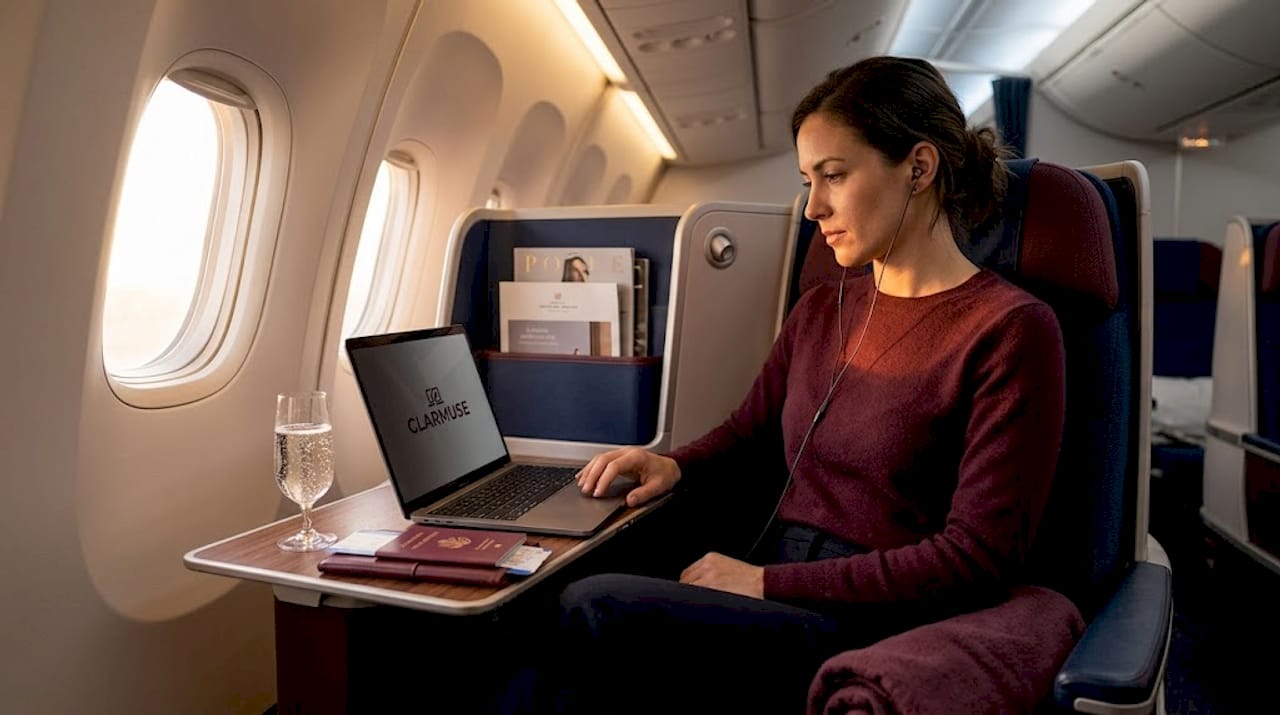
The more significant development is built-in privacy display technology. Integrated in-cell privacy screens in laptops like the Surface Laptop for Business 8 allow users to toggle a narrow viewing angle with a single button press. No clip-on filter, no installation, no forgetting it at home. This is where high-end business laptops are heading, and it is a meaningful upgrade for anyone who regularly works in shared spaces.
Here is how the main options compare:
| Privacy screen type | Viewing angle protection | Convenience | Screen brightness impact | Best for |
|---|---|---|---|---|
| Clip-on filter | High | Low (fragile, easy to lose) | Moderate reduction | Occasional travelers |
| Magnetic filter (MacBook-specific) | High | High (quick attach/detach) | Low reduction | Frequent travelers |
| Built-in in-cell display | High | Very high (button toggle) | Minimal | Premium laptop users |
| No filter | None | N/A | None | Low-risk environments only |
On the inflight entertainment side, 4K OLED screens from systems like Panasonic’s Astrova deliver high contrast and accurate color regardless of viewing angle. This is the opposite of what you want for privacy. Vibrant, wide-angle OLED displays are designed to be seen clearly from off-axis positions, which is great for watching films but means a seatmate can see your IFE screen clearly. For your laptop, you want the opposite: a narrow viewing cone that collapses to black from the sides.
Bluetooth audio completes the picture. Air France and Cathay Pacific business class include Bluetooth audio alongside noise-reducing headphones, which keeps your audio from broadcasting into neighboring suites and contributes to the overall sense of contained, private work.
Pro Tip: Privacy filters reduce screen brightness slightly, particularly in clip-on form. Boost your display brightness one or two notches after applying a filter to maintain comfortable readability without eyestrain on long flights.
Comparing top business class cabin privacy
Not all flagship cabins are equal. The gap between the most private and the least private business class product is larger than most travelers expect.
ANA’s THE Room currently sets the benchmark. Each suite has full-height sliding doors, a 24-inch 4K monitor, wireless charging, and Bluetooth audio. When the door is closed, the suite functions as a self-contained workspace. Your laptop screen faces an enclosed wall, not an open cabin aisle.
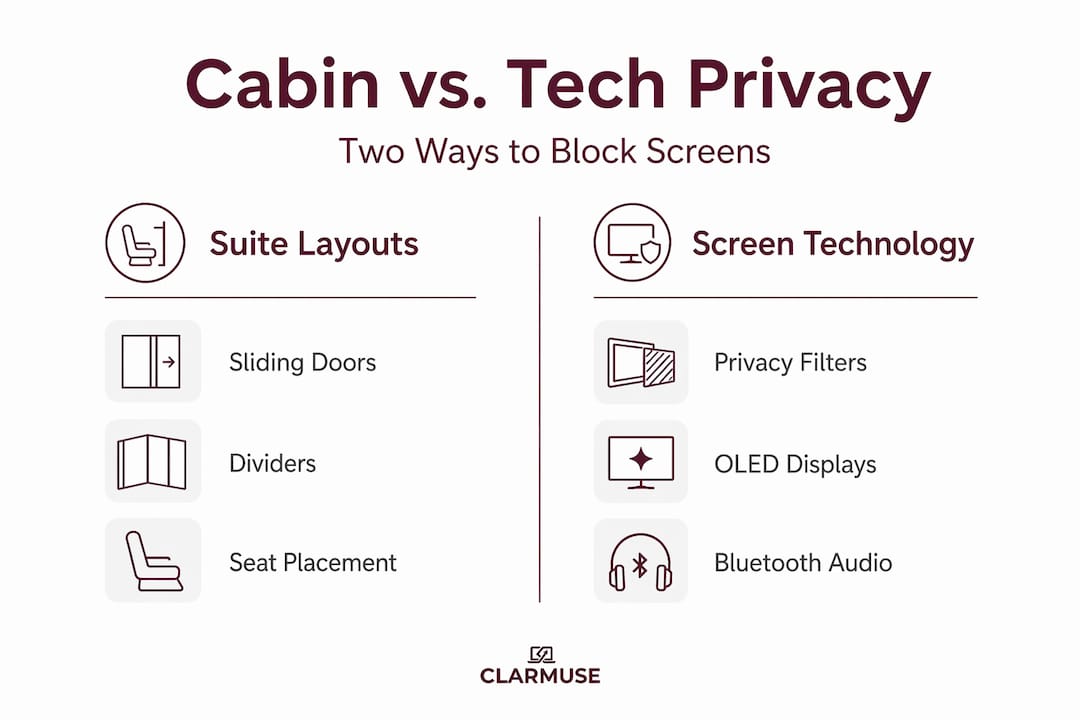
Qatar Airways’ Qsuite Next Gen takes a different approach with motorized sliding 4K OLED screens and improved privacy walls. The modular configuration allows solo or paired use, and the suite walls are tall enough to block most lateral sightlines. The motorized screen is an interesting dual-use feature: it works as an IFE panel and as an additional privacy divider.
| Airline and cabin | Suite door | Screen size and type | Bluetooth audio | Privacy wall height |
|---|---|---|---|---|
| ANA THE Room | Full-height sliding | 24-inch 4K monitor | Yes | Full enclosure |
| Qatar Qsuite Next Gen | Full sliding with motorized screen | 4K OLED | Yes | High |
| Cathay Pacific Aria Suite | Sliding door | 18-inch HD | Yes | High |
| Air France Business | Partial partition | 16-inch HD | Yes | Mid-height |
| Standard 1-2-1 herringbone | None | Varies | Varies | Shoulder height |
A few observations worth noting:
- Full sliding doors are not universal even in premium cabins. Always verify the specific aircraft and seat configuration on your route before booking.
- Motorized privacy panels in the Qsuite serve a dual purpose as both screens and dividers, which is a genuinely useful design decision.
- Mid-height partitions with no door mean a passing crew member or aisle passenger can see your laptop screen from the aisle at a steep angle.
True business class privacy now depends more on suite designs with sliding doors than on traditional seating layouts alone. A flat-bed seat in a 1-2-1 layout without a door is more private than a 2-2-2 seat, but it is not a suite.
Practical tips for improving screen privacy on flights
Cabin design gives you a starting point. What you do inside that space determines the actual outcome for your screen privacy. These steps apply whether you are in a fully enclosed suite or a standard business class seat.
- Orient your screen away from the aisle. Window seats on most 1-2-1 layouts place you facing the fuselage. In that position, your screen faces the wall and is only visible to someone directly behind you, which is rarely an issue.
- Tilt your screen forward. A screen angled between 90 and 100 degrees from horizontal dramatically reduces what someone walking the aisle can see. Most people open their laptops too wide.
- Apply a magnetic privacy filter before boarding. Clip-on privacy filters can be inconvenient and fragile, making magnetic screen protectors the better choice for frequent travelers. Attach it in the lounge or at your gate before you sit down.
- Use Bluetooth noise-canceling headphones you own. Airline-provided headphones are collected before landing, sometimes well before descent. Carrying your own keeps auditory privacy intact throughout the flight.
- Pack a matte laptop stand or lap desk. On night flights with low cabin lighting, screens reflect more visibly. A slightly raised screen with your privacy filter applied reduces reflection and off-axis visibility simultaneously.
- Close sensitive documents before reaching for drinks or food. Crew interaction is the most common moment professionals forget to protect their screen.
Pro Tip: For MacBook users, check out privacy tips specific to travelers before your next trip. The risks in a business class cabin are similar to those in a café, just at altitude.
My take on what screen privacy actually requires
I’ve spent a lot of time watching how professionals use their laptops in business class, and the pattern is consistent. People pay for suite cabins expecting privacy and then open their screens without a filter, tilt them wide open, and work on sensitive data as if they were in a private office.
The physical cabin gives you geometry. It reduces the number of angles from which your screen is exposed. But it does not eliminate them. A full-enclosure suite with a sliding door is about as good as cabin design gets right now. Even then, the door gaps, crew movements, and your own seat recline position can create unexpected sightlines you have not accounted for.
What I’ve learned is that privacy in 2026 is multidimensional. It combines physical design, digital tools, and personal habits. Airlines are doing their part. The suite cabins that have come to market in the past few years represent a genuine shift in what business class means for working travelers. But the missing piece is almost always the device itself.
A MacBook with no privacy filter is a liability in any shared space, including a premium cabin at 35,000 feet. The micro-louver filter costs a fraction of a business class ticket and closes the gap the cabin cannot cover. That is not a coincidence. It is a productivity and security decision that frequent travelers should be making proactively, not after someone has already seen their screen.
— Gabriel
Protect your screen with Clarmuse
Working in business class is more private than economy. It is rarely private enough on its own.
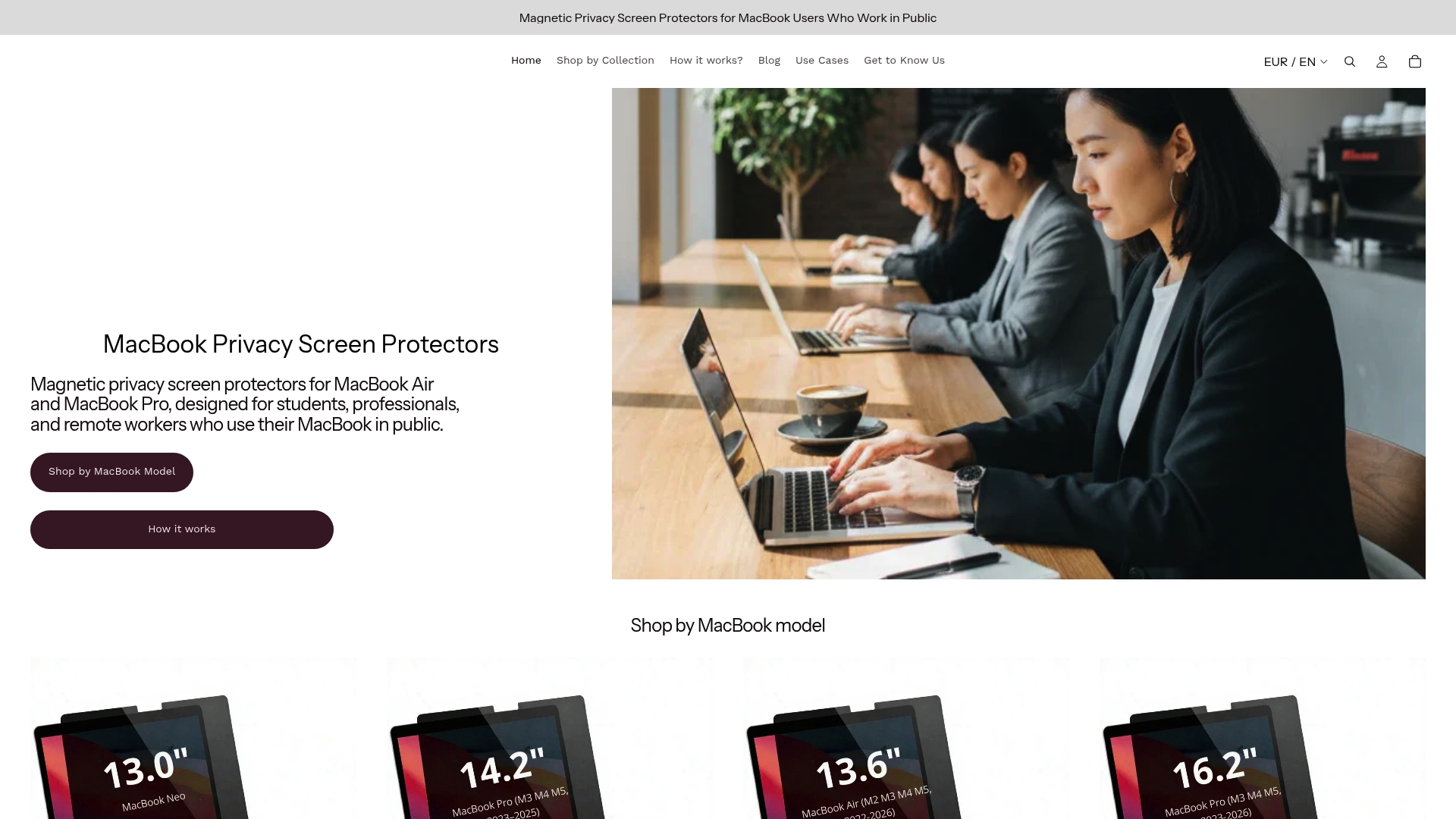
Clarmuse builds magnetic privacy screen protectors designed specifically for MacBook Air and MacBook Pro models. The fit is exact, the attachment is magnetic, and the filter is on or off in seconds. No adhesive, no clips, no bulk. You attach it before boarding and detach it when you land. The micro-louver technology narrows your viewing angle so anyone sitting beside you sees nothing but a dark screen, regardless of whether your suite door is open or closed. For the MacBook Pro 14.2-inch specifically, Clarmuse’s dedicated screen protector is precision-cut for that exact display. Pair it with the right seat, the right cabin, and you have privacy that actually holds up.
FAQ
What is business class screen privacy?
Business class screen privacy refers to the combination of physical cabin design, seating layout, and screen filtering technology that limits who can see your laptop display during a flight. It covers both the airline’s suite partitions and the accessories you use on your device.
Do business class suites actually block your laptop screen from view?
Full-enclosure suites with sliding doors like ANA THE Room significantly reduce lateral sightlines to your screen. However, door gaps and aisle exposure mean a privacy filter on your device is still recommended for complete protection.
How do privacy screen filters work on laptops?
Privacy filters use micro-louver technology to restrict the viewing angle of your display to roughly 30 degrees on each side. Anyone outside that cone sees a darkened screen, while you see the display normally from straight ahead.
Which airlines offer the best screen privacy in business class?
ANA THE Room, Qatar Airways Qsuite Next Gen, and Cathay Pacific Aria Suite currently offer the strongest combination of physical enclosure, high privacy walls, and tech features like Bluetooth audio that together protect your screen and your work.
Is a magnetic privacy filter better than a clip-on for travel?
Magnetic filters attach and detach in seconds without tools, adhesive, or risk of scratching your display. For frequent travelers, they are more practical and durable than traditional clip-on filters, which are easier to lose and more likely to flex or crack in a bag.


