

The most practical approach for MacBook users in open or shared spaces is a two-layer setup: a model-specific magnetic privacy screen for side-angle protection, paired with a desk-level shield matched to your environment. The magnetic filter handles screen peeking. The desk panel handles visual separation and, depending on material, some acoustic buffering during calls.
Here is what that looks like in practice:
- Screen layer: A magnetic privacy screen sized to your exact MacBook model (Pro 16.2", Pro 14.2", Air 15.3", Air 13.6", or Neo 13.0") attaches and removes in seconds with no tools.
- Desk layer: A portable foldable shield or lightweight pop-up for cafés and travel; a clamp-on or surface-mounted acoustic panel for coworking desks or library study pods.
- Priority order: Get the screen protector first. Desk panels alone won’t stop side-angle viewing of a laptop screen.
Table of Contents
- What desk privacy solutions exist for open workplaces?
- How do you pick the right desk privacy solution?
- Why MacBook users need a model-specific privacy screen
- Desk-mounted panels and acoustic options: what actually matters
- Portable setups for cafés, libraries, and travel
- What to measure and check before you buy
- Care, cleaning, and public-space etiquette
- Key Takeaways
- The case for screen-first privacy design
- Clarmuse magnetic privacy screens: model-specific fit, ready to ship
- Useful sources and further reading
- FAQ
What desk privacy solutions exist for open workplaces?
Desk privacy solutions for open workplaces fall into five categories. Knowing which category fits your task saves time and money.
- Magnetic privacy screen protectors: Model-specific filters that attach to your MacBook lid via magnets. They narrow the viewing angle so only the person sitting directly in front can see the screen. No desk modification required.
- Desk-mounted privacy panels: Rigid or semi-rigid screens that clamp, slip, or surface-mount to a desk edge. Common widths run 21"–72", heights 11"–28". They create a visual barrier between workstations.
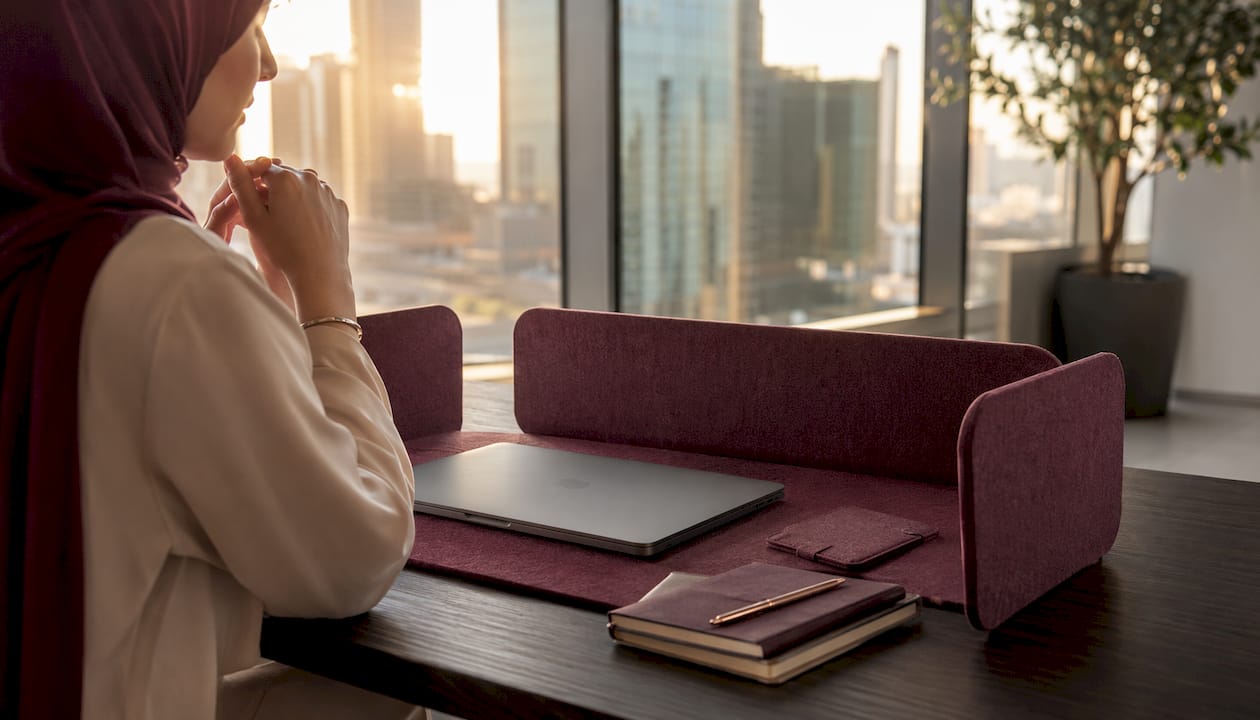
- Acoustic panels and pinnable felt screens: PET felt or polyester fiber panels that absorb sound while providing a visual boundary. Many are tackable for notes. NRC ratings around 0.85 are common on professional-grade options.
- Portable hoods, pop-up tents, and foldable shields: Instant, tool-free privacy for cafés and travel. They set up in under a minute and pack flat.
- Hybrid panels: Tackable or whiteboard surfaces that double as productivity tools. Some include integrated whiteboards and install without tools using edge clips that fit surfaces up to 1" thick.
How do you pick the right desk privacy solution?
Steelcase’s workplace privacy research frames the decision well: effective privacy design balances enclosed, shielded, and open spaces rather than simply adding walls. Match the solution to the task.
By task:
- Focused solo work calls for visual separation. A desk panel or magnetic screen filter is enough.
- Sensitive phone or video calls need both visual and acoustic shielding. A felt acoustic panel plus a magnetic screen filter covers both.
- Collaborative meetings need open sightlines. Skip the panel entirely.
By location:
- Cafés: portable, non-damaging options only. No clamps on shared furniture.
- Libraries: low-profile or pinnable panels; freestanding lightweight options work well in study pods.
- Coworking spaces: clamp-mount or surface-mount panels are usually permitted. Check the space’s furniture policy first.
Budget ranges by category:
| Category | Typical price range |
|---|---|
| Magnetic privacy screen protector | $30–$80 |
| Portable foldable shield | $30–$80 |
| Clamp-mount acoustic panel | $90–$280 |
Pro Tip: PET felt panels offer a softer aesthetic and better sound absorption than rigid polycarbonate screens. If you work in a noisy coworking space and make frequent calls, the acoustic difference is worth the extra cost.
Why MacBook users need a model-specific privacy screen
Screen-level peeking is the most common privacy failure in public spaces, and a generic privacy filter rarely fits a MacBook well. Gaps at the edges let light bleed and reduce the filter’s effectiveness. Model-specific magnetic screens sit flush against the display bezel, covering the full panel area.
Clarmuse makes magnetic privacy screens for the following MacBook models:
- MacBook Pro 16.2"
- MacBook Air 15.3"
- MacBook Pro 14.2"
- MacBook Neo 13.0"
- MacBook Air 13.6" (M2, M3, M4, M5 2022–2026)
Each filter narrows the horizontal viewing angle so that anyone seated to your side sees a darkened screen. The person directly in front sees full image quality. Attach and remove in seconds. No adhesive, no residue.
When a screen alone is not enough, add a desk-level shield. Shared workspace screen privacy for MacBook users works best when both layers are active during calls or sensitive document work.
Pro Tip: If you use a protective case or sleeve on your MacBook, confirm the case thickness does not push the lid away from the magnetic attachment points. Most slim cases are fine; bulkier rubber cases may need testing before you commit.
Desk-mounted panels and acoustic options: what actually matters
Mount type determines whether a panel fits your desk. Measure desk thickness at the clamp point before ordering. Most professional clamp mounts fit a range of typical desk thicknesses; measuring your desk is recommended before ordering… Buying a panel and discovering your desk edge is 1.6" thick is the most common installation mistake.
Material trade-offs:
- PET felt and polyester fiber: High NRC values, softer look, absorbs sound. Acoustic PET felt products use organic shapes to avoid the boxy cubicle appearance while keeping open plans feeling collaborative.
- Hard polycarbonate or rigid board: More durable, easier to wipe clean, but minimal acoustic benefit.
- Modular partition systems: Higher NRC performance (up to 0.90 in larger configurations), configurable widths, but heavier and more permanent than single-desk panels.
Single-desk panels reduce reverberant noise and define a personal zone without requiring room-wide changes. Think of them as a micro-environment within the open plan, not a soundproof booth.
For aesthetics, favor rounded or organic profiles and neutral or muted color palettes. They integrate into modern coworking spaces without drawing attention.
Portable setups for cafés, libraries, and travel
Portable privacy options prioritize setup speed and packability over acoustic performance. That trade-off is acceptable when you move between locations daily.
- Magnetic attachable shields and foldable hoods: No tools, no clamps. Set up in under a minute. Portable magnetic and foldable shields are the standard choice for hoteling and frequent travel.
- Freestanding lightweight pop-ups: Work on any flat surface. No desk modification. Useful in hotel rooms where clamping to furniture is not an option.
- Seat-back shields: Clip to the back of a chair to block rear sightlines. Compact and easy to carry.
Pack privacy accessories in a slim sleeve alongside your MacBook. Most foldable shields fit in a standard laptop bag without adding significant bulk.
Pro Tip: During video calls in a café, position your portable shield behind the MacBook screen, not in front of it. This blocks the view from behind you without obstructing your own sightline. Check your camera angle in the preview before the call starts.
For more on portable workspace privacy options and how to choose between them, Clarmuse covers the topic in detail.
What to measure and check before you buy
- Measure your MacBook display diagonal. Match it to the exact model number on the privacy screen product page.
- Measure desk thickness at the intended clamp point. Confirm the clamp range covers your desk (typical range: 0.4"–1.4").
- Check hinge clearance. A thick case or sleeve can prevent magnetic screens from sitting flush.
- Decide whether you need acoustic performance. If yes, look for NRC ratings (0.85 is a solid benchmark for single-desk panels).
- Set a budget. Screen-only solutions run $30–$80. Adding a clamp-on acoustic panel brings the total to $90–$280 depending on panel quality.
| What to measure | Why it matters |
|---|---|
| MacBook display diagonal | Confirms model-specific screen protector fit |
| Desk thickness at clamp point | Prevents incompatible mount purchases |
| Hinge clearance / case thickness | Ensures magnetic screen sits flush |
| NRC rating of panel | Sets realistic acoustic expectations |
Care, cleaning, and public-space etiquette
Cleaning:
- Wipe magnetic privacy screens with a dry microfiber cloth. Use a manufacturer-recommended cleaner for smudges. Avoid abrasive cloths.
- Spot-clean felt panels with a mild detergent and a damp cloth. Let them dry fully before reattaching.
Storage:
- Carry magnetic screens in a slim sleeve to prevent scratches.
- Store foldable panels flat when possible to maintain shape.
Public-space etiquette:
- Position panels so they do not block shared sightlines or communal walkways.
- Remove clamp-on hardware when leaving a temporary desk. Leaving clamps on shared furniture is inconsiderate and may violate coworking space policies.
- Keep panels and accessories free of personal notes or documents when packing up in public. MacBook setup tips for shared spaces include a full checklist for secure pack-up.
Good workplace communication strategies also help: a visible privacy panel signals focus time to colleagues without requiring a verbal request.
Key Takeaways
A model-specific magnetic privacy screen is the single most effective first step for MacBook users working in open or shared spaces, and a desk-level panel adds the acoustic and visual separation that a screen filter alone cannot provide.
| Point | Details |
|---|---|
| Screen layer first | Buy the magnetic privacy screen matched to your exact MacBook model before adding any desk panel. |
| Match desk solution to location | Use portable foldable shields for cafés; clamp-on or pinnable acoustic panels for coworking and libraries. |
| Measure before ordering | Confirm MacBook display size and desk thickness (typical clamp range: 0.4"–1.4") before purchasing mounts. |
| Acoustic panels add real value | PET felt panels with NRC ratings around 0.85 reduce reverberant noise and define personal zones in open plans. |
| Clarmuse for screen-layer fit | Clarmuse magnetic privacy screens are available for MacBook Pro 16.2", Pro 14.2", Air 15.3", Air 13.6", and Neo 13.0". |
The case for screen-first privacy design
The conventional advice on open-office privacy focuses almost entirely on desk panels and acoustic partitions. That framing misses the most immediate vulnerability for laptop users: the screen itself. A well-specified acoustic panel does nothing for the person seated diagonally behind you at a café who can read your email as clearly as you can.
Screen-first is the correct priority order. A magnetic privacy filter costs less than most desk panels, installs in seconds, and travels with you. The desk panel is a secondary layer, useful for calls and sustained focus work, but it is not the foundation. Getting that sequence backwards is a common and expensive mistake.
The design preference for soft shapes and PET felt over rigid polycarbonate panels is also well-founded. Hard panels look institutional. Felt panels look considered. In a coworking space where the aesthetic matters to the people around you, that distinction affects how your setup is perceived. Clarmuse’s approach, prioritizing magnetic model-specific fit and clean design, reflects the same logic applied to the screen layer: the right fit, minimal footprint, and nothing that makes your setup feel like a fortress.
Clarmuse magnetic privacy screens: model-specific fit, ready to ship
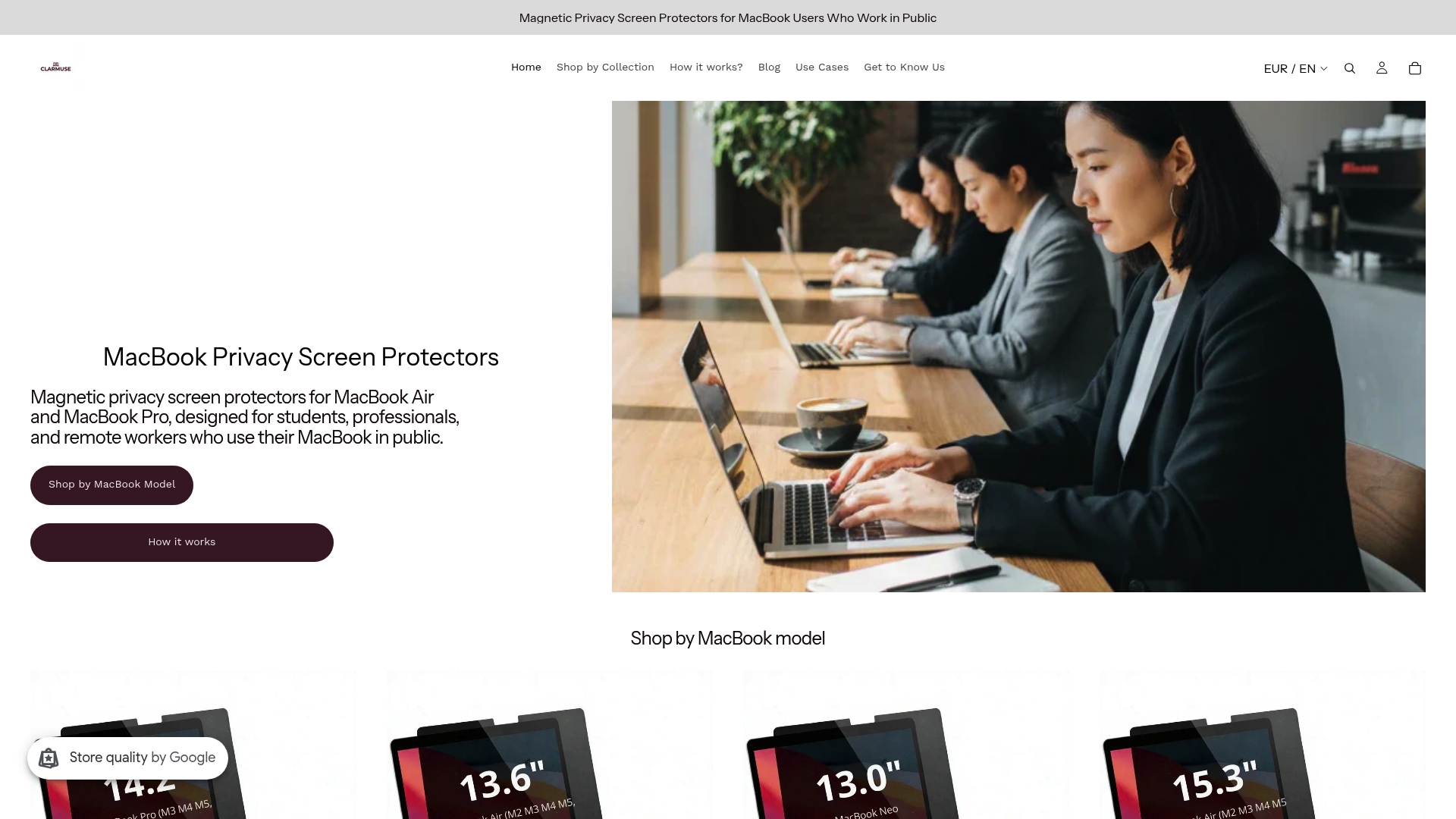
Clarmuse makes magnetic privacy screens for every current MacBook Air and MacBook Pro size. Each screen is cut to the exact model dimensions, attaches via magnets with no tools, and removes cleanly when you close the lid or move locations. No adhesive. No residue. No bulk.
Shop by model: MacBook Pro 16.2", MacBook Pro 14.2", MacBook Air 15.3", MacBook Air 13.6", or MacBook Neo 13.0". If you work regularly in busy coworking spaces, pair your screen with a clamp-on acoustic panel with an NRC rating around 0.85 for full coverage. Confirm your MacBook model and check hinge clearance before ordering. Browse the full MacBook Pro privacy screen collection to compare options.
Useful sources and further reading
- Steelcase — Office privacy research: conceptual framework for matching privacy type (enclosed, shielded, open) to specific tasks.
- Progressive Desk — Acoustic privacy panel: product specs including clamp thickness ranges for desk-mount verification.
- Egan Visual — Acoustic desk privacy panel: NRC ratings and material specs for acoustic panel comparison.
- Clarmuse blog — Privacy screens in coworking spaces: setup guidance for clamp-on and semi-permanent panels in coworking environments.
- Clarmuse blog — Open office privacy challenges: overview of common open-office privacy problems and practical remedies.
FAQ
What is the best privacy solution for a MacBook in a café?
A magnetic privacy screen protector sized to your exact MacBook model is the most portable and effective first layer. Add a lightweight foldable shield behind the screen if you handle sensitive documents or take video calls.
Do desk panels work for laptop screen privacy?
Desk panels provide visual separation between workstations but do not prevent side-angle viewing of a laptop screen. Combine a desk panel with a model-specific privacy screen filter for full coverage.
What clamp range should I look for in a desk privacy panel?
Most professional clamp-mount panels fit desk edges in the 0.4"–1.4" range. Measure your desk thickness at the intended clamp point before ordering to avoid compatibility issues.
Which MacBook models does Clarmuse make privacy screens for?
Clarmuse offers magnetic privacy screens for the MacBook Pro 16.2", MacBook Pro 14.2", MacBook Air 15.3", MacBook Air 13.6" (M2, M3, M4, M5 2022–2026), and MacBook Neo 13.0".
What NRC rating should an acoustic desk panel have?
An acoustic desk panel with an NRC rating around 0.85 provides meaningful noise reduction for personal focus work and calls. Larger modular systems can reach NRC 0.90 but are heavier and less portable.


