

Digital nomads need screen privacy tools because visual hacking, the unauthorized viewing of screen content by nearby strangers, is a real and persistent threat that VPNs and antivirus software cannot address. A physical privacy filter narrows the display’s visible angle so only the person sitting directly in front can read it. The result is a cleaner, calmer workspace in any café, airport lounge, or coworking hub.
- Visual hacking prevention. Side-angle viewers in public spaces cannot read your screen when a privacy filter is in place, blocking access to passwords, client data, and financial records.
- Complements digital security. A VPN encrypts data in transit but does nothing to stop the person in the next seat from reading your screen. Physical filters close that gap, as privacy experts note.
- Anxiety reduction. Knowing your screen is shielded reduces the constant low-level stress of shoulder surfing, freeing mental energy for actual work.
- Improved focus. Less worry about being watched translates directly into deeper concentration and fewer self-interruptions.
- Professional credibility. Handling client data in public without a privacy screen is a liability. With one, it signals that you take confidentiality seriously.
How screen privacy tools actually protect you
Privacy filters work through a technology called micro-louver optics. Imagine hundreds of tiny vertical blinds embedded in a thin film. Light from the screen passes straight through to the viewer sitting head-on, but at angles beyond roughly 30 degrees to either side, those micro-louvers block the light, darkening the display to anyone off-axis. Some filters use polarization layers on top of this to sharpen the effect.
The physical mechanism has a direct psychological payoff. When you can see that your screen is visually shielded, you stop second-guessing your seat choice or hunching over the keyboard. Research on tangible privacy tools confirms this: privacy screen filters demonstrated a positive impact on perceived privacy and facilitated behavioral adaptation in a two-week in-the-wild study with 22 participants.
Physical privacy screens provide psychological relief by signaling personal control, according to senior APA psychology expert Dr. Dennis Stolle. In a digital security environment that often feels opaque and uncontrollable, a tangible tool you can see and touch addresses what researchers call the “privacy paradox” — the gap between stated privacy concerns and actual protective behavior.
That sense of control matters because it changes how you work. Nomads who use privacy filters tend to develop privacy-aware habits such as choosing seats with walls behind them, angling displays away from foot traffic, and locking screens when stepping away. The filter is not just a passive shield. It becomes a behavioral trigger.
Why screen privacy reduces anxiety and improves your workflow
The comfort gain from using a privacy screen is measurable, not just anecdotal. A 2026 study with 22 participants found that privacy filters enhance perceived security and comfort when accessing sensitive applications in public, lowering anxiety about exposure. Participants reported feeling more at ease opening banking apps, CRM portals, and confidential documents in shared spaces.
That reduced anxiety has a direct effect on cognitive performance. When you are not constantly scanning the room or adjusting your posture to hide your screen, you recover the mental bandwidth those micro-tasks were consuming. Deep work becomes accessible in places where it previously felt impossible.
Failing to protect screen content in public can lead to client data leaks, trust damage, or competitive disadvantage, particularly for nomads handling financial transactions and intellectual property on the move.
Screen privacy also aligns with professional obligations. Many client contracts and workplace confidentiality policies require reasonable precautions when handling sensitive data. Using a privacy filter in a café or airport is one of the most visible and defensible steps you can take.
- Banking and financial access. Nomads frequently manage invoices, payroll, and personal accounts on the road. A privacy screen makes those sessions far less exposed.
- Client confidentiality. Reviewing contracts, proposals, or strategy documents in a coworking space carries real risk without a physical barrier.
- Reduced self-monitoring. Without a filter, many nomads unconsciously dim their screens, angle away from others, or avoid sensitive tasks entirely in public. A filter removes that friction.
- Career continuity. A single visual hacking incident can compromise client trust or trigger a data breach, both of which have lasting professional consequences.
What types of screen privacy tools work best for nomads
Not all privacy screens are built the same, and the differences matter when you are packing light and moving often.
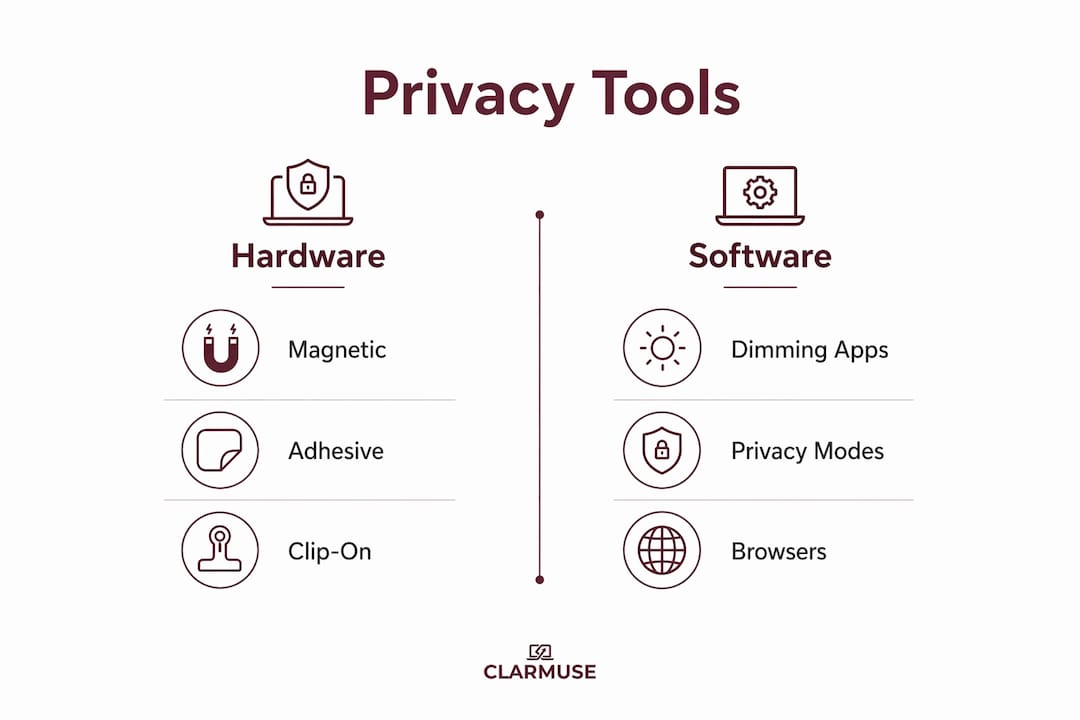
Hardware filters are the most effective option. They come in three main forms: magnetic attachments, adhesive films, and clip-on frames. Magnetic designs are the clear winner for nomads because they attach and detach in seconds without leaving residue or stressing the laptop’s hinge. Adhesive films offer stronger adhesion but are harder to remove cleanly. Clip-on frames work on most laptops but add bulk.
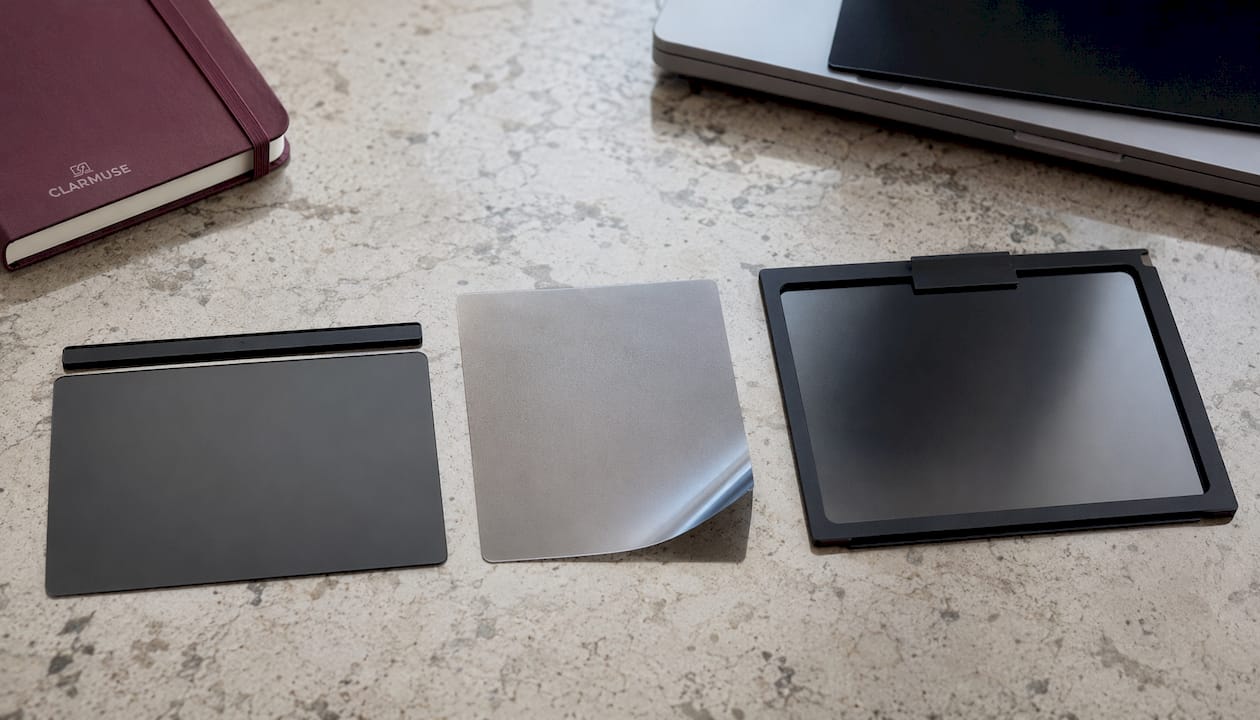
Viewing angle coverage varies by product. Two-way privacy screens block side views from left and right, which covers the most common shoulder-surfing angle. Four-way screens also block top and bottom views, useful if you work in elevated seating or open-plan offices with people standing nearby.
Screen brightness trade-offs are real. Privacy filters can reduce brightness by up to 30–50%, though high-quality screens minimize this through improved light transmission. Anti-glare coatings and blue light filtering are worth looking for, especially if you work long hours under artificial lighting.
Software-based privacy tools exist but serve a different purpose. Screen dimming apps or privacy-mode browsers reduce what is visible on screen but do not physically block side-angle viewing. They are useful as a supplement, not a replacement.
| Feature | Magnetic filter | Adhesive film | Clip-on frame |
|---|---|---|---|
| Portability | Excellent | Good | Moderate |
| Ease of removal | Instant | Difficult | Easy |
| Hinge safety | High (ultra-thin) | Moderate | Low (adds weight) |
| Residue risk | None | Possible | None |
| MacBook compatibility | Purpose-built options available | Universal | Universal |
Pro Tip: For MacBook users, choose a filter with a profile thin enough to close the lid without adding pressure to the hinge. Thicker generic filters can cause hinge wear over time, which is why ultra-thin magnetic designs have become the standard for mobile professionals.
How to travel with and maintain your privacy screen
A privacy screen is only useful if it stays clean and intact. Smudges and micro-scratches reduce both clarity and the filter’s effectiveness at blocking side angles.
- Clean with a microfiber cloth only. Avoid paper towels or clothing fabric, which leave micro-scratches on the filter surface. A dry microfiber wipe handles most fingerprints and dust.
- Store flat or in a dedicated sleeve. Most magnetic privacy screens are thin enough to slide between your laptop and its case. A dedicated sleeve prevents corner damage during transit.
- Remove before packing in a tight bag. Pressure from a packed bag can bow the filter or stress the magnetic attachment points. Two seconds of removal saves a replacement purchase.
- Reinstall on a clean screen. Before reattaching, wipe both the filter and the laptop screen. Trapped dust particles cause permanent micro-scratches over time.
- Remove for collaboration. When presenting to a client or working alongside a colleague, take the filter off. Trying to share a privacy-filtered screen is frustrating for everyone and signals distrust unnecessarily.
- Choose seats strategically even with a filter. A wall or partition behind you eliminates the residual risk from anyone positioned directly behind, which most two-way filters do not cover.
- Lock your screen when you step away. A privacy filter blocks side views but does nothing if you leave your laptop unattended and unlocked. Set your screen lock to activate within 30 seconds of inactivity.
How Clarmuse approaches MacBook privacy for nomads
Clarmuse builds magnetic privacy screens specifically for MacBook Air and MacBook Pro models, which means the fit is exact rather than approximate. Generic filters cut to approximate sizes often leave gaps at the edges or sit slightly proud of the display bezel, both of which reduce the filter’s effectiveness at the critical viewing angles.
The magnetic attachment system Clarmuse uses requires no adhesive, no clips, and no tools. The screen attaches in one motion and comes off just as fast, which matters when you are switching between solo work and a client call multiple times a day. There is no residue, no alignment guesswork, and no risk of hinge damage from an oversized or overly thick filter.
Clarmuse integrates anti-glare coating and blue light filtering into its privacy screens, addressing two of the most common complaints nomads have about extended screen time in variable lighting conditions. The result is a screen that protects your data and reduces eye fatigue simultaneously.
Clarmuse’s MacBook privacy screens are designed around the reality of public work: fast attachment, clean aesthetics, and a profile that does not change how the laptop looks or feels in a bag. For nomads handling sensitive client data daily, that combination of physical security and practical convenience is what makes the difference between a tool you actually use and one that stays in the pouch.
Pro Tip: Match your Clarmuse filter to your exact MacBook model number, not just the screen size. Apple’s display bezels vary between generations, and a model-specific fit gives you full edge-to-edge coverage with no light leakage at the corners.
How screen privacy tools compare to digital security measures
Digital security tools and physical privacy screens protect against entirely different threats. Understanding where each one applies helps you build a complete security posture rather than a partial one.
A VPN encrypts your internet traffic, preventing interception between your device and the server. It does nothing about the person sitting two feet away reading your screen. Antivirus software catches malware. Password managers protect credentials. None of these tools address visual hacking in public workspaces, which is a physical threat requiring a physical response.
Privacy screens occupy a specific and irreplaceable layer in a nomad’s security setup. They are the only tool that prevents real-time visual interception of screen content. Paired with a VPN for network security, a password manager for credential protection, and a USB data blocker for public charging ports, a privacy filter completes a practical hardware security stack that covers the threats software cannot reach. For a broader look at nomad laptop security, the combination of physical and digital layers is the current standard among serious remote professionals.
The key distinction is this: digital tools protect data at rest and in transit. Physical privacy tools protect data in view. Both categories are necessary, and neither substitutes for the other.
Best practices for using privacy screens in different environments
The right approach to screen privacy shifts depending on where you are working.
In cafés and coffee shops, seat selection matters as much as the filter itself. Choose a corner table or a seat with your back to a wall. The filter handles side angles; your positioning handles the rear. Keep your screen brightness at a comfortable level rather than cranking it up to compensate for the filter’s light reduction.
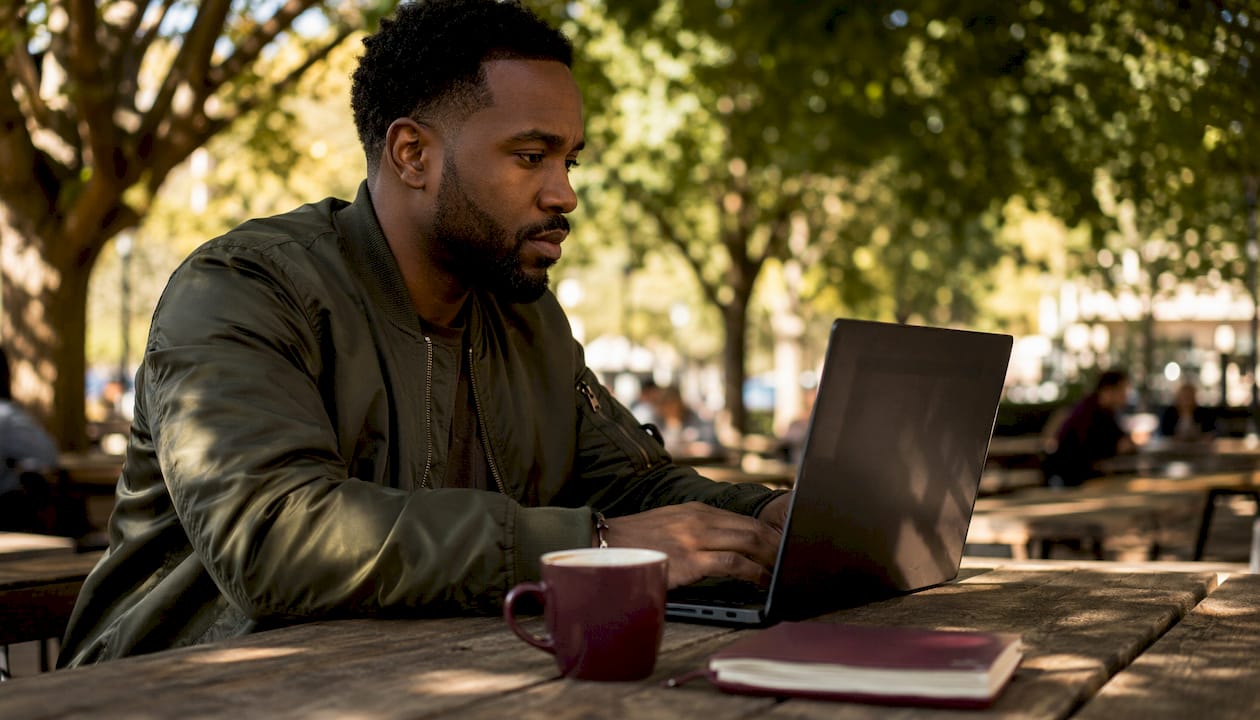
In airports and transit hubs, the threat level is higher because seating is less predictable and people move constantly. Attach your filter before you open your laptop, not after you have already started working. Lock your screen every time you look away, even briefly.
In coworking spaces, the risk profile is different. Most people around you are focused on their own work, but open-plan layouts mean your screen is visible from multiple angles. A four-way privacy filter is worth considering here, particularly if your desk faces an open area. Also consider that mobile security on public networks is a separate concern: use a VPN alongside your physical filter.
In hotel lounges and libraries, lighting conditions vary widely. Anti-glare coating on your privacy filter reduces reflections from overhead lighting, which can otherwise make your screen readable from angles the filter is supposed to block.
During video calls, remove the filter if your camera is positioned so that the filter’s edge appears in frame. It looks unprofessional and can confuse clients about what they are seeing. Reattach immediately after the call ends.
Key Takeaways
Screen privacy tools are a physical security layer that VPNs and software cannot replace, making them a standard part of any nomad’s public-work setup.
| Point | Details |
|---|---|
| Visual hacking is a real threat | Public spaces expose screen content to bystanders in ways that digital security tools cannot prevent. |
| Filters reduce anxiety measurably | A 2026 study with 22 participants found privacy screens improve comfort when accessing sensitive apps in public. |
| Brightness trade-off is manageable | High-quality filters reduce brightness by up to 30–50%, but anti-glare coatings offset most of the impact. |
| Magnetic designs suit MacBook users | Ultra-thin magnetic attachments prevent hinge damage and enable fast on/off use during travel. |
| Physical and digital security are complementary | A privacy screen covers what a VPN cannot: real-time visual interception of on-screen content. |
FAQ
Do you really need a privacy screen protector?
Yes, if you regularly work in public spaces. A privacy filter is the only tool that physically prevents bystanders from reading your screen, a threat that VPNs and other digital security measures cannot address.
Why do people use privacy screens?
People use privacy screens to block side-angle viewing of sensitive content, including passwords, financial data, and client documents, and to reduce the anxiety of working in shared or public environments.
Is having a privacy screen a red flag?
No. Using a privacy screen signals professional responsibility, not suspicious behavior. Handling confidential client data in public without one is the greater liability under most workplace confidentiality standards.
What are the disadvantages of privacy screens?
The main trade-off is reduced screen brightness, which can reach up to 30–50% on lower-quality filters. High-quality screens with improved light transmission minimize this, and anti-glare coatings help in variable lighting conditions. Sharing your screen with a colleague also requires removing the filter temporarily.


